logo-darklogo-darklogo-darklogo-dark
  • Home
  • Browse
    • Assistant
    • Coding
    • Image
    • Productivity
    • Video
    • Voice
    • Writing
    • All Categories
    • AI Use Cases
  • My Favorites
  • Suggest a Tool
✕
Home › Image Generation & Editing / Video Generation & Editing ›

Akool

Published by Dusan Belic on September 11, 2024

Akool

Akool
Akool Homepage
Categories Image Generation & EditingVideo Generation & Editing
An AI-powered tool designed to enhance digital content creation for businesses

Akool

Akool is an AI-powered tool designed to enhance digital content creation for businesses. It offers a range of features — including face swapping, video translation, realistic avatars, talking photos, image generation, and background change — allowing users to create engaging content quickly and efficiently for marketing, e-commerce, education, and entertainment.

Akool is especially great at creating realistic avatars, which can be useful for creating personalized videos and digital spokespersons Another highlight is the face swap feature, which provides users with the ability to create fun and creative content by swapping faces in photos and videos — and then use the newly created content for social media, advertisements, and entertainment purposes.

Akool can also translate videos in an effort to break language barriers, allowing businesses to reach a global audience. This feature ensures that content is accessible to a diverse audience, thus enhancing global communication and even marketing strategies.

We should also mention the talking photo tool which animates still images, bringing them to life with human-like voices.

All in all, Akool lets brands produce high-fidelity content that aligns with their brand aesthetics and voice. As such, it caters to a wide range of industries, providing tools that streamline content creation, improve engagement, and drive innovative marketing campaigns. Check it out.

Akool Homepage
Categories Image Generation & EditingVideo Generation & Editing

Video Overview ▶️

What are the key features? ⭐

  • Face swap: Easily swap faces in videos and photos, allowing for creative and humorous transformations like movie role refacing and gender swaps.
  • Translate videos: Break language barriers by translating videos with high accuracy, making global communication more accessible.
  • Realistic avatars: Create lifelike avatars and videos from text, utilizing AI to generate human-like voices and movements.
  • Talking photos: Animate photos and make them speak with real human voices, making static images dynamic (and engaging).
  • Background change: Change the background of product photos to enhance visual appeal and professionalism.

Who is it for? 🤔

Akool is made for businesses and individuals in the marketing, advertising, e-commerce, and education sectors who seek innovative and creative ways to enhance their content. It appeals to digital creators, social media influencers, and educators looking for tools to produce engaging and dynamic visual media. Ultimately, the service is also ideal for anyone interested in leveraging AI technology for personal or professional projects.

Examples of what you can use it for 💭

  • Enhance ad campaigns with creative face swaps, personalized videos, and more
  • Create engaging and entertaining content for social media platforms
  • Improve product listings with customized backgrounds and AI-generated images
  • Utilize talking avatars and translated videos to create interactive and accessible educational materials
  • Generate personalized videos and animated photos for personal use

Pros & Cons ⚖️

  • Easily swap faces in images and videos
  • Makes static images dynamic
  • AI photo editing tools included
  • Face swaps can be easily misused

FAQs 💬

What is Akool primarily used for?
Akool serves as an all-in-one generative platform mainly for creating studio-quality videos, realistic avatars, and custom images through AI tools. It's ideal for dynamic storytelling in marketing campaigns, e-learning modules, or social media content, where users turn text prompts or uploads into engaging visuals without needing advanced editing skills. I think this makes it a go-to for beginners wanting quick, professional results.
Is Akool suitable for beginners with no video editing experience?
Yes, Akool features an intuitive dashboard that guides users through simple steps like uploading media or entering prompts, making it accessible even for those new to AI. Reviews on G2 from 2025 praise its drag-and-drop interface for reducing the learning curve, though experimenting with prompts might take a few tries to perfect outputs. Probably the best part is how it handles the heavy lifting automatically.
How does Akool's face swap tool work for videos?
The face swap tool uses advanced AI models to seamlessly replace faces in uploaded videos or photos, ensuring natural blending with matching lighting and expressions. Users select source and target faces, adjust settings for realism, and generate results in minutes; it's great for fun social edits or branded demos. Just keep inputs high-quality to avoid glitches, as noted in recent Reddit threads.
Can Akool generate videos from text descriptions?
Absolutely, Akool's text-to-video feature lets you input scripts or ideas to produce full clips with avatars, voiceovers, and scenes powered by models like Kling or Sora. It's tailored for quick prototypes in education or ads, delivering up to 4K quality. Users on X in late 2025 shared how it streamlines workflows, but complex narratives might need prompt tweaks for spot-on accuracy.
What languages does Akool support for video translation?
Akool translates videos into over 155 languages with AI-driven lip-sync and natural voices, preserving original tone for global reach. This shines in e-commerce or training content, where you upload a clip and select targets; feedback from Trustpilot highlights its accuracy for non-English markets. It might falter slightly with dialects, so test short segments first.
Does Akool offer avatar creation options?
Yes, it provides customizable AI avatars, including talking photos and full-body models with emotions and 850+ voices, for personalized videos or virtual spokespeople. Creators use it for brand consistency in webinars or product demos; G2 reviews from 2025 call the realism "game-changing." The process is straightforward, upload a photo and add script.
How real-time are Akool's live camera features?
Akool's live camera tools enable instant face swaps and avatar overlays during streams or meetings, processing in real-time for dynamic interactions. It's useful for virtual events or customer support, with low latency on stable connections. X users in December 2025 demoed it for engaging broadcasts, though high-bandwidth setups yield the smoothest results.
What types of images can Akool generate?
The image generator creates custom visuals from text prompts, like marketing graphics or product mockups, using models for styles from realistic to artistic. It's beginner-friendly for brainstorming ideas without design software; recent blog updates emphasize its role in e-commerce visuals. Outputs support up to 8K, but refine prompts for precision.
Can Akool integrate with other tools or APIs?
Akool offers open APIs for embedding features like avatars or translations into apps, workflows, or CRMs, supporting enterprise scalability. Developers appreciate the documentation for custom builds in sales or support systems. As per 2025 G2 insights, it's flexible yet might require basic coding for seamless ties.
What security measures does Akool have for user content?
Akool is SOC 2 compliant with encrypted processing, on-device options for privacy, and content moderation to flag issues. This builds trust for business uploads, especially in regulated fields like education. User feedback on forums confirms secure handling, though always review guidelines for inputs.

Related tools ↙️

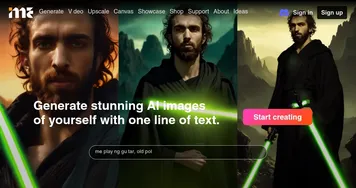
  1. ImagineMe ImagineMe Generate stunning AI images of yourself with one line of text
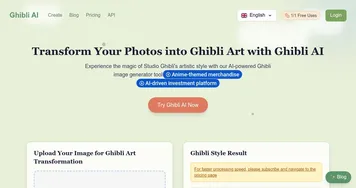
  2. Ghibli AI Ghibli AI An AI tool that can turn photos or a text prompt into an image from a Studio Ghibli film
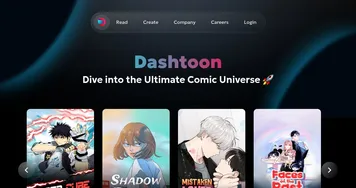
  3. Dashtoon Dashtoon An AI-powered platform that transforms your stories into engaging comics and manga
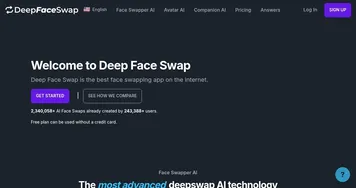
  4. DeepFaceSwap DeepFaceSwap An AI face-swapping tool that lets users swap faces in photos or videos without watermarks
  5. Gemoo Gemoo An AI platform that makes it easy to create, edit, and share videos and images
  6. VanceAI VanceAI AI photo enhancer and editor
Last update: December 9, 2025
Share
Promote Akool
light badge
Copy Embed Code
light badge
Copy Embed Code
light badge
Copy Embed Code
About Us | Contact Us | Suggest an AI Tool | Privacy Policy | Terms of Service

Copyright © 2026 Best AI Tools
415 Mission Street, 37th Floor, San Francisco, CA 94105