logo-darklogo-darklogo-darklogo-dark
  • Home
  • Browse
    • Assistant
    • Coding
    • Image
    • Productivity
    • Video
    • Voice
    • Writing
    • All Categories
    • AI Use Cases
  • My Favorites
  • Suggest a Tool
✕
Home › Assistant ›

Chatbot App

Published by Dusan Belic on March 11, 2025

Chatbot App

Chatbot
Chatbot App Homepage
Categories Assistant

Chatbot App - screenshot

A neat platform that offers users access to multiple advanced AI models under one roof

Chatbot App

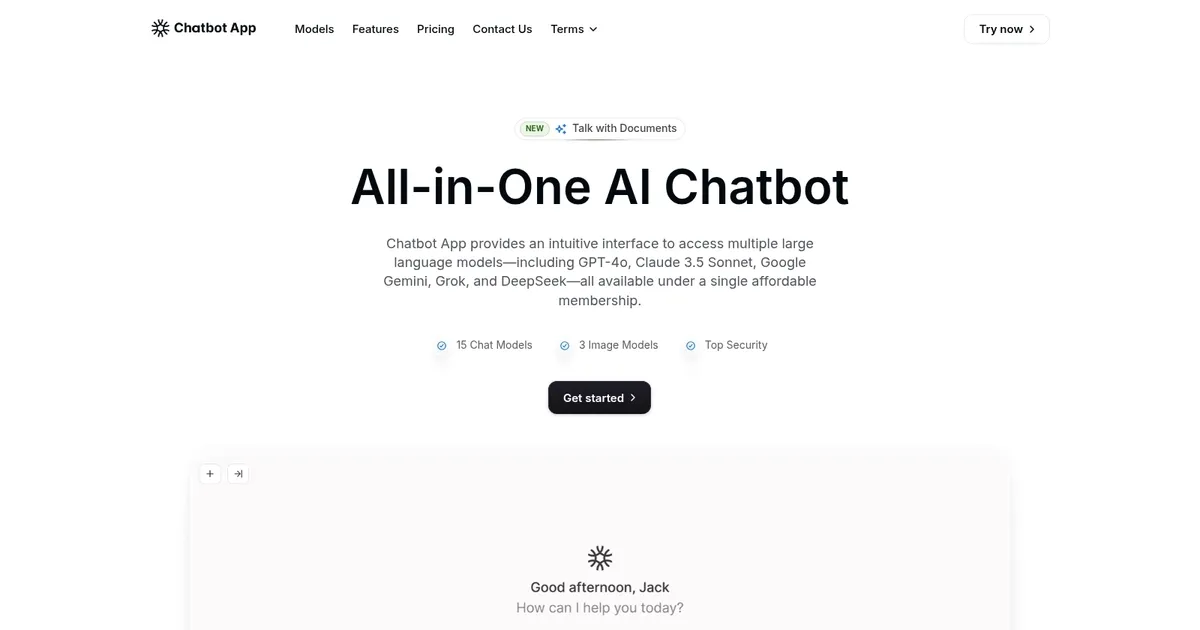
In the bustling world of AI, Chatbot App represents a neat platform that offers users access to multiple advanced AI models under one roof. This all-in-one chatbot service integrates technologies — such as OpenAI’s GPT-4o, Google’s Gemini, and Claude 3.5 Sonnet — to provide an efficient user experience. With a single membership, users can tap into these powerful models across various devices, making AI interactions more accessible than ever.

Chatbot App works in a web browser, as well as on iOS and Android devices, allowing users to engage with AI models on the go. Moreover, it integrates with WhatsApp, meaning users can access AI support through messaging.

The platform comes with a comprehensive prompt library filled with expertly crafted examples, enabling users to achieve optimal results across different use cases. In addition, users can import their own content, such as PDF documents, and interact with them directly. This feature can be particularly beneficial for professionals managing extensive documentation, as it allows for quick information extraction and summarization.

Chatbot App also supports real-time web search to provide accurate and up-to-date information. This feature is useful for tasks that require the latest data, such as market research or news updates. Coupled with multilingual support covering over 100 languages, Chatbot App caters to a global audience.

In summary, Chatbot App is a robust platform offering a range of advanced AI features designed to enhance productivity and user engagement. If that’s what you’re looking for – feel free to check it out.

Chatbot App Homepage
Categories Assistant

What are the key features? ⭐

  • Multi-model access: Chatbot App integrates several AI models, including OpenAI's GPT-4o, Google's Gemini, and Claude 3.5 Sonnet.
  • Cross-platform compatibility: The platform is accessible on web browsers, iOS, and Android devices, ensuring a seamless experience across platforms.
  • Real-time web search: AI models can access the internet to fetch up-to-date information, ensuring responses are current and relevant.
  • Content interaction: Users can upload PDF documents and interact with them directly to allow for efficient information extraction and summarization.
  • Multilingual support: The platform supports over 100 languages, catering to a diverse user base across the world.

Who is it for? 🤔

The primary audience for Chatbot App includes professionals and businesses looking to enhance their operations with AI-driven solutions. Its features are particularly advantageous for those requiring efficient document management, customer support automation, and up-to-date information retrieval. And, because of its support for 100+ languages, this applies to the global audience.

Examples of what you can use it for 💭

  • Upload and interact with PDF documents to quickly extract information and generate summaries
  • Integrate Chatbot App with CRM systems to provide instant, AI-driven responses to customer inquiries
  • Utilize the platform's AI models to generate creative content ideas, draft articles, or refine existing text
  • Leverage the multilingual capabilities to practice new languages or translate content accurately
  • Use the real-time web search feature to obtain the latest data on various topics

Pros & Cons ⚖️

  • Access multiple advanced AI models under a single platform
  • Real-time data access provides current and relevant information
  • Supports over 100 languages
  • Some users have noted misleading promotional practices
FAQs 💬

What is Chatbotapp.ai, and how does it differ from official AI tools like ChatGPT?
Chatbotapp.ai is a third-party platform that aggregates access to multiple AI models, such as OpenAI's GPT-4o, Anthropic's Claude, Google's Gemini, xAI's Grok, and DeepSeek, all in one interface. Unlike official tools like ChatGPT, which focus on a single provider's ecosystem, this app lets you switch between models seamlessly for tasks like chatting, content generation, or image creation. It's built for users who want variety without juggling multiple subscriptions, but it's not affiliated with OpenAI or others, so responses rely on their APIs.
Is Chatbotapp.ai free to use, or what are the pricing options?
Yes, there's a free tier with access to GPT-4o Mini and basic features, but it's limited to that one model. Paid plans start at $19.99 per month for Pro, which unlocks all models, unlimited file uploads, image generation (up to 3,600/month), and custom bots; Ultra Pro is $39.99/month for higher limits like 14,000 images. Annual billing saves about 70%, but watch for add-ons like image packs. Always check for current promotions on their site.
What key features does Chatbotapp.ai offer for everyday users?
Core features include real-time web search for up-to-date answers, speech-to-text and voice chat, multilingual support in over 100 languages, and uploading documents (like PDFs) to query or summarize them. You can also generate images and compare model outputs side-by-side to spot differences or reduce errors. Chat history syncs across web, iOS, and Android browsers, making it handy for mobile workflows.
How secure and private is my data on Chatbotapp.ai?
The platform claims standard encryption for chats and files, with options for privacy controls coming soon, but details are sparse on their site. Since it routes through third-party APIs, your data touches providers like OpenAI, so review their policies too. User reviews mention no major breaches, but for sensitive info, stick to official apps. They don't store conversations beyond your account unless you opt in for improvements.
Can beginners easily set up and use Chatbotapp.ai without technical skills?
Absolutely, it's designed for non-techies with a simple chat interface—no coding required. Sign up via email, pick a model, and start typing or speaking. Features like the AI Store for discovering bots make it intuitive, though some users note occasional glitches in image generation. If you're new to AI, the free tier is a low-risk way to test it.
What do real users say about Chatbotapp.ai's performance and reliability?
Positive feedback highlights the convenience of one-stop access and cost savings, with some calling it a "game-changer" for comparing models. However, complaints include slow responses during peak times, limits hitting unexpectedly on free plans, and refund hassles. On Trustpilot, it scores around 3.5/5 from over 1,800 reviews, with mixed experiences—great for casual use, but pros might prefer dedicated tools.
Does Chatbotapp.ai support integrations with other apps or custom bots?
Currently, it focuses on built-in tools like file uploads and web search, with custom bots available on Pro plans for tailored tasks (e.g., a support bot). Upcoming features promise connections to Notion, Google Drive, or Zendesk. No deep API integrations yet, so it's more standalone than enterprise-focused platforms, but that keeps it simple for individuals.
How accurate are the AI responses on Chatbotapp.ai, and can I fact-check across models?
Accuracy varies by model—Claude shines for nuanced writing, Gemini for research—but the app's strength is side-by-side comparisons to cross-verify and cut down on hallucinations. Real-time search helps, but always double-check critical info. Users report it's reliable for brainstorming or summaries, less so for specialized fields like coding without tweaks.
What devices and platforms work with Chatbotapp.ai?
It's fully cross-platform: access via any browser on web, iOS, or Android—no app download needed, though a companion app exists on Google Play. Chats sync across devices, so start on desktop and continue on mobile. Voice features work best on phones, but expect minor lag on older hardware.
Is there a money-back guarantee or easy cancellation for Chatbotapp.ai?
They offer a 7-day refund window on paid plans if unused, processed via Paddle (their payment processor). Cancellation is straightforward in account settings, but some users report delays or denials if over usage limits. For peace of mind, start with the free plan and contact support for issues—responses can take a day or two.

Related tools ↙️

  1. Chatsonic Chatsonic An advanced AI-powered chatbot that enables personal client interaction through conversational intelligence.
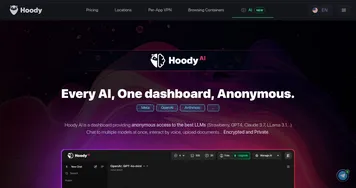
  2. Hoody AI Hoody AI Provides anonymous access to multiple LLMs in one dashboard.
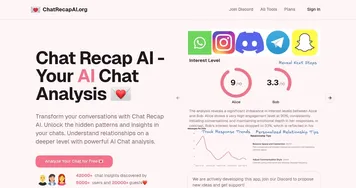
  3. Chat Recap AI Chat Recap AI Uses AI to analyze your digital conversations across platforms and provide insights
  4. Leena AI Leena AI An AI assistant that helps companies take care of their employees
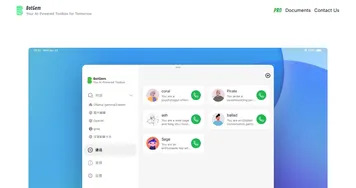
  5. BotGem BotGem Powers conversations with advanced AI chat capabilities
  6. PromptEngine PromptEngine Generates high-quality AI prompts to optimize interactions with language models
Last update: November 25, 2025
Share
Promote Chatbot App
light badge
Copy Embed Code
light badge
Copy Embed Code
light badge
Copy Embed Code
About Us | Contact Us | Suggest an AI Tool | Privacy Policy | Terms of Service

Copyright © 2026 Best AI Tools
415 Mission Street, 37th Floor, San Francisco, CA 94105