An AI assistant for recording, transcribing, highlighting, and summarizing your meetings
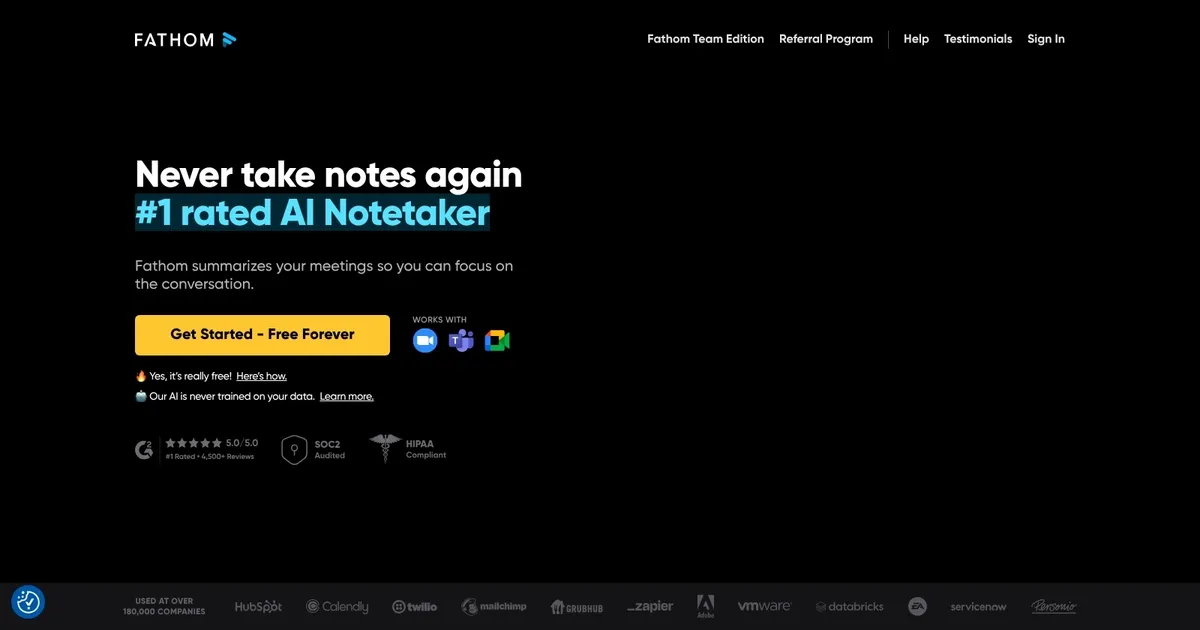
Fathom is an AI-powered notetaking tool designed to increase productivity during video calls and meetings. It automatically records, transcribes, highlights, and summarizes your meetings — allowing participants to focus entirely on the conversation without the distraction of taking notes.
Fathom delivers AI-generated summaries in under 30 seconds after the meeting ends, syncs meeting summaries and tasks directly to your CRM, and enables users to share specific clips from meetings. The result is an efficient way to manage meeting information and follow-ups.
Fathom is compatible with various video conferencing platforms, supports multiple languages, and complies with regulatory requirements to make it a versatile tool for a wide range of users.
It offers a free version that provides unlimited recording, transcription, and summarization, along with a Premium version that includes advanced features like AI-generated action items and customizable meeting summary templates. Additionally, Fathom offers a Team Edition with features that cater to the needs of teams and managers for organizational deployment.
Finally, we should mention that all recordings are kept private unless shared by the user, with the company employing robust security measures that include end-to-end encryption and regular third-party penetration testing.
FAQs
💬
What is Fathom AI, and who is it best for?
Fathom AI is an AI-powered meeting assistant that records, transcribes, and summarizes video calls on platforms like Zoom, Google Meet, and Microsoft Teams. It generates instant summaries, action items, and highlights to help users stay focused during conversations. It's ideal for sales teams, customer support reps, remote workers, and busy professionals who juggle multiple meetings weekly, especially those in startups or SMBs looking for a free or low-cost option to cut down on note-taking time.
How accurate is Fathom AI's transcription, and does it handle accents or noisy environments well?
Fathom AI boasts high transcription accuracy, often rated 90-95% in clear conditions, with strong performance on multiple speakers and moderate background noise. Users on G2 and Capterra praise its ability to capture nuances like tone and context, though it might struggle slightly with heavy accents or very loud settings—better than Otter.ai in tests, but not perfect. I think it's reliable enough for most professional calls, and you can edit transcripts easily.
What are the key features of Fathom AI?
Core features include automatic recording and transcription, AI-generated summaries (basic or advanced with custom templates), action item extraction, searchable highlights and clips, and the "Ask Fathom" chatbot for querying past meetings. It also offers team collaboration tools like shared playlists and keyword alerts on paid plans. Recent updates in 2025 added better Asana integration and Zapier support for all tiers, making it versatile for workflows.
Does Fathom AI integrate with my existing tools?
Yes, it syncs seamlessly with CRMs like Salesforce and HubSpot, project tools like Asana and Notion, and communication apps like Slack. Zapier connects it to thousands more. On the free plan, you get basic CRM sync; paid plans unlock advanced field mapping and auto-updates. Users report it's plug-and-play for Zoom and Teams, with no major setup hassles.
What are Fathom AI's pricing plans, and is there a free option?
Fathom offers a robust free plan with unlimited recordings, transcriptions, and basic summaries for up to five advanced AI features per month. Paid options start at $20/user/month for Premium (unlimited AI summaries and custom bots), $18/user/month for Team (collaboration tools, min. 2 users), and $28/user/month for Business (coaching metrics and custom retention). Annual billing saves 25%, and there's a 90-day guarantee. It's more generous than competitors like Otter.ai for free users.
How does Fathom AI compare to Otter.ai or Fireflies.ai?
Fathom edges out Otter.ai with unlimited free transcription (vs. Otter's 300-minute limit) and better sales-focused summaries, but Otter has stronger real-time captions and mobile support. Against Fireflies.ai, Fathom is lighter and cheaper for individuals, though Fireflies offers more API flexibility. In 2025 reviews on Reddit and G2, Fathom wins for accuracy and ease, while Gong.io is pricier but deeper for enterprise sales coaching.
Is Fathom AI secure for sensitive meetings, like client calls?
Fathom complies with SOC 2, GDPR, and HIPAA standards, with end-to-end encryption and options for data retention policies on Business plans. It doesn't store recordings indefinitely unless you choose to, and users control sharing. However, its visible bot in meetings might raise privacy flags for some—reviews on Capterra note it's fine for internal use but suggest checking consent laws for external calls.
Can Fathom AI handle in-person or non-video meetings?
Primarily designed for virtual platforms, Fathom doesn't natively support in-person recordings yet—you'd need to upload audio files manually, which isn't as seamless. For hybrid teams, paid plans allow some audio uploads, but users on Trustpilot recommend it mostly for Zoom/Teams. Alternatives like Krisp handle offline better if that's a must.
How easy is Fathom AI to set up and use for beginners?
Setup takes minutes: link your calendar, and it auto-joins scheduled calls. The dashboard is intuitive, with video timelines and one-click sharing. Beginners on G2 love the no-learning-curve vibe, though some note the free plan's limits might push quick upgrades. Overall, it's more user-friendly than Gong's complex interface.
What do users say about Fathom AI's impact on productivity?
Recent 2025 reviews on G2 (4.9/5) and Capterra (4.8/5) highlight time savings—95% of users report staying more present in meetings, saving 6+ hours weekly on follow-ups. Sales pros appreciate 3x faster action item turnaround, but a few mention occasional summary tweaks needed. It's a solid pick if you're tired of manual notes.