
logo-darklogo-darklogo-darklogo-dark
  • Home
  • Browse
    • Assistant
    • Coding
    • Image
    • Productivity
    • Video
    • Voice
    • Writing
    • All Categories
    • AI Use Cases
  • My Favorites
  • Suggest a Tool
✕
Home › Video Generation & Editing / Voice Generation & Editing ›

FineShare

Published by Dusan Belic on July 10, 2023

FineShare

FineShare
FineShare Homepage
Categories Video Generation & EditingVoice Generation & Editing
A set of AI tools that lets you create videos, record your voice, and more

FineShare

Fineshare offers a comprehensive suite of AI-powered products designed to enhance audio-visual communications and creative projects for individuals and educators. It provides a range of services, including creating AI voiceovers using your favorite characters’ voices, transforming your voice with VoiceTrans for engaging communications, generating song covers with AI voices through Singify, and improving video conferencing with FineCam’s AI virtual camera capabilities.

The platform focuses on making sound and video creation easy and accessible, allowing users to produce high-quality content — whether it’s for entertainment, content creation, or online teaching.

Features such as real-time voice changing, webcam background removal, audio and video transcription, and voice cloning aim to empower users to infuse creativity and professionalism into their digital interactions.

Fineshare’s offerings are tailored to content creators looking for innovative ways to express themselves as well as educators seeking to enhance online learning experiences. For teaching professionals, FineCam facilitates high-definition video lessons without needing external webcams or professional studios, incorporating multimedia elements to make classes more engaging. Additionally, the ability to create pre-recorded videos and utilize audio transcription for lesson materials supports flexible learning opportunities for students.

The platform emphasizes ease of use and creativity, coupled with high technical quality, to cater to various needs, from personal entertainment to professional educational content creation.

FineShare Homepage
Categories Video Generation & EditingVoice Generation & Editing

Video Overview ▶️

What are the key features? ⭐

  • AI-powered voice tech: FineShare offers advanced AI tools for voice creation, transformation, and enhancement, making it easy to generate high-quality, customized audio content.
  • Real-time voice changing: Users can alter their voices in real time during calls or recordings, adding a fun and creative element to their communications.
  • Versatile voice cloning: The platform allows users to clone voices accurately, providing unique opportunities for personalized content creation.
  • Comprehensive audio tools: FineShare includes tools for transcription, text-to-speech, and audio editing, making it a one-stop shop for audio needs.
  • Cross-platform compatibility: FineShare tools work seamlessly across various devices and platforms, ensuring accessibility and convenience for users.

Who is it for? 🤔

FineShare is made for content creators, gamers, educators, and marketing professionals who need high-quality, customizable audio tools. The service appeals to individuals and organizations seeking to enhance their audio content with AI-driven technology, offering solutions that are easy to use and accessible across various platforms. Whether for personal or professional use, FineShare will meet diverse audio and voice-related needs.

Examples of what you can use it for 💭

  • YouTubers and podcasters can use it to create unique voiceovers or background audio for their content
  • Gamers can use voice changers to add fun elements to their gameplay
  • Professionals can enhance virtual meetings by using FineShare's voice and audio tools to maintain privacy
  • Educators can create dynamic audio content to enhance online learning experiences
  • Marketers can use the platform to create engaging audio ads or promotional content with customized voices

Pros & Cons ⚖️

  • Changing voices in real time feels like magic
  • Works across platforms
  • Good for different use cases
  • Could be easily misused

FAQs 💬

What is FineShare, and what does it offer for voice creation?
FineShare is an AI-powered platform that helps users generate high-quality audio and video content, with key tools like FineVoice for voice cloning and text-to-speech, VoiceTrans for real-time voice changing, and Singify for AI song covers. It supports over 1,500 realistic voices in 154 languages, making it ideal for content creators, gamers, and educators who want natural-sounding results without complex setups. I think it's especially useful for quick projects, like adding voiceovers to videos.
How does the AI voice changer in FineShare work for real-time use?
FineShare's VoiceTrans analyzes your live audio input using deep learning algorithms and transforms it instantly into over 1,000 voice effects, including celebrities or characters, with low latency for smooth gaming or streaming. You select a voice model, adjust settings like pitch or emotion, and it applies changes in real time across apps like Discord or Zoom. Users often note it's beginner-friendly, though results might vary slightly based on your microphone quality.
Can I clone my own voice with FineShare, and how long does it take?
Yes, FineVoice lets you clone a custom voice in about one minute using just 30 seconds of your audio sample, preserving accents, timbre, and nuances for personalized text-to-speech or voiceovers. It's great for branding podcasts or creating character voices, and the cloned model works across languages. Probably the fastest option out there for accurate clones, based on recent user tests.
What languages and accents does FineShare support for voice generation?
FineShare covers 154 languages and numerous accents, from English variants like British or Indian to Mandarin and Spanish, ensuring authentic pronunciation for global content. This makes it versatile for dubbing videos or multilingual ads. External reviews confirm the intonation feels natural in most cases, though some niche dialects could use more refinement.
Is FineShare suitable for gaming, like changing voices in multiplayer?
Absolutely, VoiceTrans integrates seamlessly with games such as Roblox, League of Legends, or VALORANT, letting you swap to fun voices or soundboards during play without lag. It enhances immersion for role-playing or pranks, and gamers praise its compatibility with popular headsets. Just ensure your setup meets the basic system requirements for best performance.
How easy is it for beginners to use FineShare's text-to-speech feature?
FineVoice's text-to-speech is straightforward: input your script, pick a voice from the library, tweak speed or emotion, and generate audio in seconds. No editing skills needed, and it exports directly to formats like MP3 for videos or podcasts. Many new users say the interface feels intuitive, like a simple word processor with voice previews.
Does FineShare work on mobile devices or just desktops?
While core tools like FineVoice run best on Windows and Mac desktops for full features, the online voice changer is browser-based and mobile-friendly on iOS or Android for quick edits. For real-time changing, desktop gives smoother results, but mobile handles basic cloning or generation well. It might depend on your connection speed for uploads.
Can I use FineShare-generated voices for commercial projects?
Yes, voices from the library or your clones are cleared for commercial use, like YouTube videos, ads, or e-learning courses, as long as you follow their terms on originality. This appeals to freelancers creating client content. Always double-check the license for specific voices, especially celebrity ones, to avoid issues.
What makes FineShare different from other AI voice tools like ElevenLabs?
FineShare stands out with its all-in-one suite, combining voice changing, cloning, and music covers at a more accessible entry point, plus free daily credits for testing. Unlike ElevenLabs' focus on ultra-premium narration, FineShare excels in fun, real-time gaming tweaks and batch processing. Comparisons show it's more budget-friendly for casual creators, though pros might prefer deeper customization elsewhere.
How do I troubleshoot poor voice quality in FineShare outputs?
Check your input audio clarity first, as low-quality samples lead to artifacts; use a quiet environment and high-bitrate files for cloning. Adjust settings like emphasis or pauses in the editor, and regenerate if needed. Support responds quickly with guides, and most users fix issues by updating their app version.

Related tools ↙️

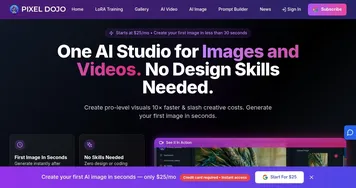
  1. Pixel Dojo Pixel Dojo Generate stunning AI images and videos from text or images with advanced tools
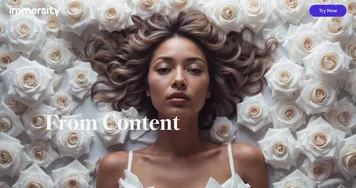
  2. immersity AI immersity AI Enables the instant conversion of 2D images into 3D animations
  3. Melobytes Melobytes More than 100 AI apps for music production, text-to-speech, and image and video manipulation
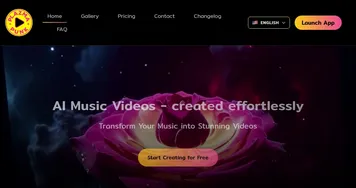
  4. Plazmapunk Plazmapunk Generates stunning music videos from audio using AI-driven visuals
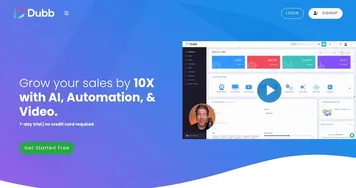
  5. Dubb Dubb Create and share personalized videos to connect with clients in a more genuine way
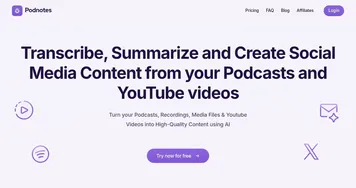
  6. Podnotes Podnotes Repurpose your audio and video content into various written formats
Last update: December 8, 2025
Share
Promote FineShare
light badge
Copy Embed Code
light badge
Copy Embed Code
light badge
Copy Embed Code
About Us | Contact Us | Suggest an AI Tool | Privacy Policy | Terms of Service

Copyright © 2026 Best AI Tools
415 Mission Street, 37th Floor, San Francisco, CA 94105