Skip to content
logo-darklogo-darklogo-darklogo-dark
  • Tool Categories
    • 🎨Art & Creative Design505
    • 🏢Business Management644
    • 💻Coding & Development514
    • 👮Detection83
    • 🧠General Use728
    • 🏥Health & Wellness55
    • 📷Image & Photo Analysis100
    • 🖼️Image Generation & Editing618
    • 📐Interior & Architectural Design37
    • 🎓Learning & Education483
    • ⚖️Legal & Finance90
    • 🎭Lifestyle & Entertainment236
    • 📢Marketing & Advertising627
    • 🎧Music & Audio138
    • 👔Office & Workplace1,014
    • 🔬Research & Data Analysis373
    • 👥Social Media245
    • 🎥Video Generation & Editing426
    • 👧🏻Virtual Companion135
    • 🎤Voice Generation & Editing381
    • ✍️Writing & Editing808
    • All Categories
    • AI Use Cases
  • News
  • Events
    • Academic Conferences
    • Developer Conferences
    • Expos / Trade Shows
    • Industry Summits
    • Workshops / Training
    • All Events
    • Past Events
  • Saved Tools
  • Suggest a Tool
    ✕
    Home › Image Generation & Editing › Image Generation› Pixel Dojo
    Pixel Dojo

    Pixel Dojo

    Generate stunning AI images and videos from text or images with advanced tools

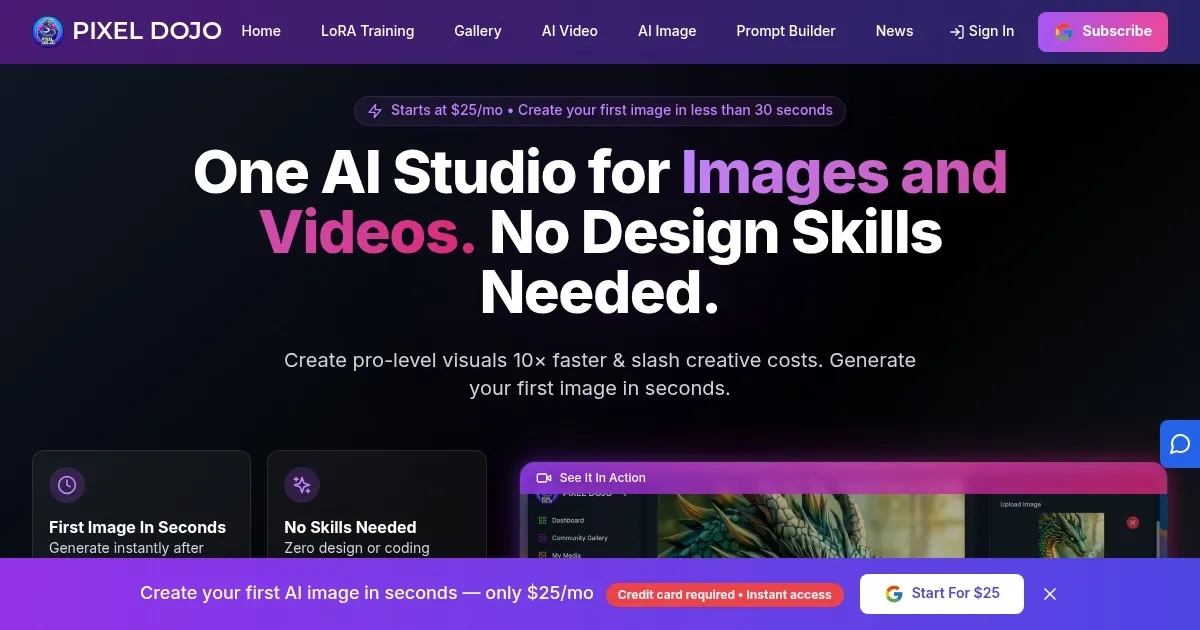
    PixelDojo is a platform offering over 30 AI tools for generating and editing images and videos from text or existing visuals, targeting artists, marketers, and creators. It uses models like Flux Pro, Imagen 4, and Kling Pro to produce high-quality outputs. The AI Image Generator creates visuals from text prompts, delivering photorealistic or stylized images in seconds. The AI Video Generator transforms text or images into videos, with options like Google Veo 3 adding native audio. The Smart Image Editor provides tools for background removal and resolution upscaling, while the Character Creator uses LoRA training for consistent avatars. The Creative Upscaler enhances low-res images up to 16x quality.

    The platform’s interface is user-friendly, with a dashboard guiding users through tool selection and customization. It supports diverse styles, including anime, abstract, and 3D cartoons. Compared to Midjourney, PixelDojo offers a broader toolset, while Runway focuses more on video. Stable Diffusion is less polished but more open-source. PixelDojo’s subscription model uses credits, which is competitive but can limit heavy video generation compared to Midjourney’s flat-rate plans.

    Users praise the platform’s output quality and variety, with over 10,000 creators generating more than 1 million images. Community forums provide prompt ideas and support. The platform excels for quick, professional visuals but struggles with complex prompts, which may require multiple attempts. Video outputs occasionally have minor issues, like inconsistent transitions. The credit system can feel restrictive for frequent video users, and LoRA training has a learning curve.

    PixelDojo suits those needing versatile, high-quality visual tools without design expertise. Its API allows developers to integrate image generation into apps. Recent reviews on sites across the Interwebs highlight its ease of use and customization, though some note credit costs as a drawback.

    To use PixelDojo effectively, start with simple prompts in the AI Image Generator to understand its capabilities. Use the Smart Image Editor for quick fixes and explore the Character Creator for consistent designs. Monitor credit usage for video projects, and leverage community resources for inspiration.

    Visit Pixel Dojo ↗
    Categories
    🖼️ Image
    🖼️ Image Generation 🪄 Text to Image ✏️ Photo Editing 💎 Image Enhancing
    🎨 Art
    🎨 Art Generation 🖼️ Design Generation
    🎥 Video
    📹 Video Generation

    Homepage Screenshot 📸

    Pixel Dojo screenshot

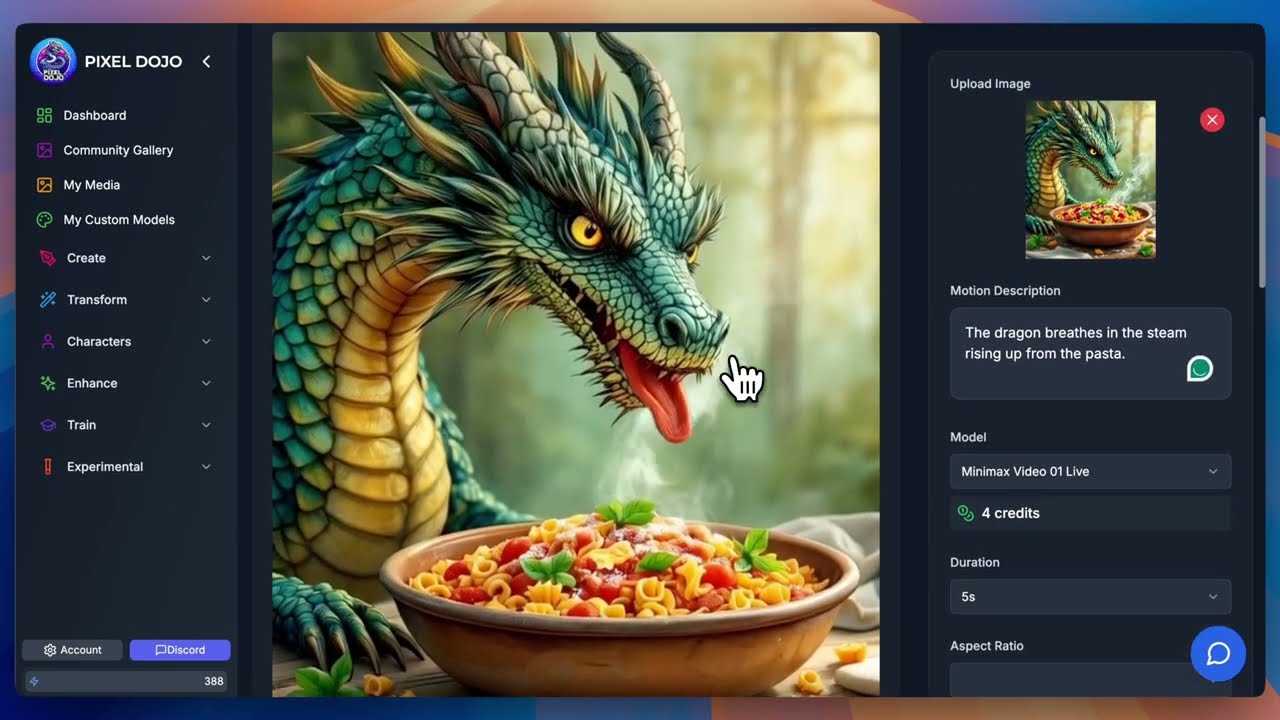
    Video Overview 🎬

    Pixel Dojo - Video Overview

    What are the key features? ✨

    • AI Image Generator: Creates high-quality images from text prompts using advanced models like Flux Pro.
    • AI Video Generator: Transforms text or images into videos with models like Google Veo 3 and Kling Pro.
    • Smart Image Editor: Edits images with tools for background removal and resolution upscaling.
    • Character Creator: Designs consistent avatars using LoRA training for games or animations.
    • Creative Upscaler: Enhances low-res images up to 16x quality with added details.

    Who is it for? 🤔

    PixelDojo is designed (pun intended?) for digital artists, marketers, game developers, and content creators who need quick, high-quality visuals without advanced design skills. Its intuitive tools and diverse outputs cater to professionals crafting marketing campaigns, animators building consistent characters, or hobbyists exploring creative styles like anime or abstract art.

    Examples of what you can use it for 💡

    • Digital Artist: Generates unique artwork from text prompts for personal or commercial projects.
    • Marketer: Creates eye-catching visuals for social media campaigns using the AI Image Generator.
    • Game Developer: Designs consistent character avatars with the Character Creator for game assets.
    • Content Creator: Produces engaging video content from static images using the AI Video Generator.
    • Photographer: Enhances low-resolution photos with the Creative Upscaler for professional prints.

    Pros & Cons ⚖️

    • Easy-to-use interface
    • High-quality image output
    • Diverse AI toolset
    • Complex prompts may fail
    • Occasional video glitches

    FAQs 💬

    What is PixelDojo’s AI Image Generator?
    It creates images from text prompts using models like Flux Pro.
    Can I use PixelDojo for commercial projects?
    Yes, but check licensing terms for compliance.
    Do I need design skills to use PixelDojo?
    No, the interface is beginner-friendly.
    What types of images can I create?
    Illustrations, photorealistic images, anime, and more.
    Is there a free version of PixelDojo?
    Yes, with limited features and credits.
    How does the AI Video Generator work?
    It turns text or images into videos using models like Kling Pro.
    Can developers integrate PixelDojo?
    Yes, via the API at pixeldojo.ai/api.
    What is the Character Creator?
    It designs consistent avatars using LoRA training.
    How does the Creative Upscaler help?
    It enhances low-res images up to 16x quality.
    Are there limits on image generation?
    Limits depend on your subscription plan.

    Ready to try Pixel Dojo?

    Generate stunning AI images and videos from text or images with advanced tools

    Visit Pixel Dojo ↗

    Pixel Dojo alternatives 🔗

    1. Runway Runway Generates and edits AI-powered videos from text prompts
    2. Midjourney Midjourney Generates high-quality images from text prompts using AI.
    3. Freepik AI Freepik AI Creates AI images and videos with fluid motion, detailed textures, and synced audio up to 1080p
    4. Krea Krea Empowering users to generate and enhance images and videos using advanced AI
    5. DeepAI DeepAI Generates images, videos, text, and music from simple text prompts
    6. Adobe Firefly Adobe Firefly Generates images, videos, audio, and vectors using AI.
    Share
    Pixel Dojo screenshot enlarged
    Best AI Tools

    Discover the best AI tools for any use case

    Explore
    • Tool Categories
    • AI Use Cases
    • AI Events
    • AI News
    • Saved Tools
    Company
    • About Us
    • Contact Us
    • Media & Partnerships
    • Suggest a Tool
    Legal
    • Privacy Policy
    • Terms of Service
    Copyright © 2026 Best AI Tools 415 Mission Street, 37th Floor, San Francisco, CA 94105