logo-darklogo-darklogo-darklogo-dark
  • Home
  • Browse
    • Assistant
    • Coding
    • Image
    • Productivity
    • Video
    • Voice
    • Writing
    • All Categories
    • AI Use Cases
  • My Favorites
  • Suggest a Tool
✕
Home › Video Generation & Editing ›

FlexClip

Published by Dusan Belic on August 30, 2023

FlexClip by PearlMountain


FlexClip
FlexClip Homepage
Categories Video Generation & Editing
Easily create and edit videos for the brand, marketing, social media, and any other purpose

FlexClip

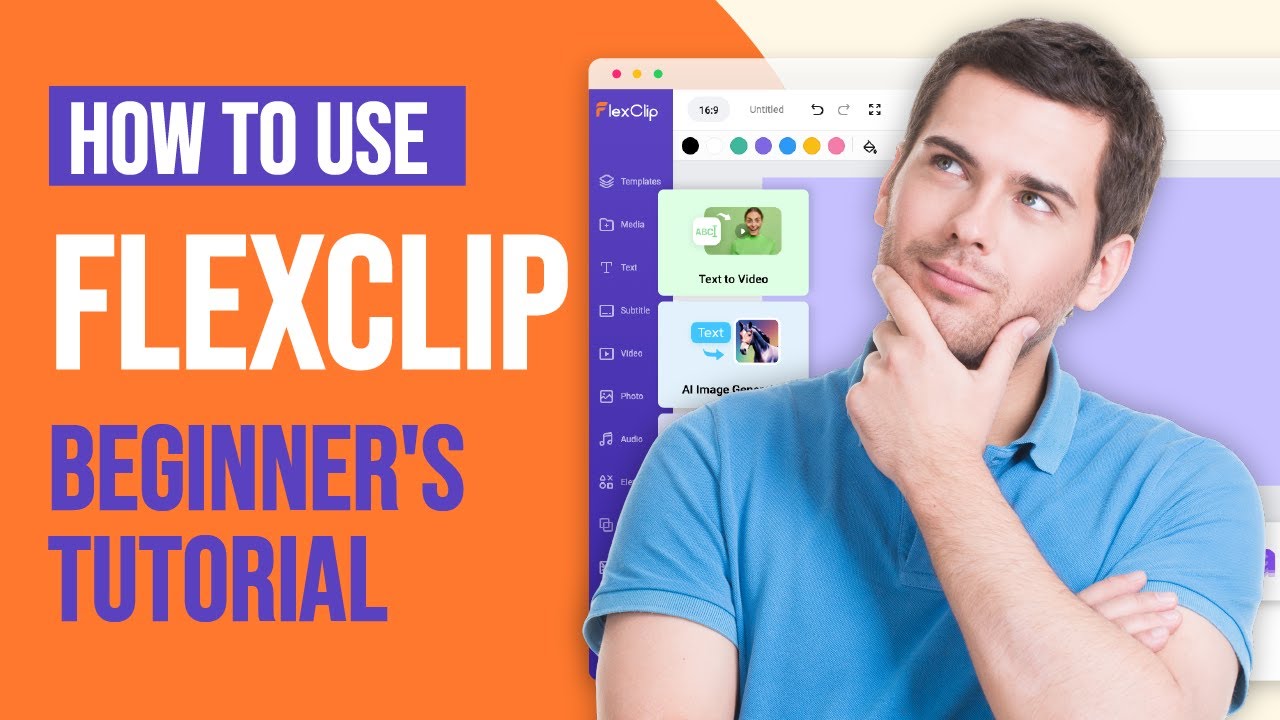
FlexClip is an AI-powered platform that simplifies the process of creating and editing videos. It is designed for a wide range of users, from businesses to individuals, who are looking for an easy way to produce high-quality videos for various purposes such as marketing, social media, family events, and more. FlexClip features a user-friendly interface that allows even those with little to no video editing experience to create professional-looking videos effortlessly.

One of the coolest features of FlexClip is its vast library of templates. These templates cater to various needs and occasions — including business presentations, weddings, birthdays, and social media content. This feature enables users to quickly start a project by selecting a template that suits their needs and then customizing it to their liking. It is a significant time-saver and ensures that even beginners can produce aesthetically pleasing videos without the need for extensive video editing knowledge.

FlexClip also integrates advanced AI tools to streamline the video creation process. These tools include AI text-to-video, AI video script, AI image generator, and AI auto-subtitle, among others — making the video creation process more efficient and less time-consuming. For example, the AI text-to-video tool can transform written content into a visual format, significantly reducing the effort and time needed to produce engaging videos.

Another key aspect of FlexClip is its extensive library of resources. The platform offers over 4 million royalty-free stock assets — including music, high-quality videos, and photos. This vast collection provides creators with a wide range of options to enhance their videos. So, whether you’re looking for the perfect background track, stunning visuals, or engaging animations, FlexClip’s resource library can help you out.

Finally, FlexClip facilitates collaboration and easy sharing of video projects. As a cloud-based solution, it allows teams to work together on video creation from anywhere in the world. After crafting a video, users can share it effortlessly via a link or post it directly to various social media platforms.

FlexClip Homepage
Categories Video Generation & Editing

Video Overview ▶️

What are the key features? ⭐

  • Templates galore: FlexClip provides a vast array of templates that cater to different needs and occasions, such as business presentations, weddings, and social media content.
  • Advanced AI tools: The platform includes innovative AI features like AI text-to-video, AI video script, AI image generator, and AI auto-subtitle.
  • Big library of resources: FlexClip also offers a substantial collection of over 4 million royalty-free stock assets, including music, videos, and photos.
  • Collaboration included: As a cloud-based service, FlexClip allows for easy collaboration among team members, regardless of their location.
  • Editing tools: The platform is equipped with a range of video editing tools that are powerful yet easy to use. Users can trim, cut, add text, music, and transitions to their videos.

Who is it for? 🤔

FlexClip targets a broad market, appealing to a diverse range of users. For instance, it is ideal for business professionals and marketers looking to create promotional or marketing videos, as well as social media influencers and content creators who need engaging and visually appealing content for platforms like YouTube, Instagram, and TikTok. In addition, FlexClip also caters to individuals and families who want to create personal videos for events like weddings, anniversaries, and birthdays, offering easy-to-use tools and templates for those with little to no video editing experience.

Examples of what you can use it for 💭

  • Create promotional and marketing videos for businesses
  • Create compelling content tailored for platforms like YouTube, Facebook, Instagram, TikTok, and Twitter
  • Craft memorable videos for personal events such as birthdays, weddings, anniversaries, or family gatherings
  • Educators can make educational videos, how-to guides, or tutorial videos
  • Real estate agents can utilize FlexClip to create stunning video tours of properties

Pros & Cons ⚖️

  • Makes video creation accessible to anyone
  • Templates make that work even easier
  • A big library of photos, audio, and video clips is super helpful
  • Free version produces watermarked videos (they want you to pay)

FAQs 💬

What is FlexClip, and who is it best for?
FlexClip is an online AI-powered video editor that lets you create professional videos quickly without needing downloads or advanced skills. It shines for beginners, small business owners, marketers, educators, and social media creators who want fast results for things like promo clips or tutorials. I think it's especially great if you're just starting out, since its drag-and-drop setup feels natural right away.
Is FlexClip free to use?
Yes, FlexClip offers a solid free plan where you can access basic editing tools, templates, and some stock media, but exports come with a watermark and limit you to 480p resolution. Paid plans unlock more features like HD exports and AI credits, starting around $9.99 a month. It's probably worth trying the free version first to see if it fits your workflow.
How does FlexClip's AI help with video creation?
FlexClip packs in AI tools like text-to-video generation, where you input a prompt or URL and it builds a full clip; auto-subtitles that sync words to your footage; and background removal for clean edits. These cut down editing time a ton, and from what I've seen in reviews, they work well for simple projects, though complex scenes might need tweaks.
Can beginners easily learn FlexClip?
Absolutely, its intuitive interface and thousands of templates make it beginner-friendly, with no steep learning curve. Users on sites like G2 and Capterra rave about how you can whip up a polished video in minutes, even if you've never edited before. That said, if you're into super advanced layers, you might outgrow it quick.
What are the main limitations of the free plan?
The free tier caps exports at 480p with watermarks, gives limited AI credits, and restricts access to premium stock assets. It's fine for testing ideas, but for pro use, upgrading avoids those hassles. Recent feedback from 2025 reviews notes occasional bugs on longer videos, but nothing that breaks the flow.
Does FlexClip work on mobile devices?
FlexClip runs mainly in browsers on desktop or mobile, so you can edit on the go via apps like Chrome on your phone. It's responsive and handy for quick tweaks, though some users say the full power shines better on a bigger screen. No dedicated app yet, but it handles vertical formats like TikTok reels smoothly.
How does FlexClip compare to Canva or CapCut?
FlexClip edges out for pure video focus with stronger AI like auto-edits, while Canva's better for design-heavy stuff and CapCut wins on mobile speed for short clips. All three are easy, but FlexClip's stock library feels bigger for quick pros. Pick based on your main gig, I reckon.
What export options does FlexClip offer?
You can export up to 4K on paid plans in formats like MP4, with options for social media ratios. It supports direct sharing to platforms too. Speeds are decent, though cloud-based means a stable connection helps avoid lags, as noted in user tests.
Is FlexClip safe for commercial use?
Yep, its stock media is royalty-free for business, and videos you create are yours to use commercially. Just check the plan for unlimited exports. Trustpilot reviews from 2025 confirm it's reliable for marketing without copyright snags.
How's customer support for FlexClip?
Support comes via email, chat, and a help center with tutorials, which most users find helpful and quick. Response times hover around 24 hours, and it's praised for solving issues like billing fast. If you're stuck on AI features, their guides cover most bases.

Related tools ↙️

  1. Veo Veo Generates high-quality videos with audio from text or image prompts
  2. Tagbox Tagbox Automates media organization with AI-powered tagging and search
  3. you-tldr you-tldr Summarize, download, search, and interact with YouTube Videos
  4. immersity AI immersity AI Enables the instant conversion of 2D images into 3D animations
  5. Submagic Submagic Adds video captions with perfect emojis and highlighted keywords, all generated by AI
  6. 123VideoTool 123VideoTool Download and convert YouTube videos, Shorts, thumbnails, and MP3s effortlessly.
Last update: November 24, 2025
Share
Promote FlexClip
light badge
Copy Embed Code
light badge
Copy Embed Code
light badge
Copy Embed Code
About Us | Contact Us | Suggest an AI Tool | Privacy Policy | Terms of Service

Copyright © 2026 Best AI Tools
415 Mission Street, 37th Floor, San Francisco, CA 94105