
logo-darklogo-darklogo-darklogo-dark
  • Home
  • Browse
    • Assistant
    • Coding
    • Image
    • Productivity
    • Video
    • Voice
    • Writing
    • All Categories
    • AI Use Cases
  • My Favorites
  • Suggest a Tool
✕
Home › Assistant / Productivity ›

Fyxer AI

Published by Dusan Belic on April 9, 2025

Fyxer AI

Fyxer
Fyxer AI Homepage
Categories AssistantProductivity
A virtual assistant designed to streamline your inbox and, consequently, enhance productivity.

Fyxer AI

Fyxer AI is a virtual assistant designed to streamline your inbox and, consequently, enhance productivity. By integrating with platforms like Gmail and Outlook, it promises to save users up to an hour each day — which is rather impressive when you think about it.

Fyxer AI can learn and adapt to your unique communication style, enabling you to start your day with a neatly organized inbox — complete with pre-drafted replies that mirror your tone. It’s like having a personal secretary who knows exactly how you’d respond.

Beyond emails, Fyxer AI also offers a meeting notetaking feature that joins your virtual meetings, takes detailed notes, and sends out summaries afterward. This, in turn, allows you to focus on the discussion without worrying about jotting down every detail. And the best part is that, over time, Fyxer AI becomes more attuned to your preferences to make its assistance even more personalized.​

The platform boasts ISO 27001 v2022 and SOC 2 Type 2 accreditations, ensuring your data remains confidential and protected. Unlike some services that use your data to train third-party models (do you hear this Google?), Fyxer AI ensures that only you have access to your private assistant.

Furthermore, Fyxer AI also works for teams, offering collaborative features that enhance group productivity. In a team set up, it learns from the collective knowledge to draft more accurate emails and provide consistent communication across the board. Then, new team members get to benefit from AI training based on the writing styles of seasoned colleagues, ensuring a smooth onboarding process.​

To sum it up, Fyxer AI offers a compelling solution for anyone looking to streamline their email and meeting management. By automating routine tasks and learning from user interactions, it provides personalized assistance that promises to significantly boost productivity. Love it!

Fyxer AI Homepage
Categories AssistantProductivity

Video Overview ▶️

What are the key features? ⭐

  • Inbox organization: Automatically sorts emails into actionable labels, filtering out spam and marketing clutter to keep your inbox tidy.​
  • Email drafting: Prepares responses in your unique tone, allowing for quick reviews and sending, which speeds up communication.​
  • Meeting notetaking: Joins virtual meetings to take comprehensive notes and drafts follow-up emails to ensure no detail is missed.​
  • Continuous learning: Adapts to your writing style and preferences over time to enhance the accuracy and personalization of its assistance.​
  • Team collaboration: Shares insights across team members, improving collective communication and aiding in training new staff.​

Who is it for? 🤔

Fyxer AI is designed for professionals and teams looking to enhance productivity by automating routine tasks. Its features cater to individuals who deal with high volumes of emails and meetings, such as executives, sales professionals, and project managers. By reducing the time spent on administrative tasks, Fyxer AI allows users to focus on more strategic and value-driven activities.

Examples of what you can use it for 💭

  • Individuals overwhelmed by daily emails can rely on Fyxer AI to manage and draft responses
  • Teams can use the AI to handle routine communications
  • By automating meeting notes and follow-ups, project managers can ensure all team members are aligned and informed
  • Leaders can maintain consistent communication with stakeholders without getting bogged down by email management
  • Remote workers can benefit from organized inboxes and automated scheduling

Pros & Cons ⚖️

  • Automates routine tasks, potentially saving users up to an hour daily.
  • Learns and adapts to individual communication styles
  • Facilitates better collaboration and knowledge sharing within teams
  • It may require time to fully adapt to the user's preferences and style

FAQs 💬

What exactly does Fyxer AI do?
Fyxer AI acts as your personal executive assistant. It connects to Gmail or Outlook to automatically organize your inbox, filter out junk, draft replies in your own writing style, and join meetings to take notes and send follow-up summaries.
How does Fyxer AI learn my writing style?
It analyzes your past emails automatically to understand your tone, phrasing, and preferences, then generates drafts that sound just like you without needing manual training.
Does Fyxer AI work with both Gmail and Outlook?
Yes, it integrates seamlessly with both Gmail and Outlook. Setup is quick, often just one click, and it handles multiple inboxes if needed.
Can Fyxer AI join my video meetings automatically?
Absolutely. It plugs into your calendar, attends meetings (like Zoom or Google Meet), transcribes in real time, takes detailed notes, and sends follow-up emails or summaries right to your inbox.
Is Fyxer AI good for teams or just individuals?
It works great for individuals, but it also scales for teams with features like multi-inbox support, shared calendars, and integrations (such as HubSpot in higher plans).
How accurate are the AI-generated email drafts?
Users often say the drafts are impressively accurate and natural, especially after it learns your style. You always review and edit before sending, so it stays in your control.
Does Fyxer AI handle spam and unimportant emails well?
Yes, it categorizes emails intelligently, highlights what matters, filters noise, and moves less important stuff out of sight, which helps reduce inbox overwhelm.
What kind of meetings can Fyxer AI take notes for?
It works with most popular platforms including Zoom, Google Meet, Microsoft Teams, and others. It captures key points, action items, and sends polished summaries automatically.
Is my data secure with Fyxer AI?
Fyxer prioritizes security with certifications like SOC 2, HIPAA, GDPR, and ISO standards. It doesn't share your data with third parties and uses only what's needed for the features.
Who is Fyxer AI best suited for?
It's ideal for busy professionals, founders, executives, sales teams, or anyone drowning in emails and meetings who wants to reclaim time without losing control.

Related tools ↙️

  1. Plaud Note Plaud Note An AI-powered voice recorder that leverages advanced technology to make note-taking easier
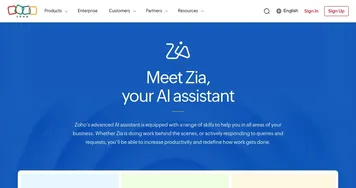
  2. Zia Zia AI-powered business assistant from Zoho
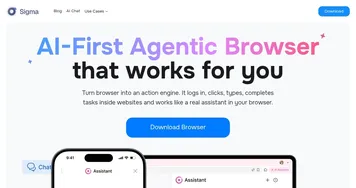
  3. Sigma AI Browser Sigma AI Browser Automates web tasks like logins and bookings with built-in AI agents
  4. Dittin AI Dittin AI An inclusive and open community allowing users to create and interact with AI chatbots
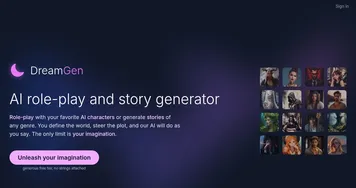
  5. DreamGen DreamGen Create and interact with AI characters in various scenarios
  6. ChatGPT ChatGPT All-round AI assistant generating human-like responses to user queries and tasks
Last update: January 25, 2026
Share
Promote Fyxer AI
light badge
Copy Embed Code
light badge
Copy Embed Code
light badge
Copy Embed Code
About Us | Contact Us | Suggest an AI Tool | Privacy Policy | Terms of Service

Copyright © 2026 Best AI Tools
415 Mission Street, 37th Floor, San Francisco, CA 94105