Sigma AI Browser
Automates web tasks like logins and bookings with built-in AI agents
I fired up Sigma AI Browser the other day, mostly out of curiosity after seeing a tweet about its agentic tricks, and spent a lazy afternoon letting it loose on my cluttered inbox. Picture this: I’m sipping coffee, tabs exploding from a half-forgotten project hunt, and suddenly the AI Agent’s humming along, logging into my Amazon account to snag delivery updates without me lifting a finger. It’s that kind of quiet magic that hooks you, turning a browser into something almost alive, though I gotta say, my brief spin showed it’s still finding its footing on trickier sites.
The standout for me was the task breakdown in action. You type something casual, like “pull last month’s receipts into a sheet,” and it splits the job: logs in, scans emails, extracts the data, even pastes it into Google Sheets if you’ve got it open. I tried it on a quick booking sim, and boom, it navigated Expedia’s maze faster than I could, though it paused once on a pop-up that needed a human nudge. Witty observation: it’s like having a eager intern who’s 80% spot-on but occasionally asks, “Wait, did you mean the cheap flight or the one with legroom?” Folks on Reddit echo that, loving the time savings for data pulls but griping when it hits CAPTCHA walls.
Digging deeper, the Deep Research feature surprised me with its depth; I queried a niche topic on market trends, and it wove in fresh 2025 citations from obscure reports, all neatly bundled. No endless scrolling, just distilled gold. The Writing Assistant felt seamless too, rephrasing my rough notes into polished blurbs while I browsed, a far cry from clunky extensions. Security? Rock-solid, with encrypted chats and phishing alerts that pinged a shady link I overlooked, outshining Opera Neon’s flashier but leakier setup in user chats. Pricing-wise, core stuff’s accessible without a big commitment, likely easier on the pocket than Dia’s invite-only vibe.
But here’s the rub from my short go: it occasionally ghosts on mobile sync, leaving desktop wins stranded, and the interface, while clean, threw me with its subtle cues at first. That said, the Memory-Based Actions bit blew my mind, recalling a past search to auto-fill a similar report, like the browser’s got a notepad brain. Sharp turn: compared to Comet, which nails connected buys, Sigma’s strength is that browser-bound focus, keeping things tidy without sprawling into app chaos.
For anyone eyeing this, ease in with email tidy-ups or simple extractions; it’ll build your trust without overwhelming. Tweak the agent’s steps manually once or twice, and soon you’re delegating like a pro, coffee in hand.
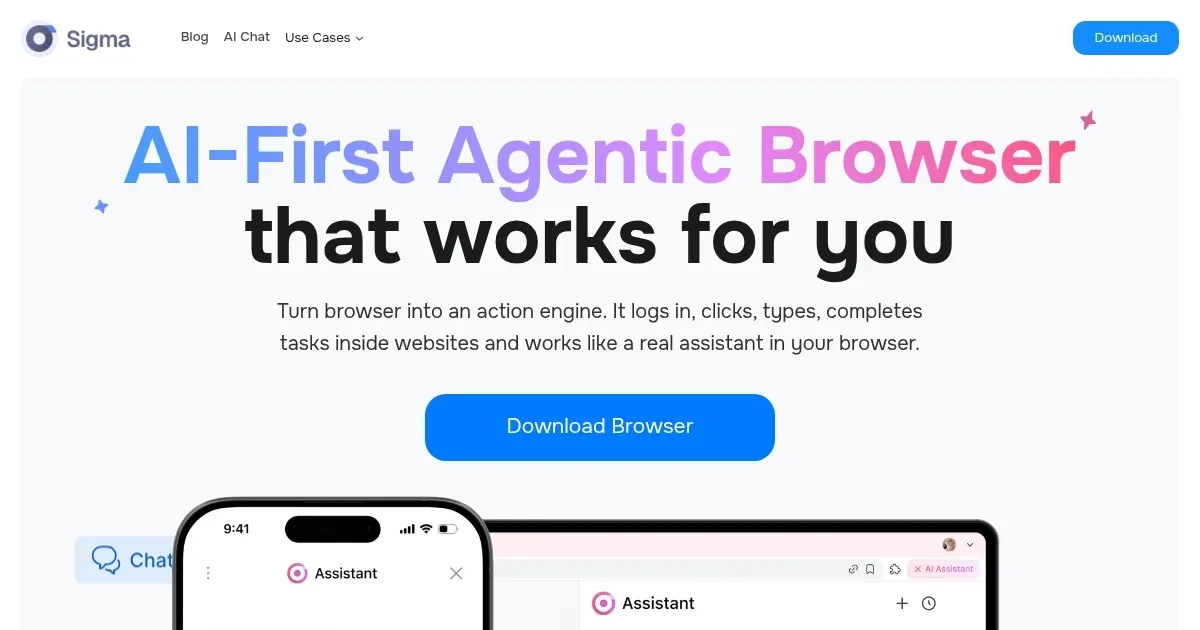
Homepage Screenshot 📸
Video Overview 🎬

What are the key features? ✨
- AI Agent: Processes natural language tasks by breaking them into steps and executing actions like clicking and typing within websites.
- Deep Research: Searches journals, datasets, and sources to deliver summarized insights with citations for thorough topic exploration.
- Writing Assistant: Suggests edits, rephrases text, and generates content such as social posts directly in the browsing tab.
- Data Extraction: Pulls specific information like receipts or tables from sites and transfers it into spreadsheets or documents.
- Password Manager: Stores, generates, and autofills secure passwords across accounts with built-in encryption.
Who is it for? 🤔
Examples of what you can use it for 💡
- Freelancer: Uses the AI Agent to log into client portals, extract invoice data, and update tracking sheets automatically.
- Marketer: Leverages Deep Research to compile competitor insights from reviews and reports, generating cited summaries for campaigns.
- Remote Worker: Employs email clean-up to bulk unsubscribe and label messages across inboxes in one prompt.
- Traveler: Applies bookings feature to search flights, compare hotels, and complete reservations end-to-end.
- Researcher: Utilizes Writing Assistant to rephrase notes from article summaries into structured reports.
Pros & Cons ⚖️
- Automates logins fast
- Handles data pulls well
- Citation-rich research
- Waitlist delays entry
- Glitches on complex sites
FAQs 💬
Ready to try Sigma AI Browser?
Automates web tasks like logins and bookings with built-in AI agents
Visit Sigma AI BrowserSigma AI Browser alternatives 🔗