logo-darklogo-darklogo-darklogo-dark
  • Tool Categories
    • 🎨Art & Creative Design505
    • 🏢Business Management644
    • 💻Coding & Development514
    • 👮Detection83
    • 🧠General Use728
    • 🏥Health & Wellness55
    • 📷Image & Photo Analysis100
    • 🖼️Image Generation & Editing618
    • 📐Interior & Architectural Design37
    • 🎓Learning & Education483
    • ⚖️Legal & Finance90
    • 🎭Lifestyle & Entertainment236
    • 📢Marketing & Advertising627
    • 🎧Music & Audio138
    • 👔Office & Workplace1,014
    • 🔬Research & Data Analysis373
    • 👥Social Media245
    • 🎥Video Generation & Editing426
    • 👧🏻Virtual Companion135
    • 🎤Voice Generation & Editing381
    • ✍️Writing & Editing808
    • All Categories
    • AI Use Cases
  • News
  • Events
    • Academic Conferences
    • Developer Conferences
    • Expos / Trade Shows
    • Industry Summits
    • Workshops / Training
    • All Events
    • Past Events
  • Saved Tools
  • Suggest a Tool
✕
Home › Coding & Development › Browser› Browser Use
Browser Use

Browser Use

A clever AI tool made to help people control a real web browser with plain text

Browser Use is a clever AI tool made to help people control a real web browser with plain text. You tell it what to do — like “find the cheapest flight to Miami” or “log into Gmail and search for unread emails” — and it does the clicking and typing for you. It’s like having your very own personal assistant with superpowers.

You can still click and scroll yourself, but you can also rely on Browser Use to automate repetitive web tasks. It works behind the scenes, moving through the web just like a human would. Also, unlike bots that only scrape static data, Browser Use actually controls a browser and can see what you see. Plus, it can follow directions like “go to Google, search for something, open the first link, and copy the headline.” Pretty cool, right?

Some folks on Reddit have called it “a dream tool for QA testers” and “Playwright but way easier.” Others say it reminds them of Hyperbrowser or even scraping tools like ScrapingBee, but Browser Use is still a bit more powerful. It reads the page, waits for things to load, and then presses buttons like a human. For instance, one developer used it to log into six different web dashboards, copy key data, and send it to Slack — all in one go.

And the best part is that Browser Use isn’t just for techies. You don’t need to write code — just type instructions in natural English. For instance, one marketing manager used it to test signups on 10 landing pages, while another used it to monitor hotel prices every morning. And a startup founder said, “It’s like I hired a $3,000/month VA, but it cost me nothing.”

So, if you’ve ever dreamed of automating the web without scripting or crawling through code, this tool might be your golden ticket. You’ll discover how it can save hours, simplify testing, track prices, check emails, and more. Love it!

Visit Browser Use ↗
Categories
💻 Coding
🌐 Browser 🕷️ Web Scraping 👨‍💻 Development ✅ Testing
👔 Work
🔗 Agent
🧠 General
🦙 Open Source Model

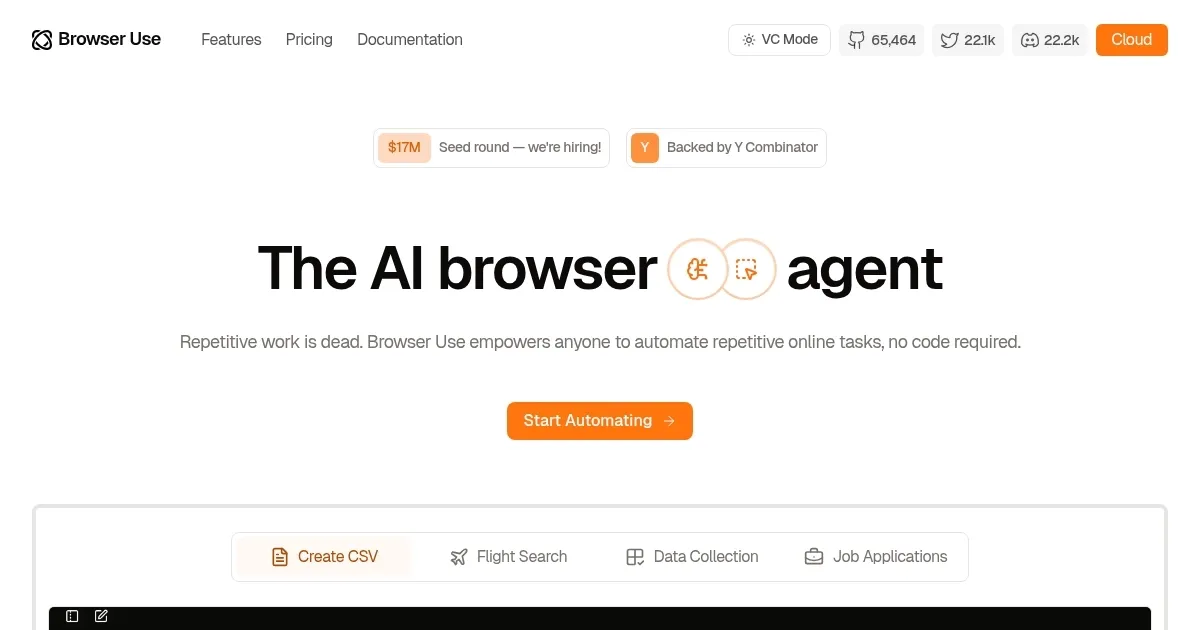
Homepage Screenshot 📸

Browser Use screenshot

Video Overview 🎬

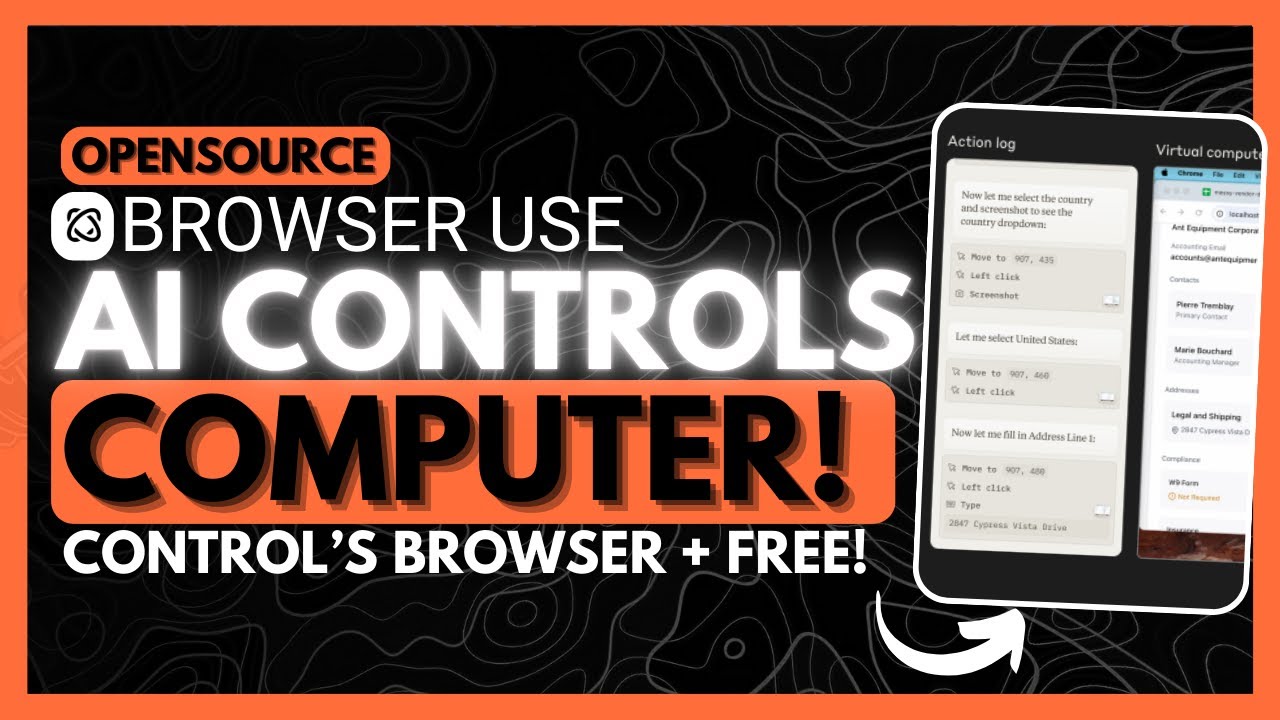
Browser Use - Video Overview

What are the key features? ✨

  • Natural language instructions: You don't need to write code - just type things like "go to Twitter, search for Elon Musk, and copy the first tweet."
  • Real browser control: Browser Use works inside a real browser. It moves the mouse, clicks, scrolls, and even waits for popups or dynamic pages to load -- just like a human.
  • Works with any website: You're not limited to certain tools or layouts, as it can run on e-commerce sites, social media, dashboards, or even internal company portals.
  • Built-in automation flow: You can string together actions, like login, searching, copying results, and sending data to Google Sheets or Notion -- all from a single prompt.
  • No coding needed: Unlike other tools, there's no setup or script writing. Anyone can use it, from marketers to admin staff to researchers.

Who is it for? 🤔

Browser Use is built for busy professionals looking to automate web tasks but don't have time or skills to code. It is perfect for marketers, QA testers, startup founders, researchers, and anyone else who works with web tools all day. Lastly, freelancers and small teams will especially love how fast they can get results without hiring extra help.

Examples of what you can use it for 💡

  • Test customer journeys by signing up on your website or app like a user would
  • Check hotel, flight, or product prices daily
  • Gather top headlines or product reviews to compare what different sites say
  • Log into multiple dashboards (like Google Analytics, Mailchimp, Stripe) and grab key numbers or reports
  • Get ahold of repetitive tasks - fill out forms, check inventory, export data, and more

Pros & Cons ⚖️

  • Runs on real browsers, not just scripts
  • Uses natural language, making it easy for non-technical users
  • Works across websites and apps
  • Might not handle edge cases or complex logic

FAQs 💬

What exactly does Browser Use do?
Browser Use enables AI agents to control browsers, navigate websites, interact with elements, and extract structured data from hard-to-access sites using natural language tasks.
Is Browser Use open-source?
Yes, its core library remains open-source with strong community support, while the full cloud platform adds managed stealth infrastructure and scaling.
What kinds of tasks can it handle?
It excels at data extraction, form filling, account automation, research, monitoring dynamic sites, and turning any website into a reusable API via Skills.
Does it bypass anti-bot protections?
The stealth browser uses residential proxies, human-like behavior, and persistent sessions to handle CAPTCHAs and authentication reliably in most cases.
Which programming languages does it support?
The SDK works primarily with Python and TypeScript, making it easy for developers to integrate into scripts or applications.
Can I use my own LLM with Browser Use?
Absolutely, it supports custom models including Claude, GPT variants, Gemini, and its own optimized Browser Use LLM for better speed and cost.
How does the Skills feature work?
You describe a need in plain text, the system builds a structured API endpoint, and you (or others) can reuse or share it in the marketplace for faster automation.
Is there a community or marketplace for shared templates?
Yes, the templates and marketplace let users discover, share, and deploy community-built Skills to automate common web patterns quickly.
What makes it different from general web scrapers?
Unlike traditional scrapers, it uses AI reasoning to adapt to site changes, handle JavaScript-heavy pages, and maintain state across sessions without constant rule updates.
Who is Browser Use best suited for?
Developers, data teams, and businesses building automations, agents, or extractions from complex or protected websites will find it most valuable.

Ready to try Browser Use?

A clever AI tool made to help people control a real web browser with plain text

Visit Browser Use ↗

Browser Use alternatives 🔗

  1. Brave Leo Brave Leo Assists with web queries, content creation, and document analysis in-browser
  2. Opera AI Opera AI Integrates AI chat and image generation into a browser
  3. Manus Manus An AI agent designed to handle complex tasks all by itself
  4. Monica Monica A browser extension powered by ChatGPT that acts as a chatbot assistant
  5. Bolt Bolt Transforms natural language prompts into full-stack web apps instantly
  6. Sider Sider Quick access to ChatGPT from a sidebar of your web browser
Share
Browser Use screenshot enlarged
Best AI Tools

Discover the best AI tools for any use case

Explore
  • Tool Categories
  • AI Use Cases
  • AI Events
  • AI News
  • Saved Tools
Company
  • About Us
  • Contact Us
  • Media & Partnerships
  • Suggest a Tool
Legal
  • Privacy Policy
  • Terms of Service
Copyright © 2026 Best AI Tools 415 Mission Street, 37th Floor, San Francisco, CA 94105