Browser MCP
Automates browser tasks using AI applications, streamlining workflows
Browser MCP is a Model Context Provider (MCP) server that connects AI applications like Claude, Cursor, and VS Code to your browser for task automation. It enables AI-driven navigation, form filling, and testing by integrating with your existing browser profile. The tool operates locally, ensuring speed and privacy, and uses a Chrome or Edge extension paired with an MCP server. Its Browser Tools include commands like Navigate, Click, Type Text, and Screenshot, designed for seamless interaction with web pages. It supports automated testing and repetitive task automation, targeting developers and productivity-focused users.
The setup involves installing the browser extension and configuring the MCP server, which requires some technical know-how, particularly with JSON files. Once set, it allows AI apps to control browser actions without cloud dependency, reducing latency and keeping data local. Compared to Browserbase, which emphasizes cloud-based automation, or Playwright, which requires more coding, Browser MCP balances ease and functionality. Its stealth feature uses your browser’s fingerprint to bypass basic bot detection, a practical advantage for uninterrupted automation.
Key features include Snapshot for accessibility data and Get Console Logs for debugging, which are valuable for developers. The tool’s local execution ensures fast performance, and integration with logged-in profiles simplifies workflows. Pricing includes a free tier for basic use and paid plans for advanced needs, aligning with competitors like Browserbase. However, compatibility is limited to specific AI apps, and complex websites may cause issues, as noted in user feedback on GitHub.
Drawbacks include a steep learning curve for non-technical users and occasional instability with dynamic sites. The documentation is clear but assumes some familiarity with server setups. Browser MCP excels for users already comfortable with tools like Claude or Cursor, though broader AI support would enhance its appeal.
To use Browser MCP effectively, install the extension first, follow the setup guide on their site, and start with simple tasks like form automation. Test on static sites before tackling complex ones, and leverage community forums for support.
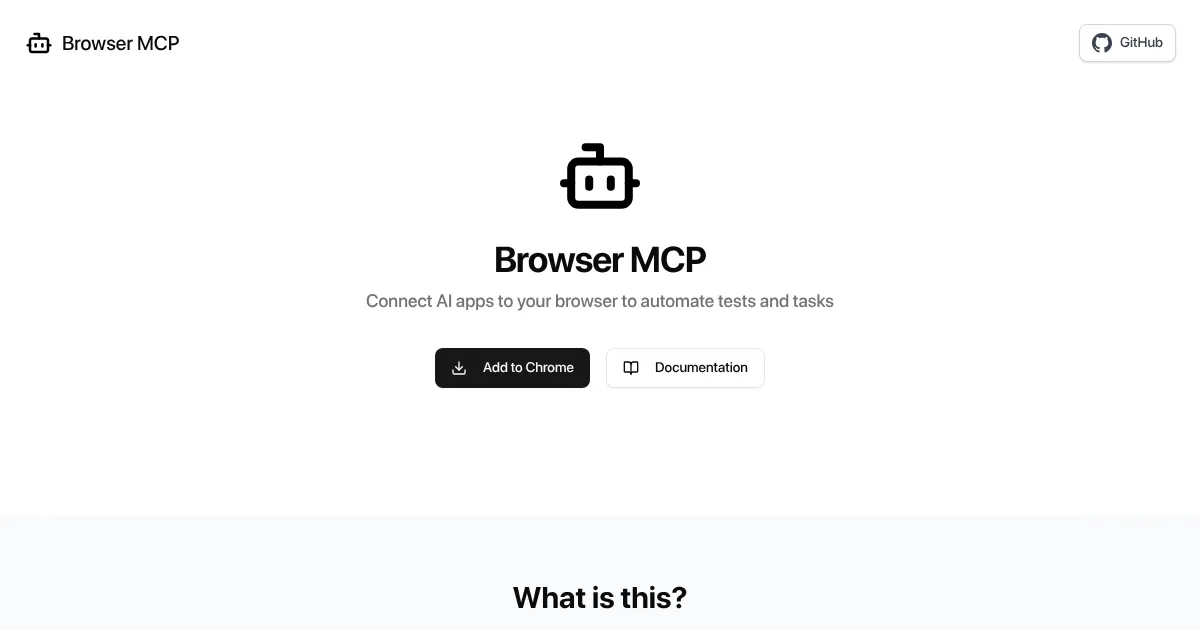
Homepage Screenshot 📸
What are the key features? ✨
- Navigate: Directs the browser to a specified URL for seamless web access.
- Click: Performs clicks on web elements to interact with pages.
- Type Text: Inputs text into editable fields for form filling.
- Snapshot: Captures accessibility data for testing compliance.
- Stealth: Uses your browser’s fingerprint to avoid bot detection.
Who is it for? 🤔
Examples of what you can use it for 💡
- Developer: Automates end-to-end testing of web applications using Claude.
- QA Engineer: Validates UI elements across multiple scenarios with Cursor.
- Data Analyst: Extracts structured data from websites for analysis.
- Freelancer: Automates form submissions for client management tasks.
- Product Manager: Tests user flows on prototypes without manual input.
Pros & Cons ⚖️
- Fast local execution
- Private data handling
- Bypasses basic bot detection
- Limited AI app support
- Issues with dynamic sites
FAQs 💬
Ready to try Browser MCP?
Automates browser tasks using AI applications, streamlining workflows
Visit Browser MCPBrowser MCP alternatives 🔗