logo-darklogo-darklogo-darklogo-dark
  • Home
  • Browse
    • Assistant
    • Coding
    • Image
    • Productivity
    • Video
    • Voice
    • Writing
    • All Categories
    • AI Use Cases
  • My Favorites
  • Suggest a Tool
✕
Home › Image Generation & Editing / Video Generation & Editing ›

Gencraft

Published by Dusan Belic on July 10, 2023

Gencraft

Gencraft
Gencraft Homepage
Categories Image Generation & EditingVideo Generation & Editing
An AI-powered platform that transforms text and photo inputs into unique art and video creations

Gencraft

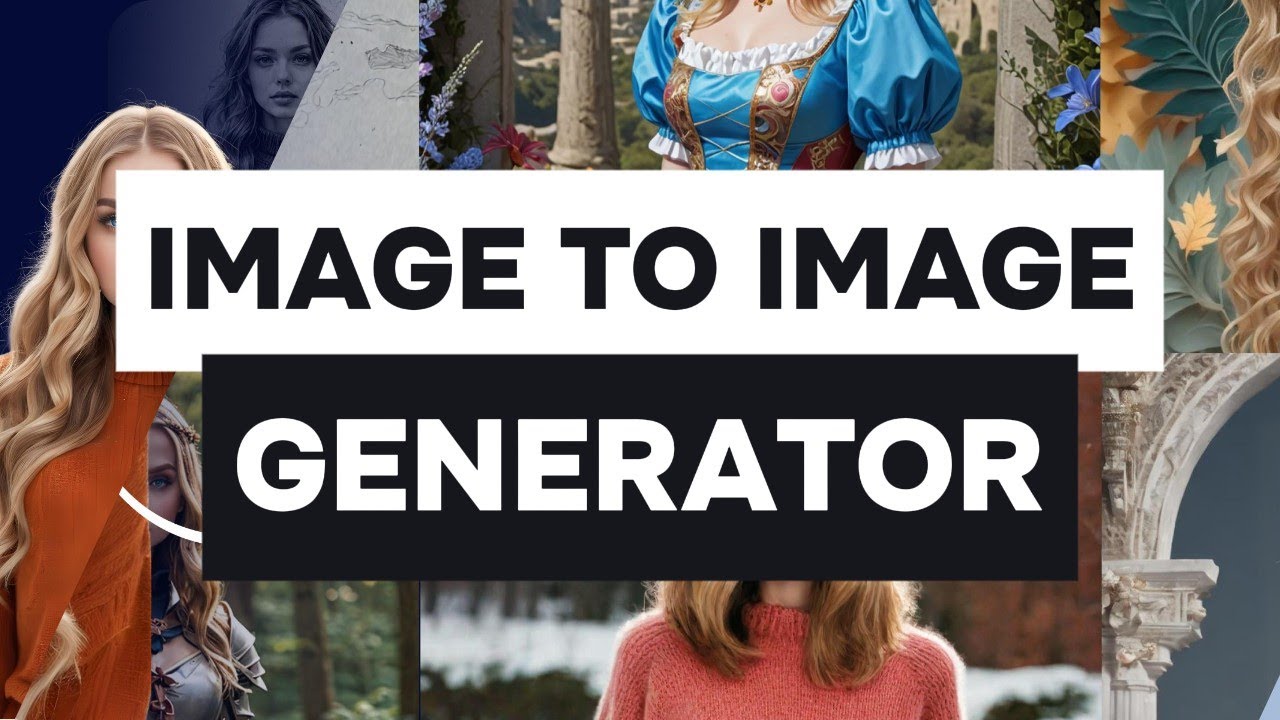
Gencraft is an advanced AI art image and video generator designed to bring creative ideas to life through the power of artificial intelligence. This versatile tool lets users transform photos or textual prompts into unique art or videos within seconds. By simply uploading an image or typing in a vision, Gencraft’s AI technology morphs the input into stunning visual art.

Moreover, the platform offers a “Magic Edit” feature that allows users to retouch and tailor any section of their images to perfection. It also introduces capabilities for generating distinctive videos based on user-provided prompts.

Beyond image and video creation, Gencraft empowers its users with various functionalities to foster creativity and inspiration. It provides step-by-step tutorials to help users make the most of its features, including tips on writing effective prompts, uploading images, and performing magic edits.

The platform is accessible across multiple devices (Web, iOS, and Android), ensuring that inspiration can be captured and realized no matter where it strikes. Users can also select from a growing list of styles — such as anime, photorealism, cartoons, and paintings — to personalize their creations further.

In a nutshell, Gencraft offers a space for amateurs and experienced creators to find their voice, visualize new ideas, and share their unique content with the world.

Gencraft Homepage
Categories Image Generation & EditingVideo Generation & Editing

Video Overview ▶️

What are the key features? ⭐

  • Art generation: Easily create fancy art pieces by describing your vision. The AI interprets your input (prompt) to generate unique and high-quality images.
  • Image variations: Generate multiple variations of an image to explore different styles and perspectives.
  • AI editing: Use AI to edit and enhance images with precision, allowing for creative flexibility and fine-tuning.
  • Custom art models: Train custom models to generate artwork that aligns with your style and needs.
  • Video generation: You can also use the tool to create engaging video content by leveraging AI to animate images and produce dynamic clips.

Who is it for? 🤔

Gencraft is aimed at artists, marketers, content creators, and designers who need efficient tools for generating and editing images and videos. It is a solid option for those who want to enhance their creative workflow with AI technology, whether for professional projects or personal use. In other words, the platform caters to a broad range of users, from individuals to businesses, seeking to produce high-quality visual content with ease.

Examples of what you can use it for 💭

  • Quickly generate original artwork for personal or commercial use
  • Create visually appealing images and videos for ads, social media, and promotional content
  • Enhance blogs, articles, and websites with custom images and video clips
  • Produce diverse design elements and variations for projects
  • Generate diverse artwork and videos for hobbies or gifts

Pros & Cons ⚖️

  • Easily generate images & videos
  • You can also edit with the help of AI
  • Train your own custom model
  • Midjourney generates better images

FAQs 💬

What is GenCraft AI?
GenCraft is an all-in-one AI platform that lets you create stunning images, videos, and guided art from simple text prompts. It also supports image-to-image transformations and lets you train custom models.
Does GenCraft offer free generation?
Yes, GenCraft allows you to create images, videos, and guided art for free, and it's built to work well for users of all skill levels.
Can I train my own custom AI model in GenCraft?
Absolutely. You can upload your images to train a unique custom model that captures your personal style, then generate new creations that stay true to your vision.
What kinds of content can I generate with GenCraft?
You can generate high-resolution images, short videos, artistic styles like anime or steampunk, and even remix or edit existing artwork from a single prompt.
Is GenCraft suitable for beginners?
Yes, it has a user-friendly interface that makes it easy for beginners to start creating right away, while still offering advanced features for more experienced users.
Does GenCraft have a community or sharing features?
It does. There's a large community where you can explore millions of user creations, remix artwork, and share your own pieces.
Can I use GenCraft on mobile devices?
Yes, GenCraft works through a web browser and has dedicated apps for iOS and Android, so you can generate art on the go.
What makes GenCraft different from other AI image tools?
Its standout feature is the ability to train custom models from your own images, plus strong support for video generation and image-to-image editing.
How good is the image quality in GenCraft?
Many users find the outputs high-quality and detailed, especially with good prompts, though results can vary depending on the complexity.
Does GenCraft support different artistic styles?
It supports a wide range of styles, from realistic and photorealistic to anime, Ghibli-inspired, fantasy, and more, with hundreds of models to explore.

Related tools ↙️

  1. Aftershoot Aftershoot Automates photo culling and editing for professional photographers using AI
  2. ArchSynth ArchSynth An AI-powered tool that transforms sketches into stunning visuals in seconds
  3. Picture to Text Picture to Text An online tool that can convert images into editable text using advanced OCR technology
  4. DeepSwapper DeepSwapper Face-swapping tool that allows users to swap faces in images, videos, and GIFs
  5. StarByFace StarByFace Upload a photo and see which celebrity looks the most like you
  6. Bing Image Creator Bing Image Creator Generates vivid images from text prompts instantly
Last update: January 19, 2026
Share
Promote Gencraft
light badge
Copy Embed Code
light badge
Copy Embed Code
light badge
Copy Embed Code
About Us | Contact Us | Suggest an AI Tool | Privacy Policy | Terms of Service

Copyright © 2026 Best AI Tools
415 Mission Street, 37th Floor, San Francisco, CA 94105