logo-darklogo-darklogo-darklogo-dark
  • Tool Categories
    • 🎨Art & Creative Design505
    • 🏢Business Management644
    • 💻Coding & Development514
    • 👮Detection83
    • 🧠General Use728
    • 🏥Health & Wellness55
    • 📷Image & Photo Analysis100
    • 🖼️Image Generation & Editing618
    • 📐Interior & Architectural Design37
    • 🎓Learning & Education483
    • ⚖️Legal & Finance90
    • 🎭Lifestyle & Entertainment236
    • 📢Marketing & Advertising627
    • 🎧Music & Audio138
    • 👔Office & Workplace1,014
    • 🔬Research & Data Analysis373
    • 👥Social Media245
    • 🎥Video Generation & Editing426
    • 👧🏻Virtual Companion135
    • 🎤Voice Generation & Editing381
    • ✍️Writing & Editing808
    • All Categories
    • AI Use Cases
  • News
  • Events
    • Academic Conferences
    • Developer Conferences
    • Expos / Trade Shows
    • Industry Summits
    • Workshops / Training
    • All Events
    • Past Events
  • Saved Tools
  • Suggest a Tool
✕
Home › Image Generation & Editing › Image Enhancing› Cloudinary
Cloudinary

Cloudinary

Manages, transforms, optimizes, and delivers images and videos with AI-powered features

Cloudinary is a cloud-based platform for managing, transforming, optimizing, and delivering images and videos through APIs and SDKs, with integrated AI features for enhanced media intelligence.

It provides comprehensive tools including over 100 transformation options for editing visuals, automatic format conversions for optimization, and global CDN delivery to ensure fast loading across devices. The platform supports 15 SDKs for various programming languages and offers native integrations with tools like Shopify, AWS, and Adobe. AI capabilities include generative fill, object removal, auto-tagging, and content-aware cropping, which automate workflows and improve asset organization.

Pricing includes a free tier with limited credits, entry-level plans for small teams, mid-tier options for advanced features like custom domains, and custom enterprise solutions. Compared to competitors such as ImageKit and imgix, Cloudinary offers broader video management and AI-driven tools, though all focus on media optimization and delivery. Users report high satisfaction with its API ease and performance, but note that costs can rise with heavy usage.

Key features encompass full lifecycle management with a media library, role-based access, and AI moderation for uploads. It handles e-commerce needs by scaling for millions of assets and supports headless architectures with microservices. Technical aspects include real-time transcoding for videos and support for formats like AVIF and WebP.

For implementation, developers use the upload API for secure file handling and transformation parameters for on-the-fly adjustments. Practical advice: Begin with the free plan to evaluate integrations, monitor credit usage closely, and leverage documentation for AI feature deployment to maximize efficiency.

Visit Cloudinary ↗
Categories
🖼️ Image
💎 Image Enhancing ✏️ Photo Editing ✂️ Background Removal ⬆️ Image Upscaling
💻 Coding
👨‍💻 Development
🎥 Video
✏️ Video Editing
📷 Image Analysis
👁️ Image Recognition

Homepage Screenshot 📸

Cloudinary screenshot

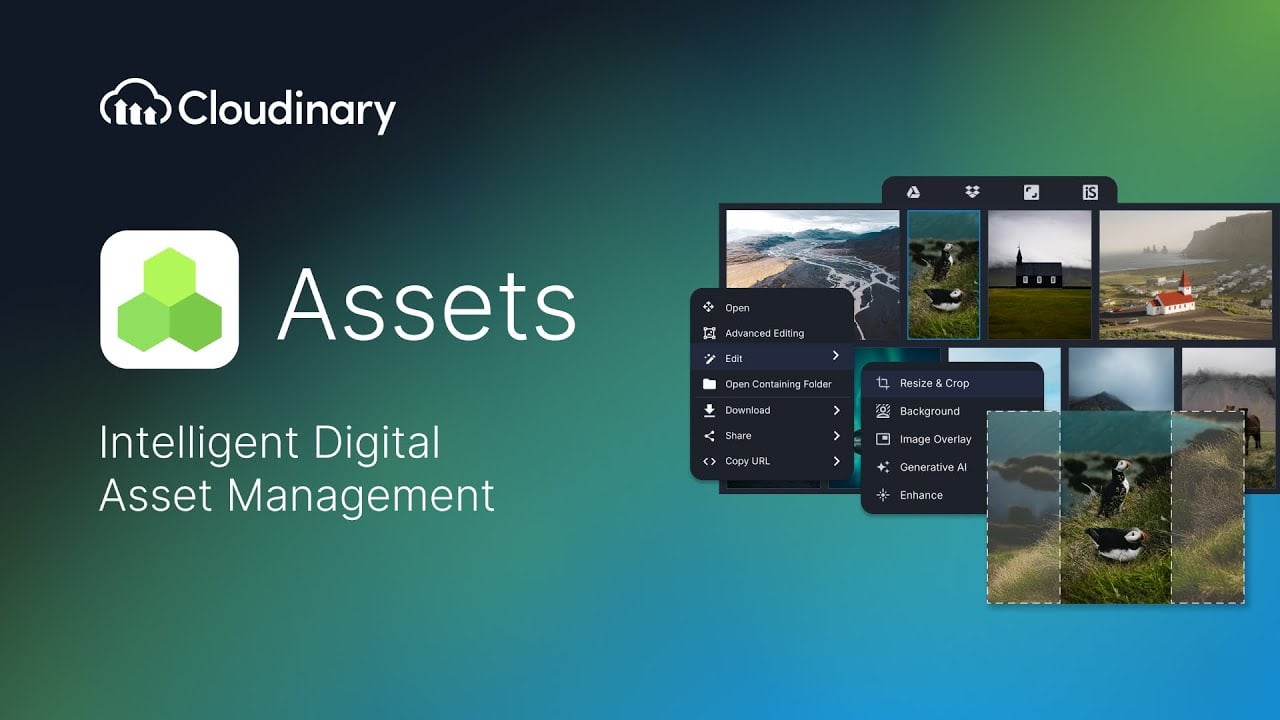
Video Overview 🎬

Cloudinary - Video Overview

What are the key features? ✨

  • AI Media Intelligence: Uses generative AI for object removal, fill, and content-aware cropping to automate image enhancements.
  • Image Transformations: Offers over 100 editing effects and optimizations like resizing and format conversion for personalized visuals.
  • Video Management: Provides real-time transcoding, adaptive streaming, and AI-generated previews for efficient video handling.
  • Optimization and Delivery: Automatically compresses and delivers media via CDN for responsive experiences across devices.
  • Integrations and APIs: Supports SDKs and native integrations with platforms like Shopify and AWS for seamless workflows.

Who is it for? 🤔

Cloudinary proves helpful for developers building apps with heavy media needs, e-commerce teams managing product visuals at scale, marketing professionals seeking AI-driven personalization, enterprises requiring secure asset management, and content creators optimizing videos for faster delivery.

Examples of what you can use it for 💡

  • Developer: Integrates APIs to upload and transform images dynamically in web applications for improved performance.
  • E-commerce Manager: Scales product images with AI cropping and optimizations to enhance shopping experiences on sites.
  • Marketer: Uses generative AI to create personalized visuals for campaigns across digital channels.
  • Content Creator: Manages video workflows with transcoding and previews for efficient streaming delivery.
  • Enterprise Admin: Organizes assets in a media library with auto-tagging for team collaboration and security.

Pros & Cons ⚖️

  • Powerful AI features
  • Easy integrations
  • Scalable delivery
  • Free tier available
  • Usage costs add up
  • Learning curve steep

FAQs 💬

What is Cloudinary?
Cloudinary is a cloud-based platform for managing, optimizing, and delivering images and videos with AI features.
Does Cloudinary offer a free plan?
Yes, it provides a free tier with limited monthly credits for testing and small projects.
What integrations does Cloudinary support?
It integrates with platforms like Shopify, AWS, Adobe, and more via APIs and SDKs.
How does Cloudinary handle AI features?
It uses AI for auto-tagging, generative edits, object detection, and content-aware optimizations.
Is Cloudinary suitable for video management?
Yes, it offers video transcoding, streaming, and AI previews for scalable delivery.
What are the pricing options?
Plans range from free to paid tiers like Plus and Advanced, with enterprise custom pricing.
How secure is Cloudinary?
It includes role-based access, backups, and compliance features for secure asset handling.
Can I use Cloudinary for e-commerce?
Yes, it scales for product images and videos to create high-performing shopping experiences.
What SDKs are available?
SDKs support languages like JavaScript, Python, Ruby, and more for easy integration.
How does optimization work?
It automatically converts formats and compresses media for fast delivery across devices.

Ready to try Cloudinary?

Manages, transforms, optimizes, and delivers images and videos with AI-powered features

Visit Cloudinary ↗

Cloudinary alternatives 🔗

  1. Pixelcut Pixelcut A suite of AI-powered image editing and upscaling tools
  2. PhotoRoom PhotoRoom An AI-powered photo editing tool that removes backgrounds and enhances photos with user-friendly features.
  3. Fotor Fotor Enhances and edits photos with AI-powered tools and creative features
  4. Cutout.Pro Cutout.Pro An AI-powered automatic visual design platform that saves time & money
  5. Picsart Picsart A platform for creating, customizing, and sharing images and videos
  6. DeepAI DeepAI Generates images, videos, text, and music from simple text prompts
Share
Cloudinary screenshot enlarged
Promote Cloudinary
light badge
Copy Embed Code
dark badge
Copy Embed Code
neutral badge
Copy Embed Code
Best AI Tools

Discover the best AI tools for any use case

Explore
  • Tool Categories
  • AI Use Cases
  • AI Events
  • AI News
  • Saved Tools
Company
  • About Us
  • Contact Us
  • Media & Partnerships
  • Suggest a Tool
Legal
  • Privacy Policy
  • Terms of Service
Copyright © 2026 Best AI Tools 415 Mission Street, 37th Floor, San Francisco, CA 94105