logo-darklogo-darklogo-darklogo-dark
  • Home
  • Browse
    • Assistant
    • Coding
    • Image
    • Productivity
    • Video
    • Voice
    • Writing
    • All Categories
    • AI Use Cases
  • My Favorites
  • Suggest a Tool
✕
Home › Video Generation & Editing ›

InVideo

Published by Dusan Belic on July 10, 2023

InVideo

InVideo
InVideo Homepage
Categories Video Generation & Editing
Helps you make professional videos with ready-made customizable templates

InVideo

InVideo is an AI-powered tool that lets anyone create cool videos “on day one.” It simplifies the video creation process with ready-made templates that you can quickly customize, even if you’ve never done it before. It is dubbed the fastest, easiest way to create pro-quality videos.

The tool offers more than 5,000 templates covering all kinds of use cases. You can search through this vast library by platform, industry and content type — and when you find the template you like, customize it to fit your needs.

InVideo also offers some fancy yet easy-to-use video editing capabilities, like enabling the easy removal of background from product images.

And if that’s not enough, you can further change the video with text prompts. That’s right, you don’t need to use a video editor — although it is also available — but you can type what you want to achieve and let AI do it for you. Pretty cool.

All being said, we are not surprised to learn that InVideo has 7 million customers in 190 countries, as well as great reviews on sites like Capterra, Trustpilot and G2. Check it out.

InVideo Homepage
Categories Video Generation & Editing

Video Overview ▶️

What are the key features? ⭐

  • 5000+ templates: InVideo has templates for any use case you could think of. You can search by platform, industry and content type. Then, you can customize a template for your brand using simple drag-drop-replace actions.
  • Single-click shortcuts: Remove the background of your product images to make them pop. Add stock media and music, and apply your brand's colors and fonts. All with a single click.
  • AI tools to boost productivity: Not sure what your video should be all about? No problem - use AI to generate a script using basic text prompts or convert your article or blog into a video in minutes using InVideo's AI-powered text-to-video editor.
  • Edit video with text prompts: Add instructions such as target audience and platform, and customize the look of your video with your text prompts. Every generated video is unique!
  • Complete editing control: Or if you know what you're doing, you can take advantage of the fully-powered video editor. Also, change the script and media and get a completely new video.

Who is it for? 🤔

InVideo is made for anyone who wants to create videos for online platforms, but he/she doesn't know how to do it with "regular" tools. It offers more than 5,000 templates for different use cases and industries. You can browse through this library by platform, industry and content type - and once you find a template you want to use, customize it to your liking. Also included are fancy AI tools for things like background removal and even editing of videos with text prompts. But, if you know what you're doing, there is also the "standard" video editor. It is up to you to select the path for creating the video you need.

Examples of what you can use it for 💭

  • Create professionally-produced videos with ease
  • Promote your products and/or services on video-sharing sites
  • Get new customers from YouTube and TikTok
  • Engage users with videos
  • Set your brand up for social media success

Pros & Cons ⚖️

  • Allows everyone to create fancy videos
  • Editing videos with text prompts is cool
  • AI can even generate the script for you
  • Some users have reported problems with customer support
FAQs 💬

What is InVideo Studio, and how does it differ from InVideo AI?
InVideo Studio is an online video editor that lets you build videos using drag-and-drop tools, thousands of templates, and a timeline for precise edits. It's great for hands-on creation. InVideo AI, on the other hand, generates full videos from text prompts automatically, handling script, visuals, and voiceover with less manual work. I think Studio suits folks who like control, while AI speeds things up for quick ideas.
Is there a free version of InVideo Studio?
Yes, the free plan gives you 2 video minutes and 1 AI credit weekly, plus 4 exports with a watermark. No generative features though. It's enough to test basics, but for pro use without limits, you'll want a paid plan. Probably smart to start free if you're just dipping in.
What are the pricing plans for InVideo Studio?
Plans start free, then go to Plus at $20/month (50 minutes/week, HD exports, no watermark), Max at $48/month (unlimited minutes, 4K exports, team collab), and Enterprise for custom needs. Yearly saves up to 20%. Check their site for exacts, as they tweak sometimes. Might be worth the Plus if you're making regular content.
Do I need video editing experience to use InVideo Studio?
Not really. The drag-and-drop interface and 5000+ templates make it beginner-friendly. You pick a template, swap media, add text, and export. Advanced users love the timeline for fine tweaks. Feels empowering even if you're new, like having a guide built in.
Can I collaborate with a team on projects in InVideo Studio?
Absolutely, on paid plans you add members, share projects, and edit together in real time. It's handy for agencies or small teams. Free plan's solo only. I think this feature shines for group work, cutting down on email back-and-forth.
What stock media and assets does InVideo Studio offer?
Over 8 million stock videos, images, and music tracks, including premium iStock stuff on higher plans. Plus stickers, transitions, and text effects. Searchable by mood or genre. Saves hunting elsewhere, probably cuts costs too.
How do I export and share my videos from InVideo Studio?
Hit export, choose quality like 1080p or 4K (paid plans), and download as MP4. Direct share to YouTube, Instagram, or TikTok. Watermark on free exports. Quick and seamless, like most modern editors.
Is InVideo Studio available on mobile?
Yes, there's a mobile app for iOS and Android with filters, effects, and music. Not as full-featured as desktop, but perfect for on-the-go edits. Syncs with your account too. Handy if you're brainstorming away from your computer.
What integrations does InVideo Studio have?
It hooks up with Google Drive, Dropbox for media uploads, and social platforms for sharing. No huge list like some tools, but covers essentials. Might expand, based on user feedback I've seen.
How does InVideo Studio compare to alternatives like Canva or Pictory?
Versus Canva, Studio's deeper for video-specific edits with better AI assists, but Canva wins on quick graphics. Pictory's stronger for text-to-video repurposing, while Studio offers more templates and stock. Synthesia beats it for avatar videos. Depends on your goal, I suppose. Studio feels versatile overall.

Related tools ↙️

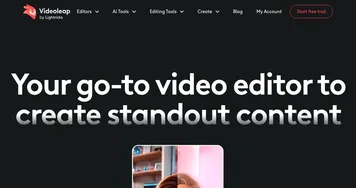
  1. Videoleap Videoleap Edit video clips with this powerful, creative video editor powered by AI
  2. Akool Akool An AI-powered tool designed to enhance digital content creation for businesses
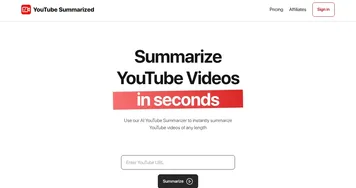
  3. YouTube Summarized YouTube Summarized An AI tool designed to help you swiftly grasp any YouTube video's main points
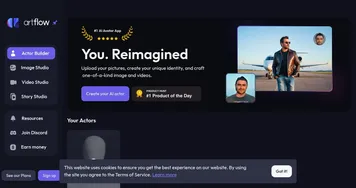
  4. Artflow Artflow AI video co‑creation in your browser, used by game creators and storytellers
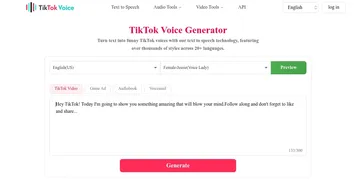
  5. TikTok Voice TikTok Voice Generates AI voices from text for TikTok videos
  6. VIDU VIDU A powerful AI video generator that can transform text and images into high-quality videos
Last update: November 17, 2025
Share
Promote InVideo
light badge
Copy Embed Code
light badge
Copy Embed Code
light badge
Copy Embed Code
About Us | Contact Us | Suggest an AI Tool | Privacy Policy | Terms of Service

Copyright © 2026 Best AI Tools
415 Mission Street, 37th Floor, San Francisco, CA 94105