Julius by Caesar Labs
An advanced AI tool designed to simplify data analysis and visualization
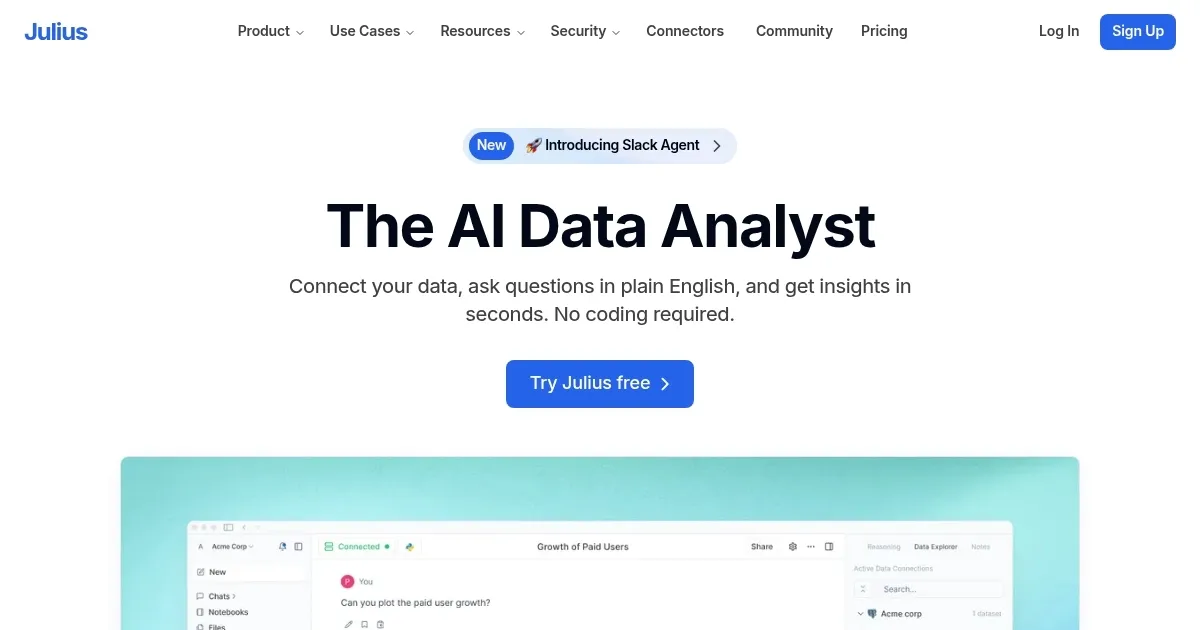
Julius is an advanced AI tool designed to simplify data analysis and visualization, making it accessible even to users without a background in data science. This platform supports various data sources — including Excel, Google Sheets, and PostgreSQL — and allows users to interact with their data through a conversational interface.
By simply asking questions or giving commands, users can generate insights, create graphs, build forecasting models, and even turn data into animations.
Julius’ coolest feature comes in the form of its AI chat, which enables users to chat with data. This, in turn, makes data analysis intuitive and straightforward — making it particularly useful for marketers, healthcare professionals, academics, and business analysts.
As noted above, Julius also excels in creating visual representations of data. Users can transform raw data into graphs, charts, diagrams, heatmaps, and even animated GIFs — making it easier to communicate significant findings and trends.
In addition, the tool supports advanced analysis techniques like linear regression and cluster analysis, using which users can uncover deeper insights from complex datasets.
Overall, Julius is a powerful tool for anyone looking to streamline their data analysis process. In fact, it aims to democratize data analysis by making complex tasks more approachable for non-experts, though it may not entirely replace the need for a seasoned data scientist. Check it out.
Homepage Screenshot 📸
Video Overview 🎬
What are the key features? ✨
- Automated data analysis: Julius AI performs automated data analysis, allowing users to gain insights from their data without extensive manual work.
- Natural language queries: Users can interact with Julius AI using natural language queries, making it easy to ask questions and get relevant data insights without complex coding or query languages.
- Dashboards: The platform can create customizable dashboards that visually represent data insights, helping users easily interpret and share their findings with others.
- Data integration: Julius AI integrates with various data sources, enabling seamless data consolidation from different platforms and systems.
- Real-time reporting: It provides real-time reporting capabilities, ensuring users always have up-to-date information and can make timely decisions based on the latest data.
Who is it for? 🤔
Examples of what you can use it for 💡
- Businesses can use it to monitor their performance metrics in real-time
- Market researchers can easily analyze large datasets to uncover market trends, customer preferences, and competitive insights
- Financial analysts get assistance in evaluating financial data, creating detailed reports, and forecasting future financial performance
- Operations teams get help in tracking key performance indicators (KPIs) and identifying areas for process improvements and efficiency gains
- Marketers and salespeople get insights into customer behavior and preferences
Pros & Cons ⚖️
- Makes it easy for everyone to get a better understanding of data
- Chatting with data is easier than reading long reports
- Custom dashboards provide a quick snapshot of data
- Seasoned data scientists will likely stick to the tools they already use
FAQs 💬
Ready to try Julius?
An advanced AI tool designed to simplify data analysis and visualization
Visit JuliusJulius alternatives 🔗