logo-darklogo-darklogo-darklogo-dark
  • Home
  • Browse
    • Assistant
    • Coding
    • Image
    • Productivity
    • Video
    • Voice
    • Writing
    • All Categories
    • AI Use Cases
  • My Favorites
  • Suggest a Tool
✕
Home › Image Generation & Editing ›

Leonardo.Ai

Published by Dusan Belic on June 14, 2023

Leonardo.Ai

Leonardo.Ai
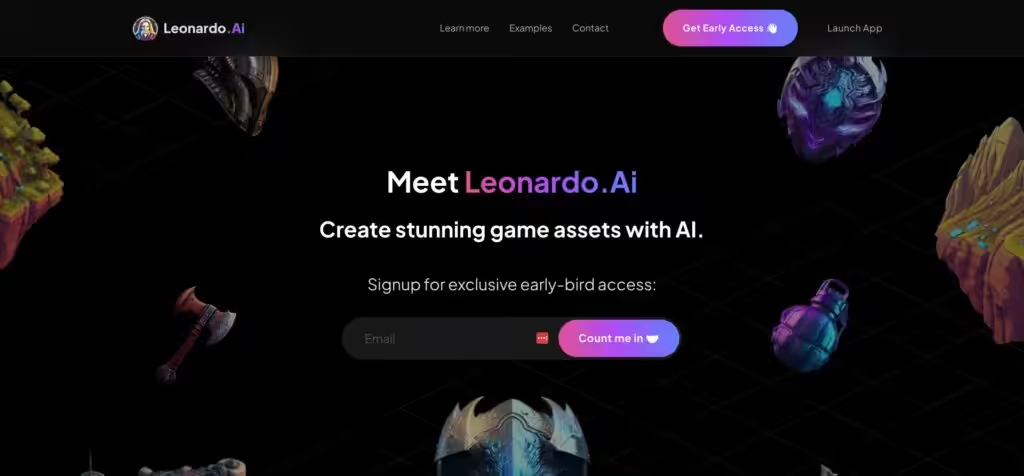
Leonardo.Ai Homepage
Categories Image Generation & Editing
A tool that helps artists create stunning game assets with the help of AI

Leonardo.Ai

Leonardo.Ai is a platform that helps artists create stunning game assets with the help of AI. With market-leading features, the tool aims to give artists greater control over their creations — allowing them to craft entire worlds in mere minutes rather than months.

In other words, with Leonardo.Ai – you can create production-ready assets from pre-trained AI models or even train your own AI models​.

Training your own AI models may sound complicated, but that is not the case here. Quite the contrary, Leonardo.Ai makes this process as simple as a few clicks, after which you can generate thousands of variations and deviations from your training data. Or, to put it differently, you can iterate until you’re satisfied with the results. And the best part is that all this happens quickly.

Leonardo.Ai showcases a variety of potential creations, highlighting all the cool things the AI can bring to art and design. From landscapes to objects to characters, the possibilities are endless.

You start by selecting what you want to create. Then, you can create models of various items from your existing work or use art from mood boards or references. Mentioned variations can be created using simple text prompts. The process is iterative, enabling upscaling and refinement.

All in all, Leonardo.Ai is a powerful tool for artists, especially those working on game assets. So whether you’re creating items, environments, helmets, buildings, or concept art – Leonardo.Ai can help you, bringing the future of art and design to your fingertips.

Leonardo.Ai Homepage
Categories Image Generation & Editing

Video Overview ▶️

What are the key features? ⭐

  • AI-powered art generation: Leonardo.Ai can create stunning art and game assets with little effort. It uses pre-trained AI models to generate unique, production-ready art assets, effectively taking your design to the next level.
  • Custom AI training: Beyond existing AI models, Leonardo.Ai lets you train your own AI models. This will produce thousands of variations and deviations from your training data, allowing for personalized and tailored design results.
  • Iterative design: Iterative design process comes included with Leonardo.Ai, enabling upscaling and refinement. Also, significant changes can be made based on user choices.
  • Rapid production: Leonardo.Ai allows for the creation of a universe of art assets in minutes rather than months.
  • It's all about variety: The tool offers a wide range of art creation options, and you can use it to create models of items, environments, helmets, buildings, concept art, and more.

Who is it for? 🤔

Leonardo.Ai is primarily aimed at game developers, though many artists also use it. It lets the former quickly and efficiently create high-quality game assets. On the other hand, artists use it to play with AI, develop new and test existing ideas, and explore new artistic styles. Furthermore, the tool's ability to rapidly prototype makes it invaluable for any project that requires quick visual conceptualization, such as architectural design or product development.

Examples of what you can use it for 💭

  • Game asset creation - this is probably the single most popular use case for Leonardo.Ai
  • Concept art generation, which is useful for artists working on the early stages of a project
  • Artistic exploration for those looking to explore new styles or ideas
  • Fast prototyping with Leonardo.Ai enabling the rapid creation and iteration of design elements

Pros & Cons ⚖️

  • The quality of art generated is stunning
  • Create amazing assets in minutes, not months
  • For truly unique results, you can train your own model
  • All those features and customizations can be overwhelming

FAQs 💬

What is Leonardo AI, and who is it for?
Leonardo AI is a web-based platform that uses generative AI to create images, videos, and 3D textures from text prompts. It’s great for beginners dipping into AI art, but pros in marketing, game design, or film love it for scaling assets fast. With over 18 million users, it empowers creators to go from idea to polished output without needing advanced skills.
Is there a free version of Leonardo AI, and what are the limits?
Yes, the free plan gives you 150 fast tokens daily, enough for about 13-15 image batches. You get access to basic models and presets, but images are public by default, and you can’t train custom models. It’s solid for testing, though heavy users often upgrade for privacy and more speed.
How much do paid plans cost, and what do they include?
Plans start at $10/month (Apprentice, yearly billing) for 8,500 tokens, private generations, and custom model training. Higher tiers like Artisan ($24/month) add unlimited relaxed generations and video tools. Tokens roll over, and you own all outputs commercially. API plans range from $9 to $299/month for devs.
Can I use Leonardo AI for commercial projects?
Absolutely, especially on paid plans where you retain full ownership and IP rights. Free users get a non-exclusive license, but Leonardo can use public images. It’s popular for marketing assets, game art, and ads, with users like Springbok Group calling it “Photoshop on steroids” for workflows.
What kinds of images or videos can I generate?
From hyper-real portraits with PhotoReal to anime via Leonardo Anime XL, or cinematic clips with Motion 2.0. It handles photorealism, fantasy RPG characters, 3D textures, and even vintage styles. Recent models like Lucid Origin excel at diverse, high-res outputs up to 4K, adapting to prompts like architecture or hand-drawn art.
How do I get started with prompts and generation?
Sign up at leonardo.ai, pick a model like Diffusion XL, type a descriptive prompt (e.g., “cinematic dragon over a castle at dusk”), and tweak settings like guidance scale. Use the prompt enhancer for better results. New Blueprints feature offers pre-set workflows for quick pro edits, like relighting or animating portraits.
What about editing tools, like Canvas or upscaling?
AI Canvas lets you erase, resize, or refine pixels directly. Upscaling boosts to 4K with detail retention. Omni Editing (powered by FLUX.1) allows inline prompt-based changes without leaving the viewer. It’s intuitive for fixing flaws, though some reviews note it shines more for artistic tweaks than heavy Photoshop-style work.
How does Leonardo AI compare to Midjourney or DALL-E?
It’s more affordable with a generous free tier and better prompt adherence than Midjourney for complex scenes, per CNET reviews. Unlike DALL-E’s conversational style, Leonardo offers fine-tuned models and ControlNet for precise control. Users on Reddit say it’s faster for batch work but might need retouching for ultra-real faces.
Is Leonardo AI safe for NSFW content, and what about privacy?
NSFW is blocked by default to keep things SFW, triggering errors for flagged prompts. Private generations on paid plans stay yours alone, with secure data handling. Public feeds are moderated, and the huge Discord community (4M+ members) shares tips safely.
What support and community resources are available?
Email support responds quick (often same-day), plus a help center with guides and API docs. Join the #3 global Discord for 4M creators sharing prompts and feedback. Trustpilot rates it 4.0/5 for responsive help, though some Reddit users wish for more live chat options.

Related tools ↙️

  1. Imgix Imgix Optimizes images in real-time using AI for faster web delivery
  2. Runware Runware Use AI to transform your description into a stunning work of art
  3. DreamUp DreamUp An AI-powered tool allowing users to generate unique artworks by inputting text prompts
  4. Anything World Anything World Transforms static 3D models into animated assets using AI for games and virtual worlds
  5. ImageKit ImageKit Optimizes and transforms images/videos via real-time API for fast delivery
  6. AltText.ai AltText.ai Generates SEO-optimized alt text for images in over 130 languages
Last update: November 12, 2025
Share
Promote Leonardo.Ai
light badge
Copy Embed Code
light badge
Copy Embed Code
light badge
Copy Embed Code
About Us | Contact Us | Suggest an AI Tool | Privacy Policy | Terms of Service

Copyright © 2026 Best AI Tools
415 Mission Street, 37th Floor, San Francisco, CA 94105