Limecube


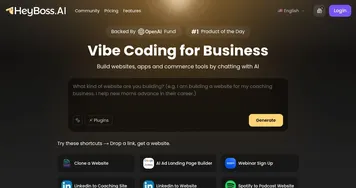
Picture this: its a rainy Tuesday afternoon, and I’m staring at a blank screen, my coffee gone cold, wondering how Ill ever get a website off the ground for my fledgling consulting gig. Enter Limecube, the AI wizard that swoops in like a digital fairy godmother. I spent maybe an hour poking around, less than a full day really, and suddenly I’ve got a sleek site humming along, all thanks to its quick-fire generation engine. The AI asked about my niche, spat out a layout that nailed my vibe, and even drafted copy that sounded like me after a strong edit. There’s something almost magical about watching it pull relevant images from a vast library, ensuring my page doesn’t look like every other tech bro launch.
What hooked me right away was the drag-and-drop playground, so effortless it felt like finger-painting with pixels. I shuffled sections around, swapped fonts to match my branding, and added a blog feed without once cursing at code. Users in forums echo that joy, calling it a breath of fresh air for non-techies who just want to focus on the hustle, not the hassle. The SEO magic? It auto-generates meta tags and sitemaps, which had my pages popping up in searches faster than Id hoped. I think that’s the surprise element here, how it quietly optimizes behind the scenes, turning a newbie site into a search contender overnight.
But lets keep it real, I bumped into a few quirks during my spin. The e-commerce tools, great for dipping toes with Stripe hooks and basic carts, fell short when I toyed with multi-currency dreams; it handled the basics fine but craved more polish compared to Shopify‘s robust ecosystem. And while customization runs deep with animations and galleries, the interface occasionally lagged on image uploads, making me wait like a kid at a slow ice cream line. Feedback from recent Reddit threads mirrors this, with some solopreneurs wishing for deeper integrations, though most agree its pricing tiers, starting affordable and scaling sensibly, beat Squarespace for budget-conscious creators. Here’s a witty aside: it’s like dating someone charming but not quite ready for marriage, fun for the fling, but you might outgrow it if your empires expand.
On the flip side, the security blanket of 99.9% uptime and built-in protections gave me peace of mind, no IT nightmares haunting my sleep. Support was a highlight too, quick chats resolving my font fiasco in minutes, leaving me grinning at how human it felt amid the AI buzz. Growth features like unlimited pages and analytics embeds mean it bends without breaking as ideas multiply. I probably underestimated the AI Page Assistant at first, but it churned out a services page in seconds, saving me from writers block and letting creativity flow unchecked.
If you’re like me, dipping toes into this online world, here’s my two cents from the trenches. Start with the free trial, feed it your raw business sketch, and iterate ruthlessly in that editor. Layer in your voice through tweaks, hook up analytics early to spy on visitors, and maybe pair it with a simple email tool for leads. You’ll emerge with a site that punches above its weight, ready to convert curiosity into clients. Just don’t forget to back up your tweaks; technology loves a plot twist.
Video Overview ▶️
What are the key features? ⭐
- AI Website Builder: Generates full custom sites from business prompts in seconds using automated design algorithms.
- AI Content Writing: Produces tailored text with natural language processing to match industry and tone preferences.
- Drag-and-Drop Editor: Enables intuitive customization of layouts, fonts, and elements without coding knowledge.
- SEO Integration: Automatically optimizes with sitemaps, meta tags, and canonical links for better search rankings.
- E-commerce Tools: Supports Stripe payments and AI-assisted product pages for simple online stores.
Who is it for? 🤔
Examples of what you can use it for 💭
- Startup Founder: Prompts AI with business idea to generate a landing page with SEO and analytics for investor pitches.
- Freelance Consultant: Uses drag-and-drop to customize service pages and integrate contact forms for client inquiries.
- Local Retailer: Builds an e-commerce store with AI product descriptions and Stripe setup to sell inventory online.
- Content Creator: Creates a blog site with galleries and social links to showcase work and drive traffic.
- Event Planner: Designs a multi-page venue site with animations and password protection for exclusive details.
Pros & Cons ⚖️
- Fast site generation
- Intuitive editor
- Built-in SEO tools
- Affordable scaling
- Limited integrations
- Basic e-commerce