logo-darklogo-darklogo-darklogo-dark
  • Home
  • Browse
    • Assistant
    • Coding
    • Image
    • Productivity
    • Video
    • Voice
    • Writing
    • All Categories
    • AI Use Cases
  • My Favorites
  • Suggest a Tool
✕
Home › Video Generation & Editing / Voice Generation & Editing ›

Maestra

Published by Dusan Belic on December 12, 2024

Maestra

Maestra
Maestra Homepage
Categories Video Generation & EditingVoice Generation & Editing
A fancy platform that leverages AI to automate transcription, subtitling, and voiceover

Maestra

Maestra is a novel platform that leverages AI to automate transcription, subtitling, and voiceover processes for audio and video content. Supporting more than 125 languages, it enables users to convert media files into text swiftly and accurately — enhancing accessibility and broadening audience reach. The platform’s advanced speech recognition technology effectively manages background noise to ensure precise transcriptions.

Maestra shines at voice cloning, which allows users to generate realistic voiceovers in multiple languages using cloned versions of their own voices. This functionality can be particularly beneficial for content creators looking to maintain personal branding across linguistic audiences. In addition, Maestra offers tools for automatic subtitle generation and translation — facilitating the creation of multilingual subtitles to further enhance content accessibility.

Maestra provides several pricing plans to accommodate various user needs, each offering automated transcription and subtitle generation, with access to over 100 languages. More expensive plans add voiceover generation, advanced editing tools, and priority support to the mix.

The bottom line is – Maestra’s suite of tools makes it a compelling choice for content creators, educators, and businesses looking to streamline their content creation processes and enhance accessibility. Check it out.

Maestra Homepage
Categories Video Generation & EditingVoice Generation & Editing

Video Overview ▶️

What are the key features? ⭐

  • Automatic transcriptions: Maestra swiftly converts audio and video files into text, with support for more than 125 languages.
  • AI-generated voiceovers: The platform offers realistic AI-generated voiceovers in different languages and accents, enabling users to easily add lifelike narrations to their content.
  • Multilingual subtitling: Maestra automatically generates and translates subtitles, making content accessible to a global audience.
  • Collaborative tools: With features that allow real-time collaboration, teams can work together on projects, share files, and manage workflows within the platform.
  • User-friendly interface: Maestra provides an intuitive text editor for easy corrections and refinements, enabling users to edit transcripts and subtitles directly within the platform.

Who is it for? 🤔

Maestra targets content creators, educators, businesses, and media professionals seeking efficient solutions for transcribing, translating, and adding voiceovers to their audio and video content. By offering a suite of AI-driven tools, the platform caters to those aiming to enhance accessibility, streamline workflows, and expand their reach to a global audience.

Examples of what you can use it for 💭

  • Podcasters and video producers can utilize Maestra to transcribe episodes and videos
  • Educators can transcribe lectures and create multilingual subtitles to make learning materials accessible to students worldwide
  • Marketers can generate voiceovers in multiple languages for promotional videos
  • Companies can transcribe training sessions and provide translated subtitles
  • Film and television producers can use Maestra to create subtitles and dubs in different languages

Pros & Cons ⚖️

  • Fast transcription service
  • Support for 100+ different languages
  • User-friendly interface
  • Limited free access

FAQs 💬

What is Maestra mainly used for?
Maestra focuses on AI-powered transcription, subtitling, and dubbing for videos and audio files, helping users make content accessible in over 125 languages. It turns uploaded media into editable text, subtitles, or voiceovers in seconds, ideal for YouTubers or educators boosting global engagement.
How accurate is the transcription in Maestra?
Users report high accuracy, often 95% or better for clear audio across accents and background noise, thanks to advanced neural learning. I think it shines in English and major languages, though rare tweaks might be needed for technical terms or heavy accents.
Does Maestra support real-time features?
Yes, it offers live transcription and translation during meetings or streams, integrating with tools like Zoom or OBS for instant captions in 125+ languages. This works well for webinars, with no sign-up needed for basic live captioning.
What file formats does Maestra handle?
It supports common formats like MP3, WAV, MP4, and direct YouTube links for transcription and subtitling. You can upload files easily and export transcripts or SRT subtitles for editing in other software.
Can teams collaborate on projects in Maestra?
Absolutely, the platform includes shared workspaces where multiple users edit transcripts or subtitles in real-time, with permission controls. Reviewers on G2 praise this for efficient team workflows on multilingual projects.
How does the voice cloning work in Maestra?
Voice cloning recreates your voice in 29 languages for dubbing, using short samples to generate natural-sounding audio. It's great for personalized translations, but some users note it's best with clear input samples for optimal results.
What integrations does Maestra offer?
It connects seamlessly with YouTube for auto-subtitling, TikTok for ad translations, Slack for notifications, and Zoom for meeting transcripts. This makes it a strong fit for creators already in those ecosystems.
Is there a free option to try Maestra?
Yes, you get a limited free trial for basic transcription and live captioning, no credit card required. It lets you test core features like YouTube transcript generation before committing to more.
How fast is the processing in Maestra?
Transcriptions and subtitles generate in seconds to minutes, depending on file length, with users calling it a major time-saver over manual methods. For longer videos, it handles batch processing efficiently.
What makes Maestra different from competitors like Descript or Otter.ai?
Unlike Descript's editing focus or Otter's note-taking, Maestra excels in multilingual dubbing and 125+ language support, per 2025 comparisons on Reduct.Video. It might edge out for global content localization.

Related tools ↙️

  1. Dzine Dzine An AI tool designed to enhance your graphic design and image editing capabilities
  2. JoggAI JoggAI An AI-powered platform that transforms URLs into engaging video ads in minutes
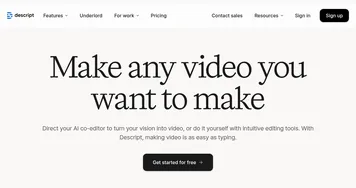
  3. Descript Descript Transforms video editing with AI-driven text-based tools and automated design
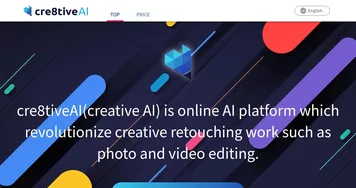
  4. cre8tiveAI cre8tiveAI Set of AI tools for image and video editing and processing
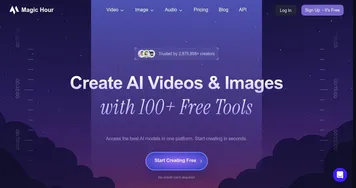
  5. Magic Hour Magic Hour An AI-powered platform designed to simplify video content creation for users of all skill levels
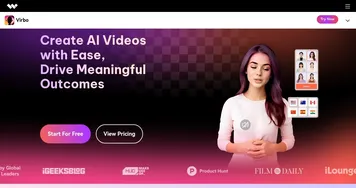
  6. Wondershare Virbo Wondershare Virbo An AI-driven video creation tool designed to generate engaging videos quickly & efficiently
Last update: December 9, 2025
Share
Promote Maestra
light badge
Copy Embed Code
light badge
Copy Embed Code
light badge
Copy Embed Code
About Us | Contact Us | Suggest an AI Tool | Privacy Policy | Terms of Service

Copyright © 2026 Best AI Tools
415 Mission Street, 37th Floor, San Francisco, CA 94105