
logo-darklogo-darklogo-darklogo-dark
  • Home
  • Browse
    • Assistant
    • Coding
    • Image
    • Productivity
    • Video
    • Voice
    • Writing
    • All Categories
    • AI Use Cases
  • My Favorites
  • Suggest a Tool
✕
Home › Music Generation›
Published by Dusan Belic on December 24, 2024

MakeBestMusic

MakeBestMusic
MakeBestMusic Homepage
Categories Music Generation
An AI-powered music production suite that enables users to create music using text prompts

MakeBestMusic

MakeBestMusic is an AI-powered music production suite that enables users to create high-quality, original music using text prompts. Whether you’re a professional musician or a beginner, it allows you to generate instrumental tracks or vocal music by specifying lyrics and desired styles — making music creation accessible to all.

The platform offers a range of features for enhancing the music creation process. For instance, Its AI Text-to-Music Generation allows users to produce complete songs or instrumental tracks from text descriptions or lyrics. Furthermore, the AI Singing Voice Generator can create realistic AI singing voices or personalize models by uploading your own vocals. And for those working with existing audio, MakeBestMusic provides tools for splitting and remixing tracks — enabling the extraction of individual elements like drums and vocals.

MakeBestMusic supports different musical genres and styles, catering to diverse creative needs. All generated tracks are royalty-free, allowing for both personal and commercial use without licensing concerns. The platform’s user-friendly interface ensures that even individuals without musical knowledge can easily utilize its features, making it useful for the likes of content creators, indie filmmakers, game developers, and podcasters.

Accessibility-wise, MakeBestMusic offers flexible pricing plans to accommodate different user needs. There’s a free plan allowing users to generate a limited number of compositions and paid plans that are better suited for more extensive use. This tiered approach ensures that all users can test out the platform for free and only pay if they really need it. Just the way we like it.

MakeBestMusic Homepage
Categories Music Generation

Video Overview ▶️

MakeBestMusic - Video Overview

What are the key features? ⭐

  • AI text-to-music: Users can produce complete songs or instrumental tracks by inputting text descriptions or lyrics, with the AI generating music across genres and styles.
  • AI singing voice generator: This feature allows the creation of realistic AI-generated singing voices. Users can also upload their own vocals to develop personalized AI models.
  • Music splitting & remixing: MakeBestMusic offers tools to extract individual elements like drums and vocals from existing tracks, as well as remix audio files based on text descriptions.
  • Wide range of styles & genres: The platform supports a comprehensive library of musical genres and styles, enabling users to explore diverse creative possibilities and tailor their music to specific preferences.
  • Royalty-free commercial usage: All music generated with MakeBestMusic is royalty-free, allowing users to utilize the tracks in both personal and commercial projects without licensing concerns.

Who is it for? 🤔

MakeBestMusic is made for independent musicians, content creators, game developers, podcasters, and marketers seeking an efficient and user-friendly solution for producing high-quality, royalty-free music. By leveraging AI tech, it caters to individuals and organizations aiming to enhance their audio content without the need for extensive musical expertise or resources. This makes it particularly appealing to those looking to create unique and engaging music quickly and effectively.

Examples of what you can use it for 💭

  • Filmmakers can create affordable, high-quality soundtracks that enhance the emotional depth of their films
  • Content creators can generate custom background music to improve viewer engagement and make their videos more immersive
  • Developers can produce atmospheric soundtracks that enrich the immersive experience of their games
  • Podcasters can enhance their episodes with unique, royalty-free music
  • Marketers can create memorable jingles and background scores for ads

Pros & Cons ⚖️

  • AI quickly generates music
  • Diverse music styles available
  • Lyrics generation included
  • Limited free usage (makes sense)

FAQs 💬

What kind of music can MakeBestMusic generate?
It creates both instrumental tracks and full vocal songs across many genres like pop, rock, electronic, country, R&B, K-POP, classical, and more, based on your text description or lyrics.
Do I need any music skills or equipment to use it?
No, the tool is built for complete beginners. You just write what you want, and the AI handles melody, harmony, arrangement, and production.
Can I make songs with my own lyrics?
Yes, you can input custom lyrics and choose a style, or let the AI suggest lyrics if you prefer to start from a mood or theme.
Does it support creating personalized AI voice covers?
Yes, the AI voice cloning feature lets you upload a short voice sample to create a custom vocal model and apply it to songs.
Can I edit or modify songs after generation?
You can remix existing tracks by describing changes (like adding instruments, altering tempo, or shifting style), and it re-processes the audio accordingly.
Is the music royalty-free and can I use it commercially?
Songs you create are royalty-free. Subscribed users own the copyright and can use them on YouTube, Spotify, TikTok, podcasts, games, and other platforms.
How long are the generated tracks?
It supports full-length songs, going beyond short clips to deliver complete compositions suitable for real projects.
What if I upload my own audio file?
You can split stems (vocals, drums, etc.) from uploaded tracks or use the remix tool to transform them with new ideas.
Does MakeBestMusic keep improving over time?
Yes, the team uses deep learning updates and user feedback to refine audio quality, vocal realism, and overall output.
Is there a way to try it without any commitment?
A free tier exists with limited daily credits, so you can test generation, hear results, and explore the interface right away.
Visit MakeBestMusic

Related tools ↙️

  1. LANDR LANDR Offers AI mastering, music distribution, samples, plugins, and courses for creators
  2. StockmusicGPT StockmusicGPT Generates royalty-free stock music, sound effects, and song covers using AI from text or images
  3. ecrett music ecrett music Generates customizable royalty-free music for videos and games using AI
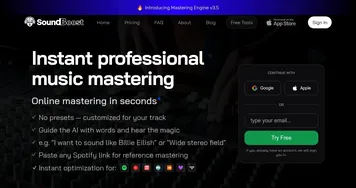
  4. SoundBoost SoundBoost Master music tracks instantly with AI-driven customization.
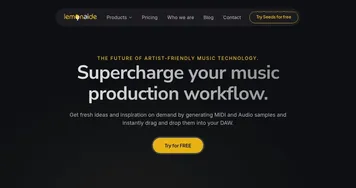
  5. Lemonaide Lemonaide Generates AI-powered melodies and chords for instant DAW integration
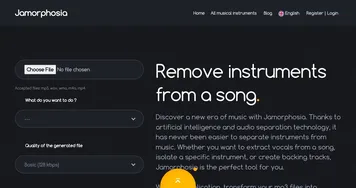
  6. Jamorphosia Jamorphosia Separates songs into isolated instrument tracks using AI
Last update: February 3, 2026
Share
Promote MakeBestMusic
light badge
Copy Embed Code
dark badge
Copy Embed Code
neutral badge
Copy Embed Code
About Us | Contact Us | Suggest an AI Tool | Privacy Policy | Terms of Service

Copyright © 2026 Best AI Tools
415 Mission Street, 37th Floor, San Francisco, CA 94105