SoundBoost
Master music tracks instantly with AI-driven customization.
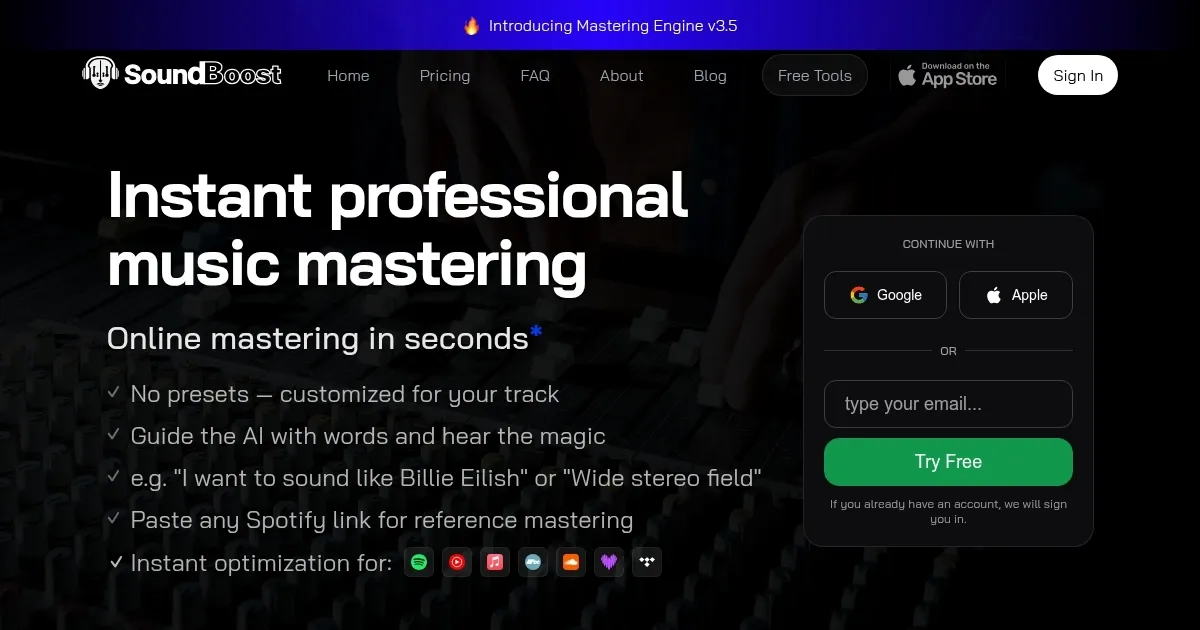
SoundBoost is an AI-powered online mastering platform that optimizes music tracks for streaming services in seconds using customizable prompts and reference tracks. Musicians upload WAV or MP3 files, select one of six AI engineer profiles like Sophia or Marcus, and input prompts like ‘warm vocal pop’ or paste a Spotify link for Reference Mastering. The platform applies EQ, compression, and saturation to create polished, streaming-ready audio, with tools like the Loudness Penalty analyzer ensuring compatibility across platforms like Spotify, Apple Music, and Bandcamp. It supports multiple export formats, including MP3, FLAC, and 24-bit WAV, and offers an iOS app for mobile mastering.
The Mastering Engine v3.5 analyzes tracks 30% deeper than its predecessor, tailoring adjustments to genre-specific needs without relying on presets. Features like Analog Warmth and intensity sliders give users control over the final sound, while the browser-based LUFS meter provides ITU-R BS.1770-4-compliant loudness analysis. The Reference Mastering tool mimics the tonal balance and dynamics of a chosen track, delivering results in under a minute. Unlimited mastering credits across all plans—weekly, monthly, or annual—make it accessible for frequent users, and the platform emphasizes privacy by not training its AI on user uploads.
Compared to competitors like LANDR and eMastered, SoundBoost offers more flexibility with its prompt-based system, though LANDR provides a wider range of genre presets, and eMastered focuses on simplicity for beginners. CloudBounce used to be another alternative but lacked the mobile app and advanced tools like the Loudness Penalty analyzer. SoundBoost’s pricing is competitive, sitting in the mid-tier range, suitable for both hobbyists and professionals.
Some limitations exist. The AI can overcompress complex tracks, reducing dynamic range in genres like classical or acoustic folk, as noted in user feedback on forums like Gearspace. The prompt system, while innovative, may confuse beginners unfamiliar with audio terminology, requiring trial and error to achieve desired results. The six engineer profiles cover broad genres but may not fully cater to niche styles like experimental electronic.
The platform’s strengths lie in its speed, ease of use, and ethical approach to data privacy. The iOS app ensures flexibility for mobile users, and client-side tools like the ID3 Tag Editor enhance workflow efficiency. Musicians seeking quick, high-quality mastering will find SoundBoost effective, but those needing granular control might prefer traditional software like iZotope Ozone. Start with the free trial to test prompts and engineer profiles, and use the Loudness Penalty tool to ensure your track translates well across platforms.
Homepage Screenshot 📸
Video Overview 🎬

What are the key features? ✨
- Prompt-Based Mastering: Customize sound with descriptive prompts like 'warm jazz'.
- Reference Mastering: Mimic tonal balance of a Spotify track in seconds.
- Loudness Penalty Analyzer: Preview track performance on streaming platforms.
- Analog Warmth Toggle: Add vinyl-like warmth with a single slider.
- LUFS Meter: Measure loudness with ITU-R BS.1770-4 accuracy in-browser.
Who is it for? 🤔
Examples of what you can use it for 💡
- Indie Musician: Master a demo for Spotify using a prompt like 'punchy pop'.
- Bedroom Producer: Polish a lo-fi track with Reference Mastering to match a favorite artist.
- Podcaster: Optimize episode audio for clarity on Apple Podcasts with Default profile.
- Sound Designer: Enhance a cinematic track for YouTube with Analog Warmth toggle.
- Band: Prepare an EP for Bandcamp with consistent loudness across tracks.
Pros & Cons ⚖️
- Fast mastering in seconds.
- Flexible prompt-based system.
- Unlimited mastering credits.
- Ethical data privacy approach.
- Overcompression on complex tracks.
- Prompts may confuse beginners.
FAQs 💬
Ready to try SoundBoost?
Master music tracks instantly with AI-driven customization.
Visit SoundBoostSoundBoost alternatives 🔗