

logo-darklogo-darklogo-darklogo-dark
  • Home
  • Browse
    • Assistant
    • Coding
    • Image
    • Productivity
    • Video
    • Voice
    • Writing
    • All Categories
    • AI Use Cases
  • My Favorites
  • Suggest a Tool
✕
Home › Productivity ›

MyMap.ai

Published by Dusan Belic on August 30, 2023

MyMap.ai

MyMap.ai
MyMap.ai Homepage
Categories Productivity

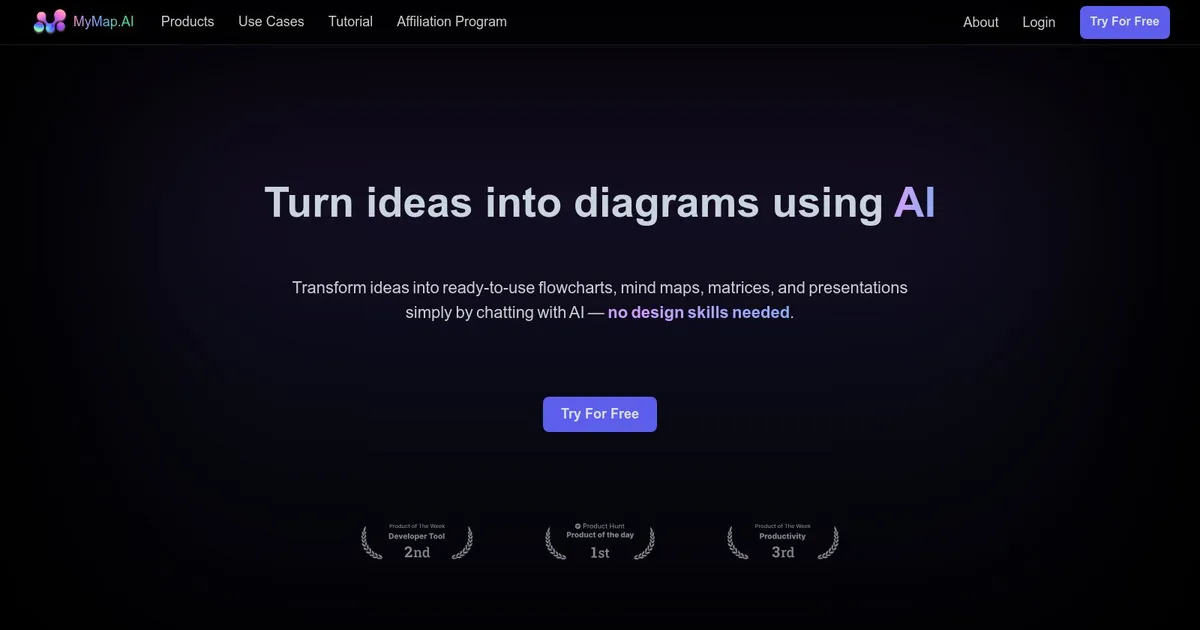
MyMap.ai - screenshot

Transforms ideas into visual diagrams via AI chat

MyMap.ai

MyMap.AI is a cool platform designed to streamline the ideation and visualization process. At its core, MyMap.AI is a fancy mapping software that allows for the creation, sharing, and collaboration on customizable maps. This makes it a useful tool for a wide range of users — from business professionals to educators — seeking to visualize and analyze spatial data more effectively​.

The platform boasts a chat interface, which aids users in transforming text-based ideas into visual formats, such as mind maps and presentations, without the need for design skills. This feature is particularly appealing for those looking to save time and collaborate more efficiently on visual creation​.

MyMap.AI provides a variety of tools for idea visualization, including mind maps, visual stories, code snippets, Kanban boards, and SWOT analyses. Furthermore, it supports AI-generated essays, pitch decks, and roadmaps.

The service is offered on a subscription basis, with options tailored to different user needs, including a free trial to explore its capabilities.

MyMap.ai Homepage
Categories Productivity

What are the key features? ⭐

  • Chat-Based Creation: Generates diagrams instantly through natural language conversation with AI.
  • Web Search Integration: Automatically pulls real-time data from Google or Bing for context-rich maps.
  • File Upload Support: Analyzes uploaded files like PDFs or text to create visuals from existing content.
  • Real-Time Collaboration: Allows multiple users to edit the same diagram simultaneously.
  • Export and Share Options: Saves diagrams as images, PDFs, or shareable links for easy distribution.

Who is it for? 🤔

MyMap.AI works well for students organizing notes and research, professionals planning projects or brainstorming strategies, content creators outlining ideas, and teams needing quick collaborative visuals without advanced design skills.

Examples of what you can use it for 💭

  • Students: Summarizes lecture notes or research papers into mind maps for better retention.
  • Professionals: Builds project flowcharts or timelines by describing goals in chat.
  • Content Creators: Develops storyboards or content calendars from initial ideas.
  • Researchers: Creates concept maps with real-time web data on specific topics.
  • Teams: Collaborates on business strategies or presentations in real time.

Pros & Cons ⚖️

  • Fast diagram generation from chat
  • Real-time web data integration
  • Easy collaboration features
  • No design skills required
  • Limited deep customization
  • Credit limits on free plan

FAQs 💬

What is MyMap.AI?
MyMap.AI is an AI tool that creates visual diagrams like mind maps and flowcharts through chatting or uploading content.
Is MyMap.AI free to use?
Yes, it offers free daily credits, with paid plans available for unlimited access.
Can MyMap.AI handle file uploads?
Yes, it supports uploading various file types for the AI to analyze and turn into diagrams.
Does MyMap.AI support real-time collaboration?
Yes, multiple users can edit the same diagram at the same time.
How does web search work in MyMap.AI?
The AI automatically searches Google or Bing for up-to-date info when needed and incorporates it into diagrams.
What diagram types can MyMap.AI create?
It supports mind maps, flowcharts, matrices, presentations, concept maps, and more.
Can I export diagrams from MyMap.AI?
Yes, export options include PNG images, PDFs, and shareable links.
Is MyMap.AI suitable for students?
Yes, it's great for turning notes or papers into visual summaries for studying.
How does MyMap.AI compare to ChatGPT for visuals?
MyMap.AI creates actual visual diagrams, while ChatGPT provides only text descriptions.
Do I need design skills to use MyMap.AI?
No, the chat interface handles creation without manual design work.

Related tools ↙️

  1. Fastbreak Fastbreak An AI-powered platform that streamlines responding to RFPs, RFIs, and other questionnaires
  2. LeadDelta LeadDelta Organizes LinkedIn connections with tags, notes, and contact enrichment for efficient networking
  3. OctoEverywhere Gadget OctoEverywhere Gadget Your AI failure detection assistant that takes action when printing failures are detected
  4. Zendesk AI Zendesk AI An AI tool built on billions of real customer service interactions that understands customer experience
  5. Refer Me Refer Me Connects job seekers with employees for referrals to top companies
  6. String String Builds AI agents from natural language prompts
Last update: December 14, 2025
Share
Promote MyMap.ai
light badge
Copy Embed Code
light badge
Copy Embed Code
light badge
Copy Embed Code
About Us | Contact Us | Suggest an AI Tool | Privacy Policy | Terms of Service

Copyright © 2026 Best AI Tools
415 Mission Street, 37th Floor, San Francisco, CA 94105





