Warp
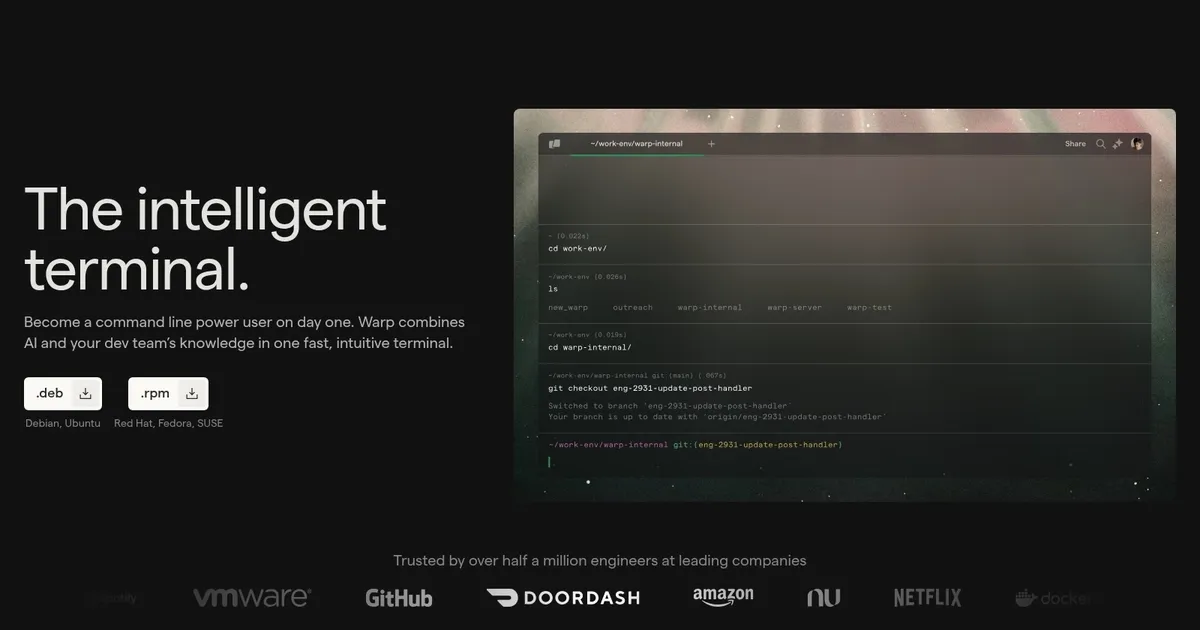
Warp is an AI-enhanced terminal that integrates agents for code generation, debugging, and collaboration directly into the command line interface. Built with Rust for performance, it supports macOS, Linux, and Windows, and targets developers who spend significant time in terminals. Key to its design is a block-based output structure, enabling easy navigation and sharing of command sessions. The tool processes natural language inputs to execute tasks, reducing context switches between IDEs and CLIs.
At its core, Warp features Agents 3.0, which enable full terminal interactions, including REPL usage and debugger sessions. The /plan command generates editable roadmaps for development tasks, serving as both documentation and agent context. Code generation displays diffs in an integrated view, where users can refine changes via prompts or a built-in editor. This supports workflows from feature building to production debugging, with integrations for GitHub Actions, Slack, and Linear.
Warp Drive facilitates saving and sharing parameterized workflows, enhancing team productivity through cloud-synced runbooks. Privacy features include zero data retention, secret redaction, and a network log for monitoring. Compared to Wave Terminal, which emphasizes open-source local models, Warp offers more seamless cloud-based AI but requires internet for advanced agents. iTerm2 provides robust customization without AI, making it a lighter alternative for basic needs.
Users appreciate the time savings, with reports of up to an hour daily from AI assistance and block organization. However, some note a learning curve for block navigation and occasional AI inaccuracies in complex scenarios. The free tier limits AI credits, pushing pro plans for unlimited access, which are generally more affordable than competitors like GitHub Copilot for terminal-specific tasks.
Installation is straightforward via download from the official site, with quick onboarding to core commands. For best results, users should configure agent profiles and explore Warp Drive early. Regular updates, like recent benchmark leads on Terminal-Bench, ensure ongoing improvements in agent reliability.
To maximize value, pair Warp with familiar shells like Zsh and experiment with adding context to prompts, such as uploading files or URLs. This approach builds familiarity without overwhelming initial setups.
What are the key features? ⭐
- AI Agents: Embed intelligent agents for code writing, bug fixing, and deployment tasks within the terminal.
- /plan Command: Generates customizable roadmaps for development objectives using natural language prompts.
- Code Review Interface: Displays editable diffs for agent-generated code, allowing inline refinements.
- Warp Drive: Saves and shares parameterized workflows for team collaboration and reuse.
- Block Outputs: Organizes command inputs and results into searchable, pinnable blocks for efficient navigation.
Who is it for? 🤔
Examples of what you can use it for 💭
- Frontend Developer: Uses AI agents to generate and review React component code directly in the terminal during rapid prototyping.
- DevOps Engineer: Leverages /plan for mapping CI/CD pipelines and Warp Drive for sharing deployment workflows across the team.
- Data Scientist: Prompts agents to debug Python scripts in REPL sessions and summarize log outputs for quick insights.
- Backend Developer: Employs code review interface to refine SQL queries and fix API endpoint bugs without leaving the CLI.
- Team Lead: Saves parameterized commands in Warp Drive to standardize onboarding tasks for new hires.
Pros & Cons ⚖️
- AI boosts productivity
- Strong collaboration tools
- Fast Rust performance
- Intuitive block navigation
- Steep initial learning curve
- Relies on internet for AI