logo-darklogo-darklogo-darklogo-dark
  • Tool Categories
    • 🎨Art & Creative Design505
    • 🏢Business Management644
    • 💻Coding & Development515
    • 👮Detection83
    • 🧠General Use727
    • 🏥Health & Wellness55
    • 📷Image & Photo Analysis100
    • 🖼️Image Generation & Editing618
    • 📐Interior & Architectural Design37
    • 🎓Learning & Education483
    • ⚖️Legal & Finance90
    • 🎭Lifestyle & Entertainment236
    • 📢Marketing & Advertising627
    • 🎧Music & Audio138
    • 👔Office & Workplace1,014
    • 🔬Research & Data Analysis372
    • 👥Social Media245
    • 🎥Video Generation & Editing426
    • 👧🏻Virtual Companion135
    • 🎤Voice Generation & Editing381
    • ✍️Writing & Editing808
    • All Categories
    • AI Use Cases
  • News
  • Events
    • Academic Conferences
    • Developer Conferences
    • Expos / Trade Shows
    • Industry Summits
    • Workshops / Training
    • All Events
    • Past Events
  • Saved Tools
  • Suggest a Tool
✕
Home › Image Generation & Editing › Photo Editing› Imagen
Imagen

Imagen

Learns photographers' unique editing styles to automate batch photo editing and culling

Imagen is an AI-powered photo editing assistant specifically designed for integration with Lightroom Classic, offering a highly efficient and personalized editing solution for photographers. Unlike generic presets, Imagen tailors the editing process to individual photos based on their unique characteristics, learning from the user’s editing style over time to provide consistent, accurate, and personalized edits within 0.5 seconds per photo.

It also includes extra AI Tools for tasks such as cropping, straightening, subject masking, and smoothing skin, and offers access to various Talent AI Profiles created by leading international photographers. As a result of all this automation, photographers get to save significant time and effort while benefiting from high-quality, style-consistent results.

Furthermore, Imagen enhances the photo selection and organization workflow through its effortless culling feature, which mimics human selection to identify the most flattering photos in a set, streamlining the project’s culling and editing workflow. It also provides a cloud storage designed specifically for photographers, with free storage available for the first three months.

In a nutshell, by combining AI-driven editing, personalized profiles, efficient culling, and secure backup – Imagen positions itself as a comprehensive tool that transforms the photo editing workflow for photographers — fostering both creativity and efficiency.

Visit Imagen ↗
Categories
🖼️ Image
✏️ Photo Editing 🌟 Photo Enhancing 🎞️ Photo Filtering
🎨 Art
📷 Photography

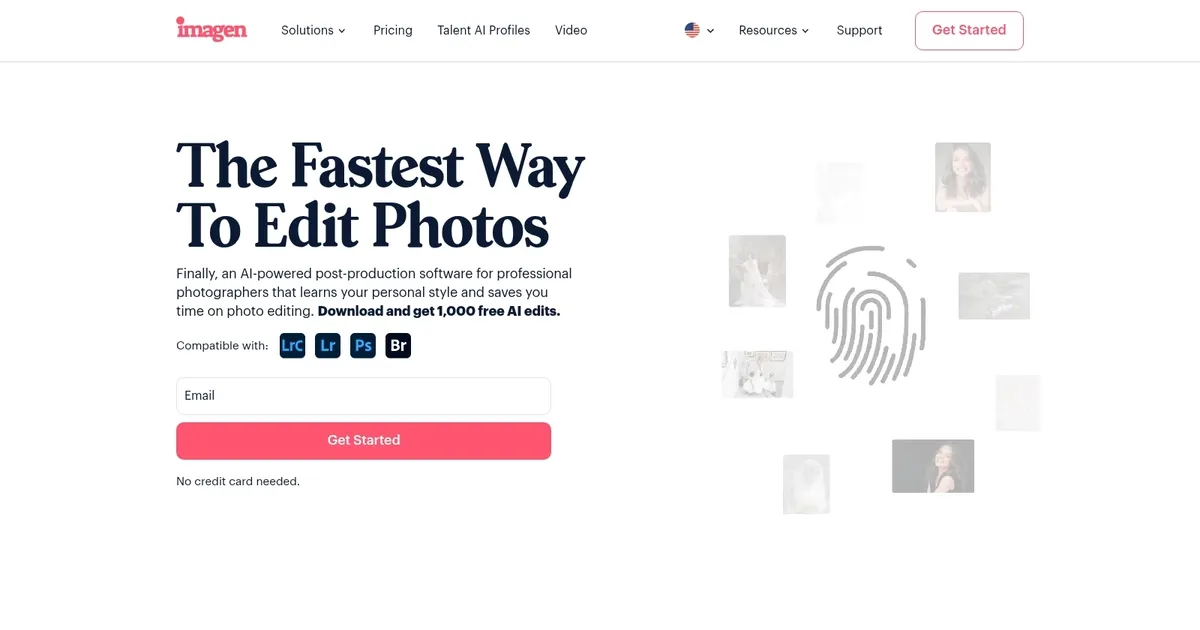
Homepage Screenshot 📸

Imagen screenshot

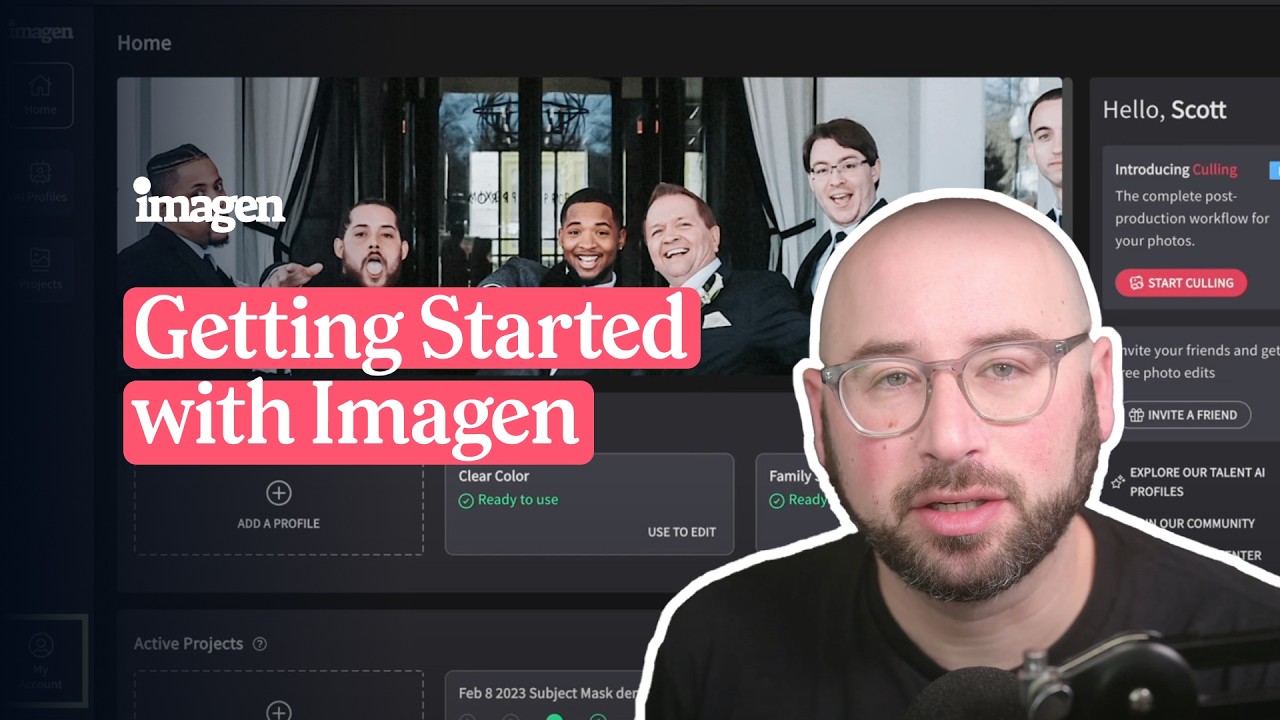
Video Overview 🎬

Imagen - Video Overview

What are the key features? ✨

  • Personal AI Profile: Learns and replicates your unique editing style from past Lightroom adjustments for consistent batch results.
  • AI Culling: Automatically sorts photos by sharpness, detects blinks and duplicates, and groups similar shots to speed up selection.
  • Talent AI Profiles: Access pre-built editing styles from professional photographers for quick inspiration or starting points.
  • Batch Editing Tools: Applies crops, straightening, subject masks, and skin smoothing across galleries in seconds.
  • Cloud Backup: Securely stores projects automatically with easy access across devices.

Who is it for? 🤔

Imagen AI suits professional photographers who shoot high-volume work like weddings, events, portraits, or commercial sessions and spend too much time in post-production. It's especially helpful for those already using Adobe Lightroom who want consistent edits that match their personal style without outsourcing or endless manual tweaks. Busy pros who value time savings and creative control will find it most useful.

Examples of what you can use it for 💡

  • Wedding Photographer: Uses Imagen AI to cull thousands of images quickly and apply personalized edits to deliver galleries same-day or soon after the event.
  • Portrait Photographer: Trains the AI on signature style to batch-edit client sessions with accurate skin tones and consistent looks across dozens of photos.
  • Event Photographer: Culls duplicates and blinks from large shoots, then edits batches to maintain brand consistency for corporate or social events.
  • Real Estate Photographer: Applies fast corrections and enhancements to property images while preserving accurate colors and details.
  • Commercial Photographer: Experiments with Talent AI Profiles for creative variations before refining with personal profile on final deliverables.

Pros & Cons ⚖️

  • Saves huge editing time
  • Learns your exact style
  • Excellent consistency
  • Strong culling features
  • Needs initial training
  • Occasional final tweaks

FAQs 💬

How does Imagen AI learn my editing style?
It analyzes your past Lightroom edits to build a Personal AI Profile that replicates your adjustments on new photos.
Do I need Adobe Lightroom to use Imagen AI?
Yes, it integrates primarily with Lightroom Classic and other Adobe Creative Cloud tools for seamless workflows.
How accurate are the AI edits?
Most users say it gets 80-90 percent there, needing only minor tweaks for perfection.
What is the culling feature?
It automatically sorts images, detects issues like closed eyes or blur, and helps you pick keepers faster.
Can I try Imagen AI for free?
Yes, sign up often gives free edit credits to test the tool on your photos.
How does it compare to hiring a human editor?
It saves money and time while matching your style more closely than most outsourced editors.
What are Talent AI Profiles?
Pre-built styles from pro photographers you can use for inspiration or quick results.
Is my data private?
Photos are used only for editing and profile training, with strong privacy controls.

Ready to try Imagen?

Learns photographers' unique editing styles to automate batch photo editing and culling

Visit Imagen ↗

Imagen alternatives 🔗

  1. Imagen Imagen Generates photorealistic images from detailed text prompts
  2. Black Forest Labs Black Forest Labs Generates high-quality images from text prompts with precision and speed
  3. Stable Diffusion Stable Diffusion Generates high-quality images from text prompts with versatile styles
  4. Adobe Express Adobe Express Creates on-brand content with AI-driven design and video tools
  5. Adobe Firefly Adobe Firefly Generates images, videos, audio, and vectors using AI.
  6. Freepik AI Freepik AI Creates AI images and videos with fluid motion, detailed textures, and synced audio up to 1080p
Share
Imagen screenshot enlarged
Promote Imagen
light badge
Copy Embed Code
dark badge
Copy Embed Code
neutral badge
Copy Embed Code
Best AI Tools

Discover the best AI tools for any use case

Explore
  • Tool Categories
  • AI Use Cases
  • AI Events
  • AI News
  • Saved Tools
Company
  • About Us
  • Contact Us
  • Media & Partnerships
  • Suggest a Tool
Legal
  • Privacy Policy
  • Terms of Service
Copyright © 2026 Best AI Tools 415 Mission Street, 37th Floor, San Francisco, CA 94105