logo-darklogo-darklogo-darklogo-dark
  • Home
  • Browse
    • Assistant
    • Coding
    • Image
    • Productivity
    • Video
    • Voice
    • Writing
    • All Categories
    • AI Use Cases
  • My Favorites
  • Suggest a Tool
✕
Home › Image Generation & Editing›
Published by Dusan Belic on August 30, 2023

AVC AI

AVC AI
AVC AI Homepage
Categories Image Generation & Editing
Use deep learning algorithm to improve and restore photo quality automatically and effortlessly

AVC AI

AVC AI is a comprehensive online image enhancer designed to improve photo quality through various deep learning algorithms. It offers a range of features, including upscaling low-resolution images to higher resolutions, denoising photos to remove grain and artifacts, restoring and refining facial details with facial recognition and enhancement, colorizing black and white photos, calibrating colors to make them look more natural, and removing backgrounds from images automatically.

In that sense, the tool caters to a wide spectrum of image improvement needs — from personal photo enhancement to professional-grade editing for advertising and print.

AVC AI supports various practical applications such as creating high-quality wallpapers, preparing images for printing, and improving portraits by automatically removing imperfections and adjusting color balance.

The tool is accessible through a web browser, and also offers downloadable versions for Windows, Mac, and Android devices.

Finally, we should mention it ensures user privacy by automatically deleting uploaded images after 24 hours.

AVC AI Homepage
Categories Image Generation & Editing

Video Overview ▶️

AVC AI - Video Overview

What are the key features? ⭐

  • Image Upscaler and Enhancer: Boosts photo resolution up to 4x while improving overall clarity and detail.
  • Video Upscaler and Enhancer: Converts low-resolution videos to higher quality, targeting 4K or 8K outputs with better sharpness.
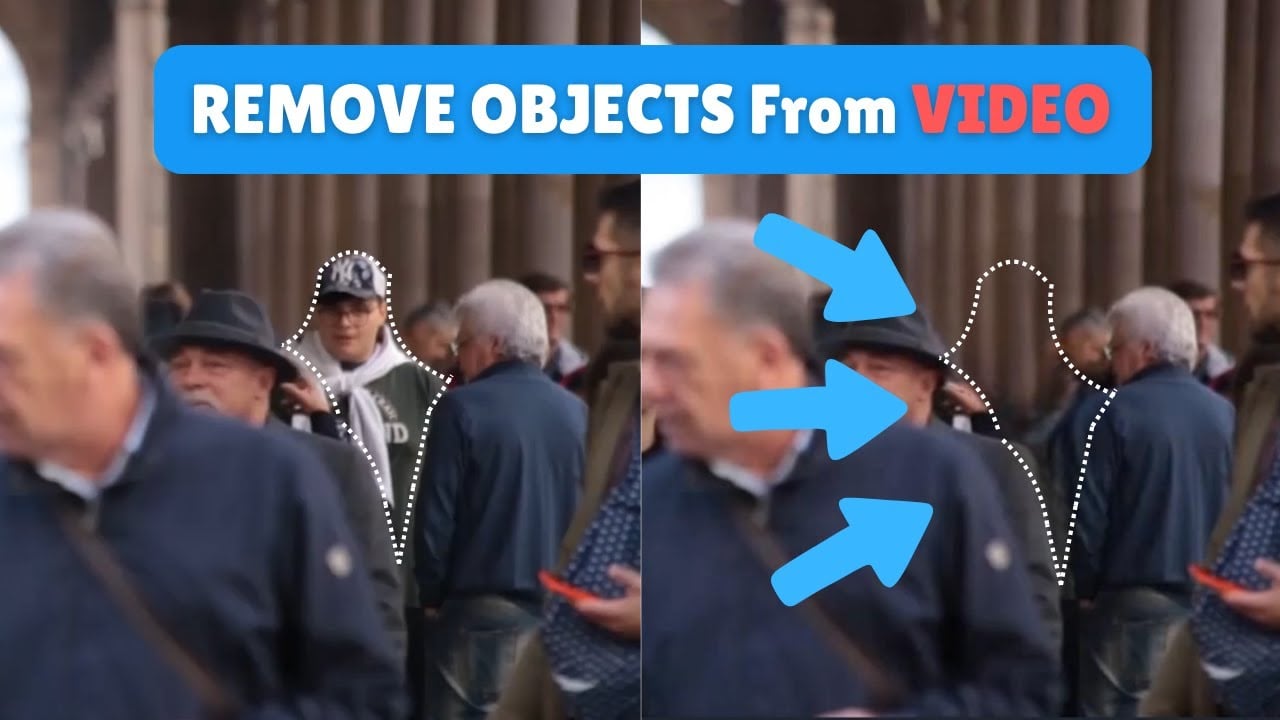
  • Object Remover: Automatically detects and erases unwanted people, objects, or watermarks from images and videos.
  • Background Remover: Provides one-click background deletion for photos, creating transparent or new-background results.
  • Video Stabilizer: Reduces camera shake in footage for smoother, more professional-looking videos.

Who is it for? 🤔

AVC.AI helps casual users, social media creators, family archivists, small business owners who shoot product photos, and anyone with old or low-quality media who wants quick improvements without learning complex software. It suits people who value browser convenience over advanced controls, especially those restoring personal memories, prepping visuals for online posts, or cleaning up short clips without a big time investment.

Examples of what you can use it for 💭

  • Home user: Revives old family photos by upscaling, denoising, and colorizing them for sharing or printing.
  • Content creator: Enhances short social media videos with stabilization and upscaling to look sharper on platforms.
  • Small business owner: Removes backgrounds and unwanted objects from product images to create clean listings quickly.
  • Genealogy enthusiast: Restores faded historical photos and videos to preserve family history with better clarity.
  • Freelance editor: Processes client-supplied low-res footage online for fast turnarounds without heavy desktop installs.

Pros & Cons ⚖️

  • Browser-based, no install needed
  • Free tools for basic tasks
  • Fast results on many files
  • Handles both photos and videos
  • Processing can be slow at peak times
  • Limited free credits for heavy use

FAQs 💬

Is AVC.AI completely free to use?
Some tools like background remover, video stabilizer, and basic object removal are free, but advanced or high-volume processing usually requires credits or a paid plan.
Do I need to download software to use AVC.AI?
No, everything runs in your web browser without any downloads, though a desktop app from AVCLabs is available separately for more advanced features.
What is the maximum resolution for upscaling?
Images can upscale up to 4x, while videos can reach toward 4K or 8K depending on the tool and input quality.
Can AVC.AI handle batch processing?
Yes, some tools support multiple files, but larger batches may require paid credits and longer wait times.
How does it compare to Topaz Video AI?
AVC.AI offers easier browser access and free trials, while Topaz provides more model customization and potentially finer results but requires installation and stronger hardware.
Is my uploaded content safe and private?
AVCLabs emphasizes data security with enterprise-level practices, and files are processed securely, though it's wise to review their privacy policy for details.
What file formats does it support?
Common image formats like JPG, PNG, and video formats like MP4, MOV are supported, though checking the tool page for specifics is recommended.
Can I colorize black-and-white videos?
Yes, related tools in the AVCLabs ecosystem handle video colorization, and some online features support similar enhancements for stills or short clips.
Visit AVC AI

Related tools ↙️

  1. Dawn AI Dawn AI Generates personalized avatars and images from selfies using advanced AI technology
  2. Cloudinary Cloudinary Manages, transforms, optimizes, and delivers images and videos with AI-powered features
  3. Imgix Imgix Optimizes images in real-time using AI for faster web delivery
  4. Imajinn Imajinn Transforms user photos into artistic images and custom visuals using AI
  5. SVG AI SVG AI Transforms text prompts into scalable vector icons and logos instantly
  6. Artisse Artisse Generates hyper-realistic photos using AI from user selfies and custom prompts
Last update: March 1, 2026
Share
Promote AVC AI
light badge
Copy Embed Code
dark badge
Copy Embed Code
neutral badge
Copy Embed Code
About Us | Contact Us | Suggest an AI Tool | Privacy Policy | Terms of Service

Copyright © 2026 Best AI Tools
415 Mission Street, 37th Floor, San Francisco, CA 94105