

logo-darklogo-darklogo-darklogo-dark
  • Home
  • Browse
    • Assistant
    • Coding
    • Image
    • Productivity
    • Video
    • Voice
    • Writing
    • All Categories
    • AI Use Cases
  • My Favorites
  • Suggest a Tool
✕
Home › Productivity›
Published by Dusan Belic on August 30, 2023

Chat Aid

Chat Aid
Chat Aid Homepage
Categories Productivity

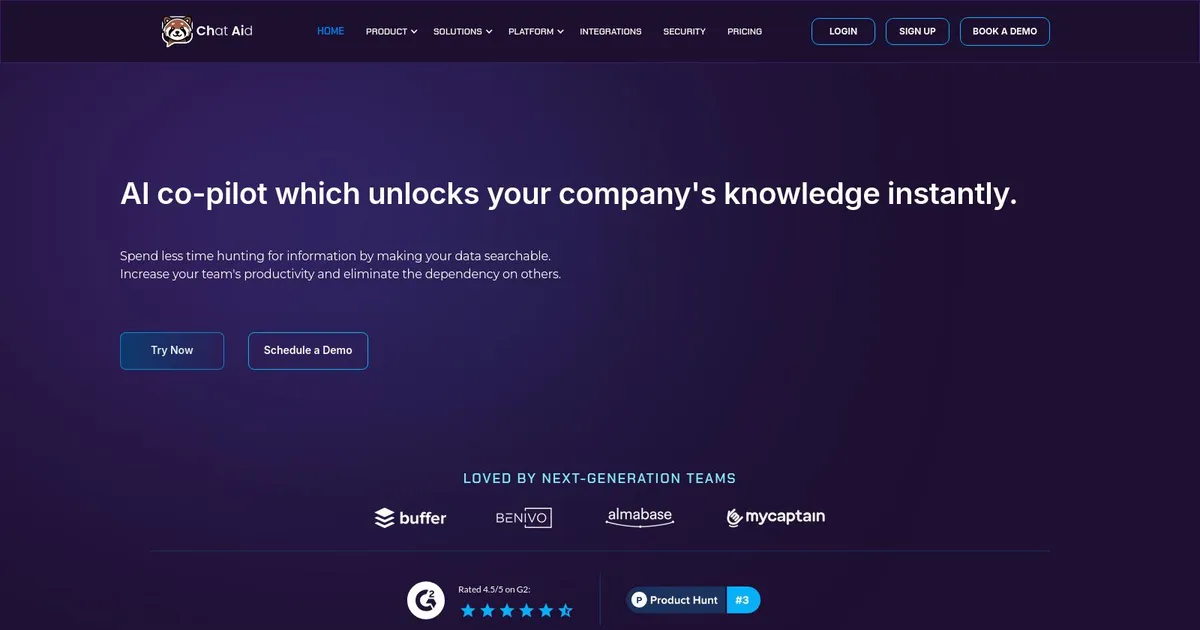
Chat Aid - screenshot

Delivers accurate, cited answers from company data in Slack and Teams instantly

Chat Aid

Chat Aid is an AI-powered tool designed to streamline workplace efficiency by integrating with a variety of platforms like Slack, Gusto, and Docusign. In that sense, it enhances data accessibility and automates routine tasks by understanding natural language commands, which can reduce the time and effort required for data retrieval, document search, and HR processes.

Specifically, Chat Aid can analyze large datasets quickly, offering personalized recommendations and precise search functionalities that are particularly useful in HR for tasks like candidate screening and employee data management.

Similarly, by integrating Chat Aid with project management tools like Linear and Basecamp, users benefit from efficient information retrieval and cross-platform collaboration. This integration ensures that project data and communications are more accessible, which improves workflow and helps maintain real-time updates on tasks and project milestones.

In addition, Chat Aid supports enhanced document management through its integration with Docusign, enabling users to efficiently locate and manage legal documents and contracts.

Security-wise, Chat Aid is made to keep you safe and secure online, and is compliant with major security standards like ISO 27001, ISO 27701, SOC 2 Type II, CCPA, and GDPR. This is crucial for businesses that manage sensitive information and require stringent data protection protocols.

Overall, Chat Aid is a valuable tool for modern, data-driven companies and is especially praised for its ability to improve workplace productivity and data management across various departments.

Chat Aid Homepage
Categories Productivity

What are the key features? ⭐

  • One-Click Integrations: Connects easily to over 60 apps including Slack, Teams, Notion, Google Drive, Jira, HubSpot, Intercom without technical setup.
  • Accurate Cited Answers: Delivers responses with direct source links and minimal hallucinations using RAG technology.
  • Self-Aware AI: Recognizes when answers arent in trained data and optionally falls back to general AI knowledge.
  • Proactive Auto-Answer: Monitors channels and automatically responds to answerable questions in real time.
  • Multi-Platform Access: Works in Slack, Microsoft Teams, Chrome extension, web dashboard, embeddable widgets, and API.

Who is it for? 🤔

ChatAid helps teams and companies dealing with scattered information across docs, chats, tickets, and CRMs. Its especially useful for customer support and success teams answering repetitive questions, product managers needing quick spec lookups, sales folks generating RFPs from past data, HR handling policy queries, and any group wanting to cut down on coworker interruptions while keeping answers accurate and sourced. Mid-sized businesses and growing startups benefit most from its easy setup and free starting option.

Examples of what you can use it for 💭

  • Customer Support Team: Resolves common tickets instantly by querying Intercom, HubSpot, and past Slack threads without manual searches.
  • Product Manager: Pulls requirements, specs, or decisions from Notion, Jira, and meeting notes to speed up planning or onboarding.
  • Sales Representative: Generates RFP responses quickly by referencing previous proposals stored in drives or CRMs.
  • HR Specialist: Answers employee questions on policies, benefits, or procedures from internal docs and past interactions.
  • Engineering Team: Finds code explanations, bug fixes, or architecture details across Confluence, GitHub issues, and Slack discussions.

Pros & Cons ⚖️

  • Fast accurate answers with sources
  • Easy one-click setup
  • Proactive auto-respond in channels
  • Strong security compliance
  • Limits on free tier questions
  • Needs good data connections

FAQs 💬

What does ChatAid actually do?
ChatAid is an AI assistant that searches your company data across connected tools and answers questions with cited sources in Slack, Teams, or other interfaces.
How quick is the setup process?
Most users connect initial sources and start asking questions within minutes using one-click integrations, no coding needed.
Does ChatAid work without any company data connected?
It needs at least some sources to provide accurate company-specific answers, though you can enable fallback to general AI knowledge.
Is ChatAid secure for enterprise use?
Yes, it complies with SOC 2 Type II, ISO 27001, GDPR, and CCPA, with customizable access controls.
What happens if ChatAid cant find an answer?
It tells you it lacks the info in your data instead of guessing, building trust over generic tools.
Can it answer questions proactively?
Yes, the auto-answer feature watches channels and replies automatically when confident.
Does it integrate with my specific tools?
It supports over 60 integrations including popular CRMs, help desks, knowledge bases, and communication platforms—check the integrations page for the full list.
Is there a free version available?
Yes, a free tier exists for individuals or small use with limited questions and features to get started.
How does it compare to Slack's built-in AI?
ChatAid focuses more on your full company data across many tools with citations, while Slack AI leans on general knowledge and channel context.
Who typically gets the most value from ChatAid?
Support, sales, product, and HR teams that deal with repetitive questions and scattered knowledge see big time savings.
Visit Chat Aid

Related tools ↙️

  1. Pineify Pineify Generates error-free Pine Script indicators and strategies without coding
  2. ResuFit ResuFit Generates AI-tailored resumes, cover letters, and interview prep for job applications
  3. Fina Money Fina Money Builds customizable AI-driven systems to track and optimize personal finances effortlessly
  4. Upwork Uma Upwork Uma Streamlines freelance hiring with AI-powered skill assessments and job creation
  5. Oliv Oliv Automates sales workflows with AI agents for deal tracking and coaching
  6. Pine Script Wizard Pine Script Wizard Generates custom Pine Script code for TradingView indicators and strategies from text descriptions
Last update: March 4, 2026
Share
Promote Chat Aid
light badge
Copy Embed Code
dark badge
Copy Embed Code
neutral badge
Copy Embed Code
About Us | Contact Us | Suggest an AI Tool | Privacy Policy | Terms of Service

Copyright © 2026 Best AI Tools
415 Mission Street, 37th Floor, San Francisco, CA 94105