AI Chat for Search

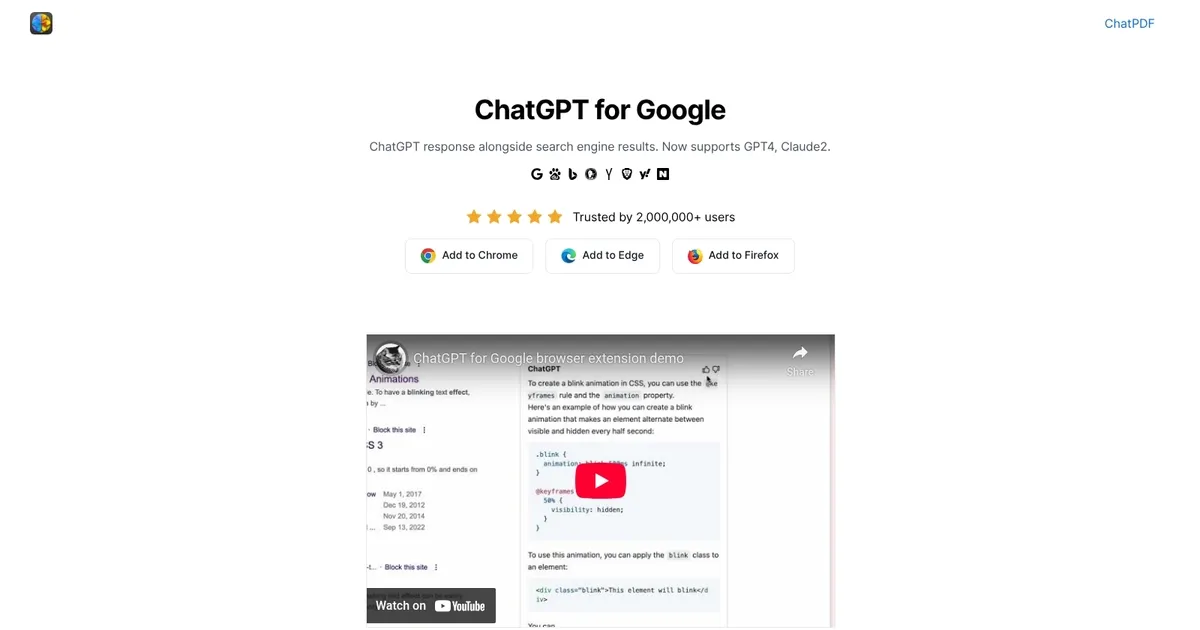
AI Chat for Search is a browser extension designed to augment search engine functionality with the capabilities of ChatGPT. It operates by displaying ChatGPT responses alongside regular search engine results. Furthermore, it now has the ability to compare the responses of ChatGPT, GPT-4, Google Bard/Gemini, and Claude on a single page — thereby enhancing the overall search experience.
You got that right; despite its name, AI Chat for Search supports other AI models, including those made by Google and Anthropic (Claude).
In addition, it also goes beyond Google to render AI answers when using other search engines — including Baidu, Bing, DuckDuckGo, Brave, Yahoo, Naver, Yandex, Kagi, and Searx. Plus, AI Chat for Search can also summarize YouTube videos.
The tool is available for most popular web browsers, including Google Chrome, Microsoft Edge, and Firefox.
What are the key features? ⭐
- Student researching a topic: Gets instant AI explanations and model comparisons alongside web sources to cross-check facts quickly.
- Professional doing market research: Compares nuanced AI analyses of trends or products directly in search results for balanced decisions.
- Content creator scanning videos: Reads AI summaries of YouTube tutorials or reviews to decide which ones deserve full attention.
- Multilingual user: Searches in various languages and receives coherent AI responses that match their preferred language.
- Casual learner exploring questions: Enjoys richer context and different perspectives on everyday queries without extra effort.
Who is it for? 🤔
Examples of what you can use it for 💭
- Student researching a topic: Gets instant AI explanations and model comparisons alongside web sources to cross-check facts quickly.
- Professional doing market research: Compares nuanced AI analyses of trends or products directly in search results for balanced decisions.
- Content creator scanning videos: Reads AI summaries of YouTube tutorials or reviews to decide which ones deserve full attention.
- Multilingual user: Searches in various languages and receives coherent AI responses that match their preferred language.
- Casual learner exploring questions: Enjoys richer context and different perspectives on everyday queries without extra effort.
Pros & Cons ⚖️
- Free with no subscription
- Multi-AI model comparison
- Works on many search engines
- Helpful YouTube summaries
- Depends on your API credits
- Limited customization options