logo-darklogo-darklogo-darklogo-dark
  • Tool Categories
    • ๐ŸŽจArt & Creative Design505
    • ๐ŸขBusiness Management644
    • ๐Ÿ’ปCoding & Development515
    • ๐Ÿ‘ฎDetection83
    • ๐Ÿง General Use727
    • ๐ŸฅHealth & Wellness55
    • ๐Ÿ“ทImage & Photo Analysis100
    • ๐Ÿ–ผ๏ธImage Generation & Editing618
    • ๐Ÿ“Interior & Architectural Design37
    • ๐ŸŽ“Learning & Education483
    • โš–๏ธLegal & Finance90
    • ๐ŸŽญLifestyle & Entertainment236
    • ๐Ÿ“ขMarketing & Advertising627
    • ๐ŸŽงMusic & Audio138
    • ๐Ÿ‘”Office & Workplace1,014
    • ๐Ÿ”ฌResearch & Data Analysis372
    • ๐Ÿ‘ฅSocial Media245
    • ๐ŸŽฅVideo Generation & Editing426
    • ๐Ÿ‘ง๐ŸปVirtual Companion135
    • ๐ŸŽคVoice Generation & Editing381
    • โœ๏ธWriting & Editing808
    • All Categories
    • AI Use Cases
  • News
  • Events
    • Academic Conferences
    • Developer Conferences
    • Expos / Trade Shows
    • Industry Summits
    • Workshops / Training
    • All Events
    • Past Events
  • Saved Tools
  • Suggest a Tool
โœ•
Home › Office & Workplace › Scheduling› Sidekick AI
Sidekick AI

Sidekick AI

Automates meeting bookings via email forwarding and smart pages

Sidekick AI is an AI-powered scheduling tool that automates meeting bookings through email integration and customizable pages. It processes natural language in emails to detect requests and coordinates availability across connected calendars. The tool supports individual and team scheduling, with automatic event creation, invites, and reminders. Users connect via Google or Microsoft accounts for seamless setup.

Core features include Forward to Schedule, where users forward emails to an AI handler that suggests and books times. Scheduling Pages allow creation of shareable links for direct bookings, limited to three in the free plan. Sidekick Scheduling uses AI to find optimal slots, especially efficient among users. Integrations cover Gmail, Outlook, Google Calendar, Zoom, Teams, and more, enabling video and email syncing.

The free Hero plan offers one connected source, unlimited meetings, and basic integrations. The Superhero plan at five dollars monthly adds unlimited pages, branding removal, and meeting stats. A Business beta provides logo customization. Compared to Skej, Sidekick emphasizes email AI over form based bookings, with lower upgrade costs but fewer enterprise scales. Alternatives like Vimcalย focus on polls, while Howieย suits service pros with payments.

Users report time savings on coordination, with G2 ratings averaging four point five stars for ease. Common likes include quick setup and reduced no shows via reminders. Drawbacks involve free tier limits and occasional AI misreads on complex emails. Recent updates enhance team syncing and analytics for better insights.

For implementation, start with calendar sync and test a forward. Monitor stats to refine availability rules. Upgrade for teams needing multiple pages. This approach ensures efficient adoption without overcommitment.

Visit Sidekick AI ↗
Categories
๐Ÿ‘” Work
๐Ÿ•’ Scheduling ๐Ÿค Meeting Assistant ๐Ÿ“… Calendar ๐Ÿ’ผ Workplace Assistant
๐Ÿง  General
๐Ÿค– Assistant

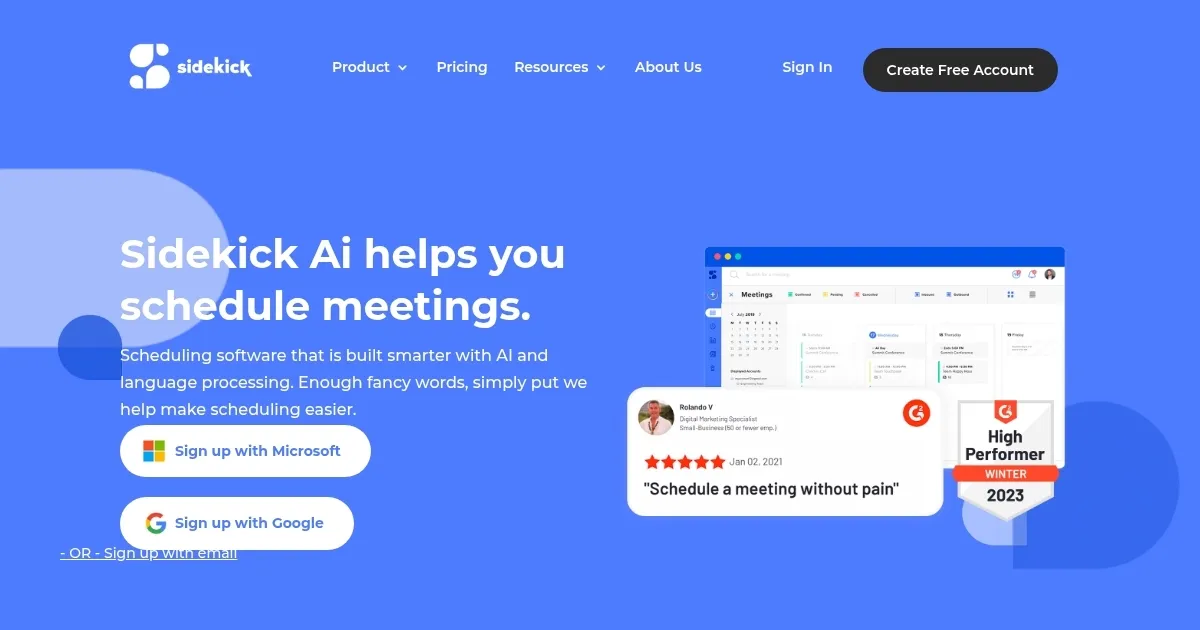
Homepage Screenshot 📸

Sidekick AI screenshot

Video Overview 🎬

Sidekick AI - Video Overview

What are the key features? ✨

  • Forward to Schedule: Users forward meeting request emails to AI, which parses intent, checks calendars, and books optimal times automatically.
  • Scheduling Pages: Create customizable individual or team pages for clients to book meetings directly based on set availability rules.
  • Sidekick Scheduling: AI finds mutual free slots across participants' calendars, ideal for group coordination with or without other users.
  • Automatic Reminders and Invites: Sends pre-meeting notifications and generates calendar events with invites to all involved parties.
  • Integrations: Syncs with Google Calendar, Outlook, Zoom, Teams, and email clients for seamless video and availability management.

Who is it for? 🤔

Sidekick AI suits busy professionals like sales reps, consultants, and small team leads who juggle client meetings and hate email ping pong, it empowers freelancers to set pro boundaries without tech headaches, and helps managers streamline group huddles so everyone stays aligned, I think its especially handy for anyone dreading that next can we meet soon inbox flood, giving you back hours for the work that sparks joy.

Examples of what you can use it for 💡

  • Sales Professional: Forwards prospect emails to auto book discovery calls, checking calendars and suggesting times to close deals faster.
  • Freelance Consultant: Sets up a personal scheduling page for clients to pick slots, integrating Zoom for virtual sessions without back and forth.
  • Team Manager: Uses Team Pages to let partners book group meetings, syncing multiple calendars for efficient internal alignments.
  • Event Coordinator: Employs Sidekick Scheduling to find optimal times for stakeholder huddles, sending invites and reminders automatically.
  • Customer Support Lead: Integrates with Outlook to handle vendor check ins, reducing no shows through proactive notifications.

Pros & Cons ⚖️

  • Easy email auto booking
  • Affordable upgrades
  • Strong team features
  • Quick setup process
  • Free tier limits
  • No mobile app yet

FAQs 💬

What is the Forward to Schedule feature?
It lets you forward meeting request emails to a Sidekick address, where AI analyzes the content, checks availabilities, and books the meeting automatically.
Does Sidekick AI integrate with my calendar?
Yes, it syncs with Google Calendar, Outlook, and Microsoft 365 for real time availability checks and event creation.
Is there a free plan available?
The Hero plan is free forever, including unlimited meetings but limited to one source and three pages.
How does team scheduling work?
Team Pages allow multiple users to sync calendars, enabling clients to book group slots from a single shared page.
Can I remove Sidekick branding?
Yes, branding removal is available in the Superhero plan for a professional look.
What video tools does it support?
It integrates with Zoom, Google Meet, Microsoft Teams, and Skype for automatic video link inclusion.
How accurate is the AI at understanding emails?
It uses natural language processing to parse intents reliably, with an approval option for complex cases.
Is there a mobile app?
Access is via web and mobile browsers, with voice scheduling in the app for quick bookings.
How does it handle time zones?
It automatically adjusts for participants' time zones during scheduling to avoid conflicts.
What support options exist?
Email support responds quickly, with founder involvement noted in user reviews for personalized help.

Ready to try Sidekick AI?

Automates meeting bookings via email forwarding and smart pages

Visit Sidekick AI ↗

Sidekick AI alternatives 🔗

  1. Asana AI Asana AI An AI helper built into the Asana platform to make managing projects and tasks easier
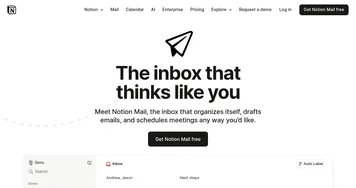
  2. Notion Mail Notion Mail Organizes emails automatically with AI while drafting replies and scheduling meetings
  3. Publer AI Assist Publer AI Assist An AI-powered assistant making social media management easier
  4. OwlyGPT OwlyGPT Streamlines social media management with AI-driven content creation and analytics
  5. Motion Motion AI tool that intelligently plans your day, schedules meetings, and creates to-do lists
  6. Reclaim.ai Reclaim.ai An AI-driven advanced scheduling tool to help you manage and optimize your calendar
Share
Sidekick AI screenshot enlarged
Promote Sidekick AI
light badge
Copy Embed Code
dark badge
Copy Embed Code
neutral badge
Copy Embed Code
Best AI Tools

Discover the best AI tools for any use case

Explore
  • Tool Categories
  • AI Use Cases
  • AI Events
  • AI News
  • Saved Tools
Company
  • About Us
  • Contact Us
  • Media & Partnerships
  • Suggest a Tool
Legal
  • Privacy Policy
  • Terms of Service
Copyright © 2026 Best AI Tools 415 Mission Street, 37th Floor, San Francisco, CA 94105