Notion Mail
Organizes emails automatically with AI while drafting replies and scheduling meetings
I dipped into Notion Mail just yesterday, spending a solid afternoon tinkering after connecting my Gmail account, and let me tell you, it hit like a fresh breeze through a stuffy room. Picture your inbox not as a battlefield but a canvas, where AI sketches out the chaos before you even lift a finger. That’s the vibe I got right away, with its clean Notion-inspired layout pulling me in, making me forget for a moment that emails could be this straightforward. As someone who’s juggled a few clients before, I think it’s got real potential for folks buried in threads, though my brief spin showed it’s still finding its footing in spots.
The magic kicked off with the auto-label tool; I prompted it to “group hiring emails by candidate name,” and boom, it spun up a view that sorted resumes and follow-ups neatly, even pulling in calendar invites for interviews. It feels alive, almost, as new mails slot in without me touching a thing, which was a relief after my usual manual tagging frenzy. Drafting replies surprised me too, the AI weaving in my casual tone from past emails, suggesting snippets like “Thanks for the update, let’s sync next week” that I could tweak on the fly. Witty how it references Notion pages too, I mentioned a project doc in a compose, and it pulled key details, saving me a tab switch. Users on X echo this, one calling it “magical for ditching email anxiety,” and yeah, after a few hours, my inbox felt lighter, more mine.
But here’s the rub from my quick test: switching between multiple accounts? Clunky, since it ties to separate Notion logins, no unified view yet, which irked me when jumping between work and personal. Sync hiccups showed up once, a label not updating back to Gmail, leaving me double-checking like old times. And mobile? Web-only for now, so on my phone, it lagged, forcing me back to the native app, a sharp reminder it’s not fully baked. Against rivals like Superhuman, which flies with its speed but demands $30 monthly, Notion Mail’s free access shines, though AI perks need that $10 add-on, comparable to Spark’s team tools but with less cross-provider support. The minimalist design charms, yet sometimes overlaps on resize, a petty annoyance that pulled me out of the flow.
What caught me off guard was the scheduling integration, a subtle gem where it embeds Notion Calendar availability right in emails, turning “When works?” into one-click polls. Vividly, I imagined firing off meeting invites without the usual ping-pong, and it worked seamlessly in my trial. Security nods like GDPR compliance eased my mind too, no data slurped for training, which is sharper than some AI-heavy competitors. Paragraphs vary here, short punches on features like hover actions for quick archives blending into longer riffs on how custom groupings by domain turned my support tickets into tidy stacks, empowering that “I got this” feeling.
It’s approachable yet authoritative in its promise, immersing you in a workflow that feels aspirational, like your emails finally think with you. Readers might adore the block editor for polished drafts, a step up from Gmail’s plain text, but brace for those initial setup quirks that test your patience.
Practical tip: Fire up a test view for your top email volume, like client queries, prompt the AI liberally, and monitor sync for a week, it’ll reveal if it clicks for your rhythm.
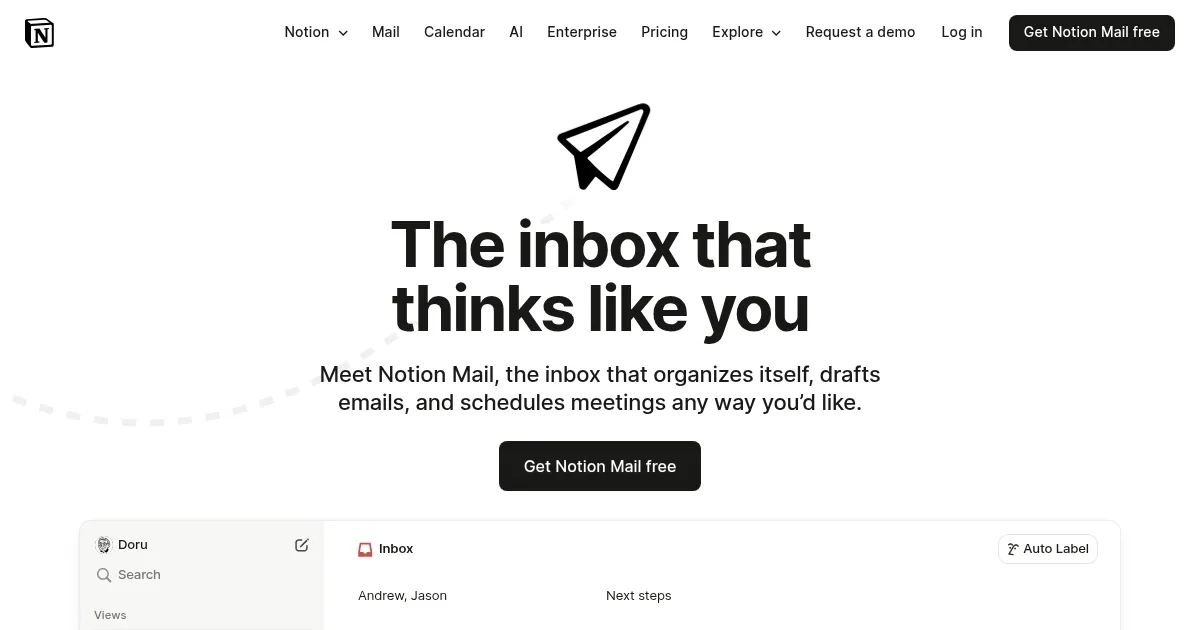
Homepage Screenshot 📸
Video Overview 🎬
What are the key features? ✨
- AI Auto-Label: Uses prompts to automatically categorize and sort incoming emails based on user-defined criteria like topics or senders, creating organized views without manual effort.
- Custom Views: Allows users to filter and group emails by domain, person, label, or calendar, splitting the inbox into focused sections for better management.
- AI Drafting: Integrates Notion AI to generate personalized email responses in the user's tone, referencing linked Notion pages for context during composition.
- Snippets Library: Provides reusable templates for common phrases or elements like scheduling links, speeding up repetitive email tasks.
- Scheduling Integration: Embeds Notion Calendar availability directly in emails, enabling quick meeting polls and seamless time coordination.
Who is it for? 🤔
Examples of what you can use it for 💡
- Recruiter: Uses AI auto-label to group candidate resumes and interview invites into a hiring view, filtering by urgency to prioritize follow-ups.
- Support Specialist: Creates custom views to sort tickets by sender or domain, drafting AI-assisted replies that reference Notion knowledge base pages.
- Freelancer: Employs snippets for quick client proposals and scheduling integration to embed availability, streamlining outreach without tab-switching.
- Project Manager: Filters emails by calendar events to track meeting threads, grouping updates from team domains for efficient progress monitoring.
- Startup Founder: Prompts AI to quarantine cold emails while highlighting investor pitches, using drafting tools for personalized responses tied to business docs.
Pros & Cons ⚖️
- Clean UI
- Free basic use
- AI sorting
- Notion integration
- Limited accounts
- Gmail only
FAQs 💬
Ready to try Notion Mail?
Organizes emails automatically with AI while drafting replies and scheduling meetings
Visit Notion MailNotion Mail alternatives 🔗