logo-darklogo-darklogo-darklogo-dark
  • Tool Categories
    • ๐ŸŽจArt & Creative Design505
    • ๐ŸขBusiness Management644
    • ๐Ÿ’ปCoding & Development515
    • ๐Ÿ‘ฎDetection83
    • ๐Ÿง General Use727
    • ๐ŸฅHealth & Wellness55
    • ๐Ÿ“ทImage & Photo Analysis100
    • ๐Ÿ–ผ๏ธImage Generation & Editing618
    • ๐Ÿ“Interior & Architectural Design37
    • ๐ŸŽ“Learning & Education483
    • โš–๏ธLegal & Finance90
    • ๐ŸŽญLifestyle & Entertainment236
    • ๐Ÿ“ขMarketing & Advertising627
    • ๐ŸŽงMusic & Audio138
    • ๐Ÿ‘”Office & Workplace1,014
    • ๐Ÿ”ฌResearch & Data Analysis372
    • ๐Ÿ‘ฅSocial Media245
    • ๐ŸŽฅVideo Generation & Editing426
    • ๐Ÿ‘ง๐ŸปVirtual Companion135
    • ๐ŸŽคVoice Generation & Editing381
    • โœ๏ธWriting & Editing808
    • All Categories
    • AI Use Cases
  • News
  • Events
    • Academic Conferences
    • Developer Conferences
    • Expos / Trade Shows
    • Industry Summits
    • Workshops / Training
    • All Events
    • Past Events
  • Saved Tools
  • Suggest a Tool
โœ•
Home › Office & Workplace › Email Assistant› Zero
Zero

Zero

Manages your inbox with AI, prioritizing and summarizing emails

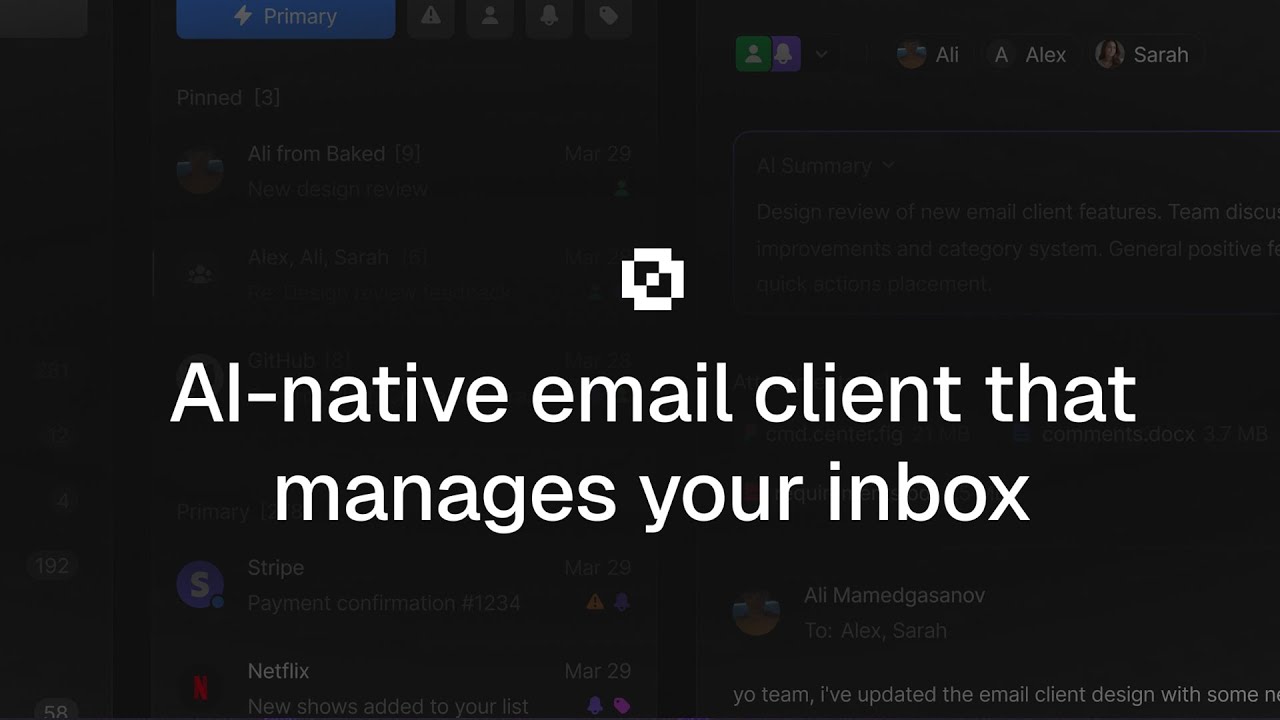
Zero is an open-source AI email client that manages inboxes by prioritizing emails, summarizing threads, and integrating with providers like Gmail and Outlook. Launched in 2025, it emphasizes privacy and self-hosting, offering a fresh alternative to traditional email apps. Here’s a detailed look at its features, strengths, and limitations.

Zero uses AI to streamline email tasks. Its Smart Categories feature organizes emails into groups based on content and user habits. Thread Summaries condenses long email chains into brief overviews, saving time. The AI Chat function allows users to query their inbox using natural language, retrieving details like deadlines or attachments. The unified inbox supports multiple providers, including Gmail and Outlook, for a cohesive experience. As an open-source tool, Zero lets users self-host on their own servers, using technologies like Node.js, PostgreSQL, and Docker, ensuring full data control.

The tool’s strengths lie in its privacy focus and customization. Unlike Superhuman, which requires a subscription, Zero is free, though self-hosting may involve server costs. Its open-source code, available on GitHub, allows developers to tailor the UI and AI features. The community, active on Discord, provides robust support. Compared to Spark, Zero offers similar multi-account support but adds AI-driven features and self-hosting.

However, Zero has drawbacks. Setup requires technical knowledge, including configuring environment variables and databases, which may deter non-technical users. Some report issues with email threading, particularly with replies from external providers like Gmail. The interface, while functional, isn’t as polished as Superhuman’s. The AI can occasionally misprioritize emails, requiring manual adjustments.

Zero’s beta status means it’s still evolving, but its core features are promising. Developers and privacy-conscious users will find it compelling, while casual users might prefer simpler alternatives. To start, clone the GitHub repo, follow the setup guide, and connect one email account to test its capabilities.

Visit Zero ↗
Categories
๐Ÿ‘” Work
โœ‰๏ธ Email Assistant ๐Ÿ“จ Email Response โšก Work Productivity
โœ๏ธ Writing
โœ‰๏ธ Email Writing
๐Ÿ“ข Advertising
๐Ÿ“ง Email Generation
๐Ÿง  General
๐Ÿฆ™ Open Source Model

Homepage Screenshot 📸

Zero screenshot

Video Overview 🎬

Zero - Video Overview

What are the key features? ✨

  • Smart Categories: Automatically organizes emails into relevant groups based on content.
  • Thread Summaries: Condenses long email threads into concise summaries.
  • AI Chat: Enables natural language queries to retrieve inbox information.
  • Unified Inbox: Integrates multiple email providers like Gmail and Outlook.
  • Self-Hosting: Allows users to run the app on their own servers for privacy.

Who is it for? 🤔

Zero is best for privacy-conscious individuals, developers, and small business owners who want control over their email data and enjoy customizing their tools. It suits tech-savvy users comfortable with self-hosting and those seeking an AI-driven alternative to traditional email clients like Gmail or Outlook.

Examples of what you can use it for 💡

  • Developer: Customizes Zeroโ€™s open-source code to integrate with specific workflows.
  • Small Business Owner: Uses Smart Categories to manage client emails efficiently.
  • Privacy Advocate: Self-hosts Zero to ensure complete data control.
  • Freelancer: Relies on Thread Summaries to quickly grasp project updates.
  • Team Lead: Queries inbox with AI Chat to track project deadlines.

Pros & Cons ⚖️

  • Free and open-source
  • Strong privacy focus
  • AI-driven email management
  • Complex setup process
  • Less polished interface

FAQs 💬

What is Zero?
Zero is an open-source AI email client that manages inboxes with features like Smart Categories and Thread Summaries.
Is Zero free to use?
Yes, itโ€™s free as an open-source tool, though self-hosting may incur server costs.
Can Zero integrate with Gmail?
Yes, it supports Gmail and other providers via a unified inbox.
Do I need technical skills to use Zero?
Basic setup requires familiarity with tools like Node.js and Docker.
Is my data private with Zero?
Self-hosting ensures data control, but external provider data follows their policies.
What platforms does Zero support?
It runs on web browsers after self-hosting, with no native mobile app yet.
Can I customize Zeroโ€™s features?
Yes, its open-source code allows extensive customization.
Does Zero work offline?
No, it requires an internet connection for full functionality.
How does Zero compare to Superhuman?
Zero is free and open-source, while Superhuman offers a polished, paid experience.
Where can I get support for Zero?
Join the Discord community or check the GitHub repo for help.

Ready to try Zero?

Manages your inbox with AI, prioritizing and summarizing emails

Visit Zero ↗

Zero alternatives 🔗

  1. Zia Zia AI-powered business assistant from Zoho
  2. HubSpot Breeze HubSpot Breeze Streamlines business growth with AI tools for marketing, sales, and service
  3. Zoom AI Companion Zoom AI Companion Get high-quality results when drafting emails and chat messages, summarizing meetings and chat threads
  4. Notion Mail Notion Mail Organizes emails automatically with AI while drafting replies and scheduling meetings
  5. Superhuman Mail Superhuman Mail AI-powered, premium email client designed to make email management easier and improve productivity
  6. Gorgias Gorgias Streamlines customer support with AI-powered automation for ecommerce brands
Share
Zero screenshot enlarged
Promote Zero
light badge
Copy Embed Code
dark badge
Copy Embed Code
neutral badge
Copy Embed Code
Best AI Tools

Discover the best AI tools for any use case

Explore
  • Tool Categories
  • AI Use Cases
  • AI Events
  • AI News
  • Saved Tools
Company
  • About Us
  • Contact Us
  • Media & Partnerships
  • Suggest a Tool
Legal
  • Privacy Policy
  • Terms of Service
Copyright © 2026 Best AI Tools 415 Mission Street, 37th Floor, San Francisco, CA 94105