logo-darklogo-darklogo-darklogo-dark
  • Tool Categories
    • 🎨Art & Creative Design505
    • 🏢Business Management644
    • 💻Coding & Development515
    • 👮Detection83
    • 🧠General Use727
    • 🏥Health & Wellness55
    • 📷Image & Photo Analysis100
    • 🖼️Image Generation & Editing618
    • 📐Interior & Architectural Design37
    • 🎓Learning & Education483
    • ⚖️Legal & Finance90
    • 🎭Lifestyle & Entertainment236
    • 📢Marketing & Advertising627
    • 🎧Music & Audio138
    • 👔Office & Workplace1,014
    • 🔬Research & Data Analysis372
    • 👥Social Media245
    • 🎥Video Generation & Editing426
    • 👧🏻Virtual Companion135
    • 🎤Voice Generation & Editing381
    • ✍️Writing & Editing808
    • All Categories
    • AI Use Cases
  • News
  • Events
    • Academic Conferences
    • Developer Conferences
    • Expos / Trade Shows
    • Industry Summits
    • Workshops / Training
    • All Events
    • Past Events
  • Saved Tools
  • Suggest a Tool
✕
Home › Office & Workplace › Email Assistant› Spike AI
Spike AI

Spike AI

Using AI to organize and summarize emails, so you could manage your inbox more effectively

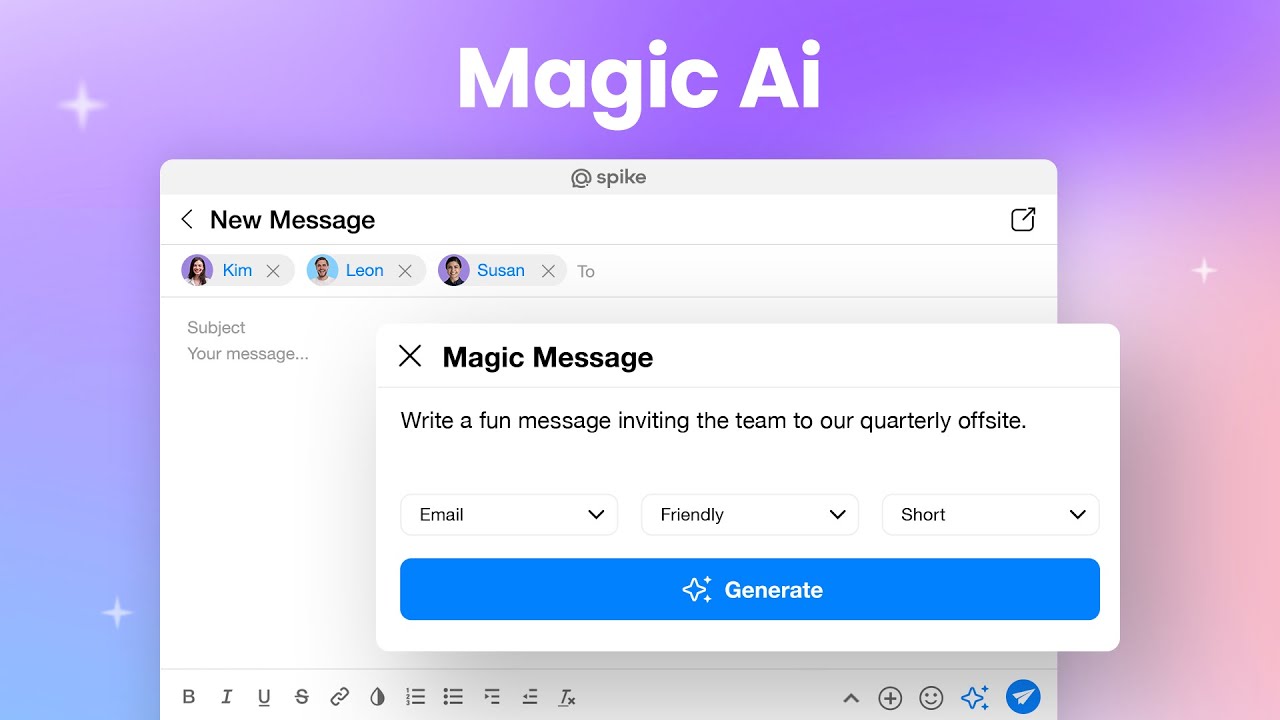
Spike’s Magic AI, or just Spike AI, is an advanced feature designed to revolutionize your email and messaging experience. It uses AI to organize, summarize, and optimize emails, helping users manage their inboxes more effectively. By delivering clear and contextual messages, the tool eliminates writer’s block and simplifies communication tasks to allow users to focus on more important actions.

The core of Spike AI is the ability to instantly summarize long email threads and documents without users having to read extensive text. This can be useful for businesses that want to stay on top of their communication but only spend a little time managing email.

Spike AI, naturally, integrates with Spike’s conversational email platform, ensuring all products retain a natural and human voice. Users can interact with the AI ​​to compose messages, reply to emails, and even create creative content, such as case law nuances, making it a versatile tool for a variety of needs.

All in all, Spike’s Spike AI is meant to dramatically increase productivity by automating routine tasks and providing intelligent assistance. Its user-friendly interface and robust capabilities make it valuable for anyone looking to transform their email and messaging business.

Visit Spike AI ↗
Categories
👔 Work
✉️ Email Assistant 📨 Email Response ⚡ Work Productivity 💼 Workplace Assistant
✍️ Writing
✉️ Email Writing
📢 Advertising
📧 Email Generation

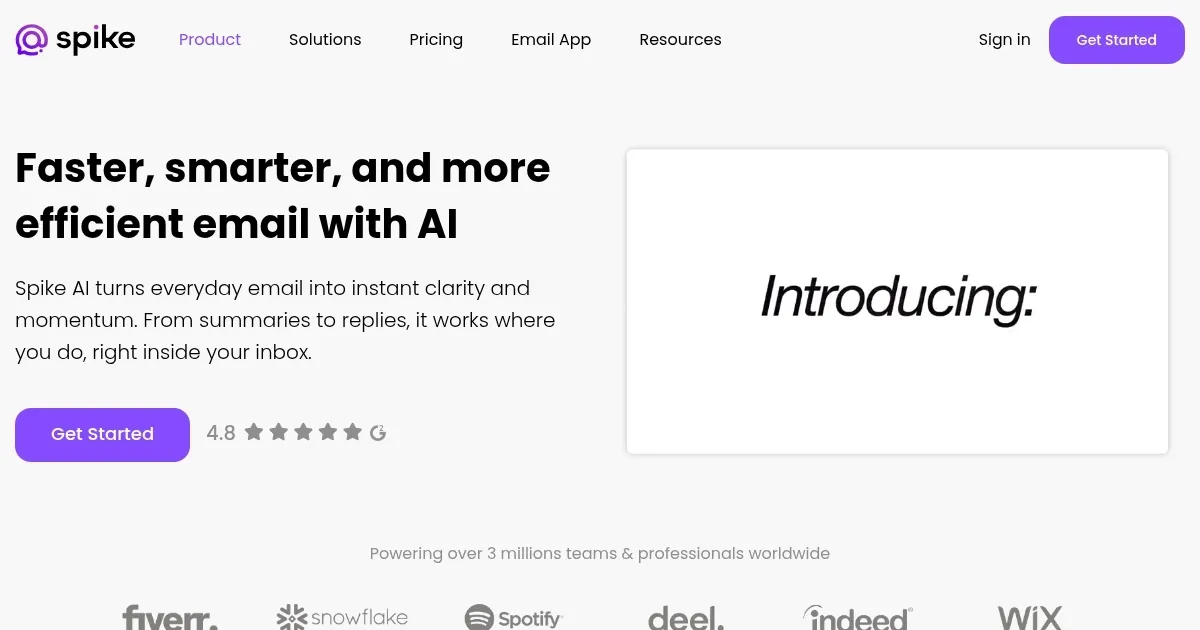
Homepage Screenshot 📸

Spike AI screenshot

Video Overview 🎬

Spike AI - Video Overview

What are the key features? ✨

  • AI-generated emails: Spike AI lets you quickly draft clear, compelling email messages and replies, saving time and eliminating writer's block.
  • Summarization: Instantly summarizes long email threads, messages, and documents, highlighting key points for quick understanding.
  • Task automation: The tool can automate different tasks like content creation, research, and problem-solving.
  • AI bot: Acts as a savvy assistant for generating articles, code, and answering questions.
  • Enhanced productivity: Spike AI integrates seamlessly into workflows to boost efficiency and streamline communication.

Who is it for? 🤔

Spike AI is made for business professionals, teams, and organizations looking to enhance their email and communication efficiency. It is particularly beneficial for those who manage large volumes of emails, need to streamline their workflows, and improve productivity with AI-powered automation and summarization tools. The tool caters to different industries, such as marketing, sales, customer support, and project management.

Examples of what you can use it for 💡

  • Automate the creation and summarization of emails for efficient inbox management
  • Enhance team communication with automated, contextually relevant responses
  • Generate articles, reports, and other content with ease
  • Provide quick, accurate responses to customer inquiries
  • Summarize project updates and create clear, concise reports

Pros & Cons ⚖️

  • Helps you manage your email with ease
  • Also useful for generating different kinds of textual content
  • Summarizes stuff for you
  • There are better tools for writing out there

FAQs 💬

What does Spike actually do to my existing email?
It connects to your current accounts and displays emails as a chat-style conversation while keeping full compatibility with standard email protocols.
Do I need a new email address to use Spike?
No, you sign in with your existing Gmail, Outlook, iCloud, Yahoo, or other IMAP email accounts.
How good is the AI at understanding context in emails?
The AI pulls from the full thread and attachments to generate relevant summaries and replies, so it usually captures the main points and tone accurately.
Can Spike's AI write in languages other than English?
Magic Message can generate content in other languages when instructed, but summaries currently output in English.
Is the AI available on mobile devices?
Yes, Spike's AI features work across iOS, Android, desktop, and web versions.
Does Spike handle multiple email accounts together?
It unifies all your inboxes into one feed with smart sorting, so you manage everything from a single view.
What kind of tasks can the built-in AI bot help with?
It assists with brainstorming, answering questions, drafting content, generating code ideas, providing feedback, and more.
Will contacts who don't use Spike see chats differently?
They receive normal emails, so the experience stays standard on their end.
How does Spike organize long email threads?
It shows conversations in real-time chat format and uses AI to summarize them instantly.
Is offline access available?
Spike requires an internet connection for full functionality, including AI features.

Ready to try Spike AI?

Using AI to organize and summarize emails, so you could manage your inbox more effectively

Visit Spike AI ↗

Spike AI alternatives 🔗

  1. Zia Zia AI-powered business assistant from Zoho
  2. HubSpot Breeze HubSpot Breeze Streamlines business growth with AI tools for marketing, sales, and service
  3. Zoom AI Companion Zoom AI Companion Get high-quality results when drafting emails and chat messages, summarizing meetings and chat threads
  4. Notion Mail Notion Mail Organizes emails automatically with AI while drafting replies and scheduling meetings
  5. Superhuman Mail Superhuman Mail AI-powered, premium email client designed to make email management easier and improve productivity
  6. Gorgias Gorgias Streamlines customer support with AI-powered automation for ecommerce brands
Share
Spike AI screenshot enlarged
Promote Spike AI
light badge
Copy Embed Code
dark badge
Copy Embed Code
neutral badge
Copy Embed Code
Best AI Tools

Discover the best AI tools for any use case

Explore
  • Tool Categories
  • AI Use Cases
  • AI Events
  • AI News
  • Saved Tools
Company
  • About Us
  • Contact Us
  • Media & Partnerships
  • Suggest a Tool
Legal
  • Privacy Policy
  • Terms of Service
Copyright © 2026 Best AI Tools 415 Mission Street, 37th Floor, San Francisco, CA 94105