logo-darklogo-darklogo-darklogo-dark
  • Home
  • Browse
    • Assistant
    • Coding
    • Image
    • Productivity
    • Video
    • Voice
    • Writing
    • All Categories
    • AI Use Cases
  • My Favorites
  • Suggest a Tool
✕
Home › Video Generation & Editing / Voice Generation & Editing›
Published by Dusan Belic on August 6, 2024

Cockatoo

Cockatoo
Cockatoo Homepage
Categories Video Generation & EditingVoice Generation & Editing
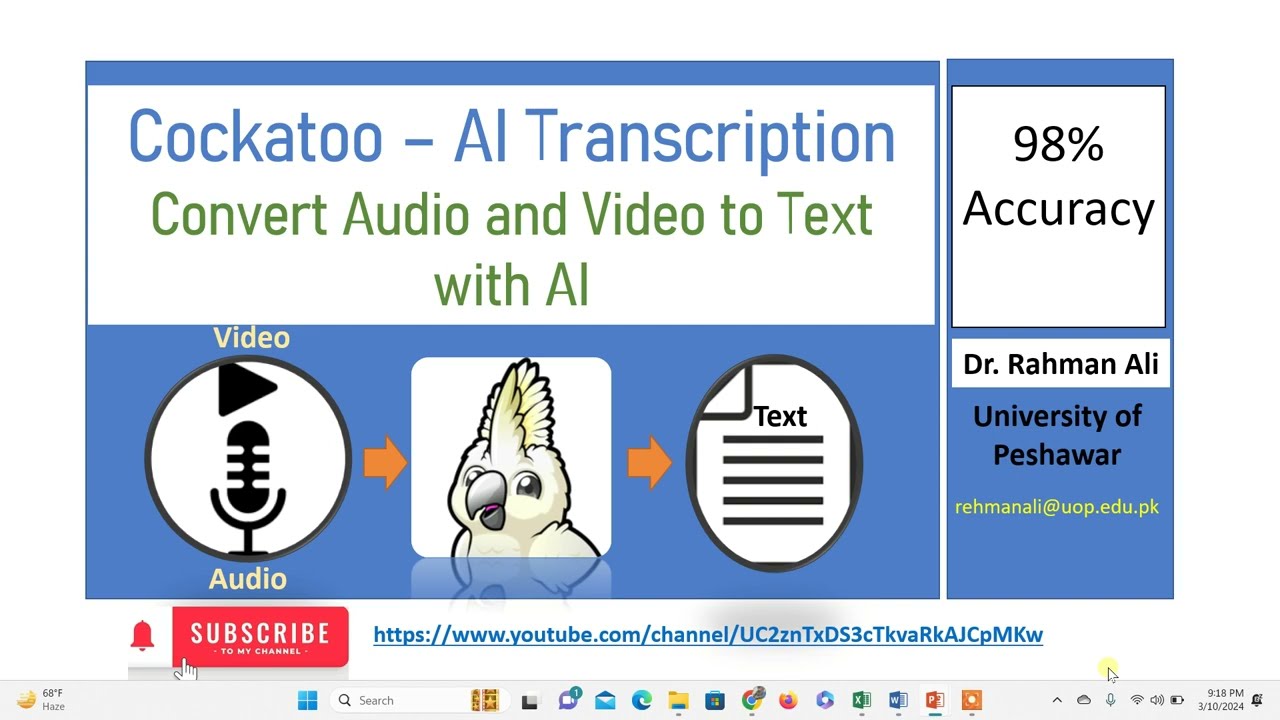
An AI-powered transcription service that converts audio and video files into text

Cockatoo

Cockatoo is an AI-powered transcription service that converts audio and video files into text with speed and accuracy. It supports over 90 languages and can transcribe various file formats, making it useful for different transcription needs. Once everything is done, users can download the resulting transcription in multiple formats like PDF, DOCX, TXT, and SRT.

Cockatoo claims to boast an accuracy rate of up to 99.8%, which is better than traditional transcription methods. It also includes a built-in text editor for easy transcript editing.

The tool can handle different accents and background noise to ensure reliable transcriptions in diverse environments.

Cockatoo’s user-friendly interface allows anyone to start transcribing, making it accessible for both individuals and businesses. It also takes good care of users’ privacy, with no data sharing or advertising involved.

All in all, Cockatoo is an efficient transcription tool that simplifies the process of converting speech to text. Its advanced AI capabilities, combined with ease of use and strong security measures, make it useful for anyone needing quick and reliable transcriptions.

Cockatoo Homepage
Categories Video Generation & EditingVoice Generation & Editing

Video Overview ▶️

Cockatoo - Video Overview

What are the key features? ⭐

  • Fast & accurate transcriptions: Convert audio or video files to text in seconds with up to 99.8% accuracy.
  • Support for 90+ languages: Transcribe audio in multiple languages, making it accessible globally.
  • Unlimited transcriptions: Users can transcribe as many files as needed.
  • Easy to use: Just drag and drop files for quick transcription and seamless export to various formats like PDF, DOCX, TXT, and SRT.
  • Privacy & security: Cockatoo ensures data privacy with state-of-the-art security measures and does not share data with third parties.

Who is it for? 🤔

Cockatoo is useful for professionals and organizations across different sectors - including media, education, legal, sales, and healthcare. It caters to individuals and teams (businesses) looking for an efficient way to convert audio and video content into text, offering tools that are simple to use and highly reliable. Plus, since it supports more than 90 languages, it is also useful to users across the world.

Examples of what you can use it for 💭

  • Quickly transcribe podcast episodes for easy editing and sharing
  • Efficiently transcribe legal recordings for accurate documentation
  • Automate the transcription of sales calls to analyze and improve performance
  • Transcribe lectures and seminars for study and reference purposes
  • Streamline the transcription of interviews and documentaries for faster production workflows

Pros & Cons ⚖️

  • Fast and accurate transcriptions
  • Support for more than 90 languages
  • Multiple export options
  • This is a very competitive market, and we're not sure Cockatoo is the best tool out there

FAQs 💬

What exactly does Cockatoo do?
Cockatoo converts audio and video files into accurate text transcripts using advanced AI, supporting over 90 languages with high speed and precision.
How accurate is the transcription?
It reaches up to 99.8% accuracy in many scenarios, often surpassing human transcription thanks to powerful machine learning models.
Which file formats can I upload?
Cockatoo accepts virtually all common audio and video formats without requiring any conversion beforehand.
Does it handle multiple languages well?
Yes, the tool transcribes in more than 90 languages and various dialects, including strong accents and mixed-language audio.
Can I edit the transcript after it's generated?
Absolutely, a built-in browser editor lets you fix mistakes, label speakers, or refine the text right away.
What export formats are available?
You can download transcripts as SRT (for subtitles), DOCX, PDF, TXT, and sometimes other standard formats.
Is it suitable for video content?
Yes, it extracts audio from videos automatically and produces transcripts or subtitle-ready files quickly.
Does Cockatoo work with noisy recordings?
It performs reliably even with background noise, pauses, or overlapping speakers in most cases.
Who typically uses this tool?
Journalists, podcasters, content creators, researchers, educators, and anyone who needs fast, accurate conversion of spoken content to text.
Is there an option to translate documents too?
Yes, Cockatoo includes AI-powered translation for uploaded documents like PDFs and DOCX files across many language pairs.
Visit Cockatoo

Related tools ↙️

  1. Tango Tango Creates interactive how-to guides from screen captures in minutes.
  2. Cloudinary Cloudinary Manages, transforms, optimizes, and delivers images and videos with AI-powered features
  3. Nullface Nullface Generates AI-powered faceless videos for TikTok and YouTube effortlessly
  4. PodLM PodLM Transforms URLs, texts, and documents into professional podcasts using AI
  5. Verbalate Verbalate Translates and dubs videos into multiple languages using voice cloning and lip sync for global reach
  6. Vogent Vogent Builds intelligent voice AI agents for automating phone calls and conversations
Last update: February 8, 2026
Share
Promote Cockatoo
light badge
Copy Embed Code
dark badge
Copy Embed Code
neutral badge
Copy Embed Code
About Us | Contact Us | Suggest an AI Tool | Privacy Policy | Terms of Service

Copyright © 2026 Best AI Tools
415 Mission Street, 37th Floor, San Francisco, CA 94105