logo-darklogo-darklogo-darklogo-dark
  • Home
  • Browse
    • Assistant
    • Coding
    • Image
    • Productivity
    • Video
    • Voice
    • Writing
    • All Categories
    • AI Use Cases
  • My Favorites
  • Suggest a Tool
✕
Home › Assistant / Productivity›
Published by Dusan Belic on May 25, 2025

Dust

Dust
Dust Homepage
Categories AssistantProductivity
An AI platform that helps businesses build custom AI assistants connected to their company data

Dust

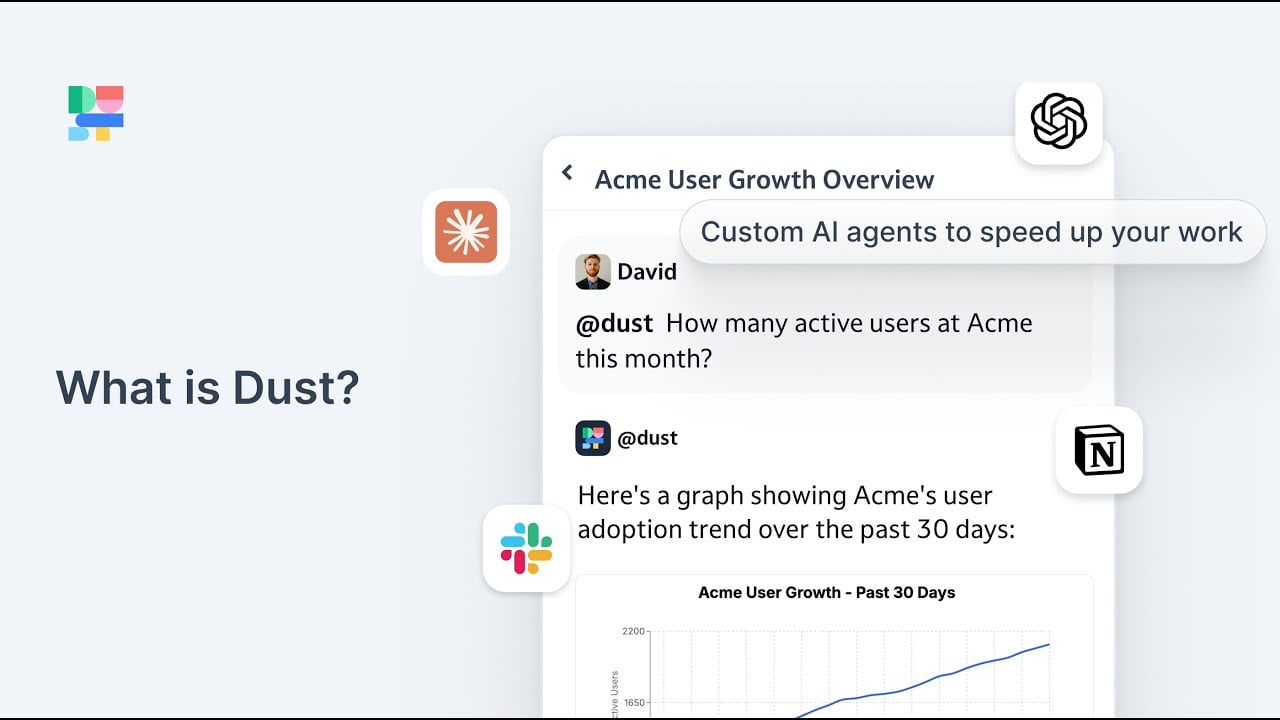
Dust is an AI platform that helps businesses build custom AI assistants connected to their company data. Once created, these assistants give your team a smart helper that knows your business inside and out.

But Dust isn’t just another chatbot, as its AI agents can search your documents, analyze data, and even browse the web to find answers. These agents can work with tools like Slack, Google Drive, and Notion — making them a virtual part of your team. They can help with tasks like writing reports, answering customer questions, and summarizing meetings.

And the best thing is that you don’t have to be a programmer to use Dust. You can build AI agents using a simple interface, like putting together building blocks. Again, this means anyone on your team can create and use AI tools to make their work easier.

When it comes to security and privacy, Dust doesn’t joke around. Your data stays private and isn’t used to train other AI models. The platform complies with standards like SOC2 Type II, HIPAA, and GDPR — so you can trust that your information is safe.

As for the competing services, there are other AI platforms like Lindy, Kore.ai, and FastGPT. These tools also offer ways to build AI assistants, but Dust is easier to use and, as such, a better option for teams that want to get started with AI without a steep learning curve.

To sum it up, Dust offers a powerful yet accessible way for teams to harness AI in their daily operations. Its ease of use and data security make it a great choice for businesses looking to enhance productivity without compromising on privacy.

Dust Homepage
Categories AssistantProductivity

Video Overview ▶️

What are the key features? ⭐

  • Custom AI agents: Build AI helpers that can search your documents, analyze data, and answer questions.
  • Easy integration: Connect Dust to tools like Slack, Google Drive, and Notion - allowing your AI agents to access and work with your existing data.
  • No coding required: Use a simple interface to build AI agents without needing programming skills.
  • Data security: Your data remains private and isn't used to train other AI models. The platform also complies with major security standards.
  • Different tools & use cases: AI agents can perform tasks like web browsing, data analysis, and document summarization.

Who is it for? 🤔

Dust is designed for companies of all sizes that want to leverage AI to improve their operations. It can be especially useful for teams that need to manage large amounts of data and want to automate routine tasks. In that sense, industries like technology, healthcare, finance, and customer service can benefit from using Dust to enhance productivity and decision-making.

Examples of what you can use it for 💭

  • AI agents can answer common customer questions by accessing your company's knowledge base, reducing the workload on support staff
  • Generate content ideas, write drafts, and analyze customer feedback to improve campaigns
  • Summarize customer interactions, identify potential leads, and provide insights to close deals faster
  • Gather and analyze user feedback to inform product improvements and feature development
  • Automate responses to common employee questions and assist with onboarding processes

Pros & Cons ⚖️

  • User-friendly interface that doesn't require coding skills
  • AI agents that can handle a variety of tasks
  • Integration with existing tools and platforms
  • Customization options could be limited for tech-savvy folks

FAQs 💬

What exactly is Dust?
Dust is a no-code/low-code platform for creating custom AI agents that connect to your company's data and tools, helping teams automate workflows and access knowledge across silos securely.
Who is Dust designed for?
It's built for organizations, especially mid-to-large teams in sales, marketing, support, engineering, data/analytics, HR, legal, and IT who want AI that understands internal context rather than generic chatbots.
Do I need coding skills to use Dust?
No, most users build and deploy agents without writing code using a visual interface, templates, and simple instructions, although developers can extend it further with APIs or SDKs if needed.
What kind of data sources can Dust connect to?
It integrates with common tools like Slack, Google Drive, Notion, Confluence, GitHub, and others, pulling knowledge securely so agents can search, summarize, and act on company-specific information.
How does Dust handle data privacy and security?
Your data stays private and is never used to train models, with encryption at rest and in transit, fine-grained access controls, SOC 2 Type II compliance, GDPR support, and options for data residency.
Can Dust agents do more than just answer questions?
Yes, agents go beyond chat and search by using multiple tools simultaneously for tasks like data analysis, web navigation, generating content, automating reports, or orchestrating multi-step workflows.
Is Dust locked into one AI model?
No, it's model-agnostic, so you can choose or switch between different underlying models to get the best performance for each task without being tied to a single provider.
How quickly can someone start using Dust?
Many teams create and deploy their first useful agent in minutes to hours by connecting data sources and giving clear instructions, with templates speeding up common use cases.
What makes Dust different from tools like ChatGPT custom GPTs?
Dust focuses on enterprise needs with deep internal data connections, team sharing, governance, feedback loops, and agents that collaborate on complex problems rather than standalone chat interfaces.
Can Dust agents be shared and improved over time?
Yes, agents can be shared across teams, used in Slack or other tools, and refined continuously with user feedback, votes, and comments to make them smarter and more accurate.
Visit Dust

Related tools ↙️

  1. Pineify Pineify Generates error-free Pine Script indicators and strategies without coding
  2. Oliv Oliv Automates sales workflows with AI agents for deal tracking and coaching
  3. Fina Money Fina Money Builds customizable AI-driven systems to track and optimize personal finances effortlessly
  4. Upwork Uma Upwork Uma Streamlines freelance hiring with AI-powered skill assessments and job creation
  5. ResuFit ResuFit Generates AI-tailored resumes, cover letters, and interview prep for job applications
  6. Justt Justt Automates chargeback disputes using AI to customize evidence and boost recovery rates.
Last update: February 9, 2026
Share
Promote Dust
light badge
Copy Embed Code
dark badge
Copy Embed Code
neutral badge
Copy Embed Code
About Us | Contact Us | Suggest an AI Tool | Privacy Policy | Terms of Service

Copyright © 2026 Best AI Tools
415 Mission Street, 37th Floor, San Francisco, CA 94105