logo-darklogo-darklogo-darklogo-dark
  • Tool Categories
    • 🎨 Art
    • 🏢 Business
    • 💻 Coding
    • 👮 Detection
    • 🧠 General
    • 🏥 Health
    • 📷 Image Analysis
    • 🖼️ Image
    • 📐 Architecture
    • 🎓 Education
    • ⚖️ Legal/Finance
    • 🎭 Lifestyle
    • 📢 Advertising
    • 🎧 Music
    • 👔 Work
    • 🔬 Research
    • 👥 Social
    • 🎥 Video
    • 👧🏻 Companion
    • 🎤 Voice
    • ✍️ Writing
    • All Categories
    • AI Use Cases
  • News
  • Events
    • Academic Conferences
    • Developer Conferences
    • Expos / Trade Shows
    • Industry Summits
    • Workshops / Training
    • All Events
    • Past Events
  • Saved Tools
  • Suggest a Tool
✕
Home › Office & Workplace › Agent› Lindy
Lindy

Lindy

A fancy platform for automating business workflows and personal tasks with custom AI assistants

Lindy is an AI-powered platform created to automate business workflows and personal tasks through custom AI assistants. By integrating with over 3,000 applications — including Gmail, Zoom, and Twilio — it enables users to streamline operations without the need for coding expertise. This extensive compatibility allows for automation across different tools and platforms, thus enhancing efficiency and productivity.

Lindy can build AI agents tailored to specific needs. Users can define triggers — such as receiving a new email — and set corresponding actions for the AI to execute. For example, Lindy can automatically draft personalized responses, schedule meetings, or update CRM entries based on incoming communications. This is meant to ensure that the AI assistants align closely with individual or organizational workflows.

Lindy also offers specialized solutions for various business functions. In sales, it can qualify inbound leads by researching and providing advanced insights, helping prioritize sales activities accordingly. For email management, Lindy can triage the inbox by categorizing emails and drafting responses in the user’s style. Moreover, Lindy can serve as a meeting assistant by recording sessions, taking notes, and summarizing key points.

The platform is all about user-friendliness, allowing individuals to create and deploy AI assistants without technical skills. By leveraging natural language instructions, users can define tasks and workflows in plain English — making the setup process that much easier.

Ultimately, Lindy’s adaptability and scalability make it suitable for all kinds of users, from small businesses seeking to automate repetitive tasks to larger enterprises aiming to optimize complex workflows. Check it out.

Visit Lindy ↗
Categories
👔 Work
🔗 Agent ✉️ Email Assistant 🤝 Meeting Assistant 🕒 Scheduling 🤖 Copilot
🏢 Business
🔄 Workflow
🧠 General
🤖 Assistant ✅ Productivity

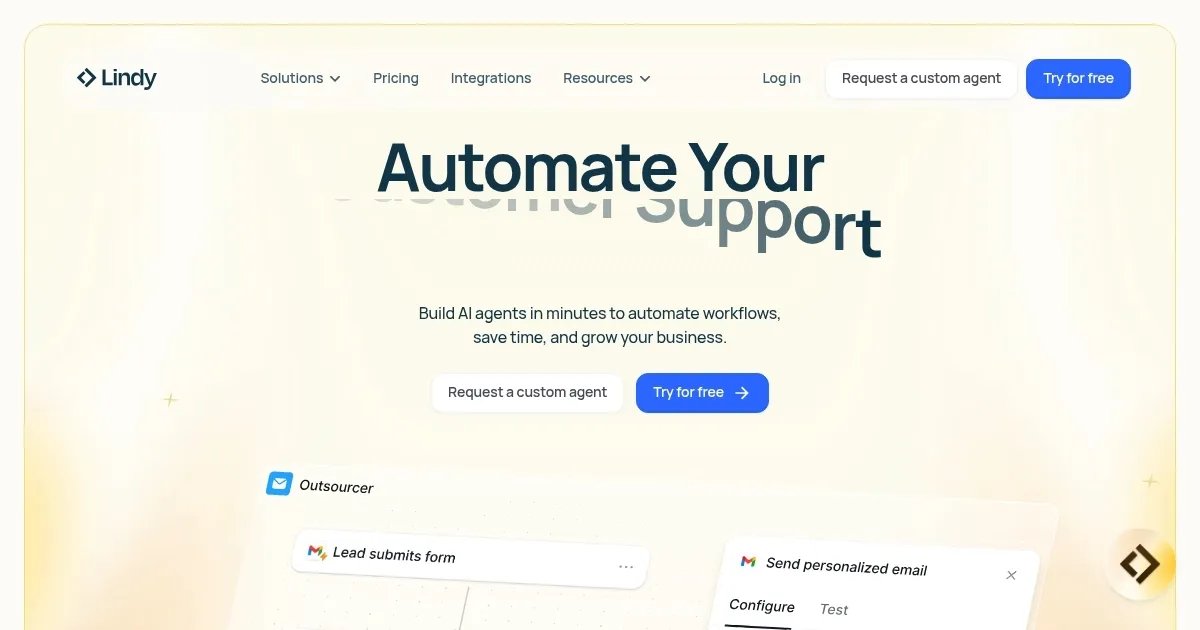
Homepage Screenshot 📸

Lindy screenshot

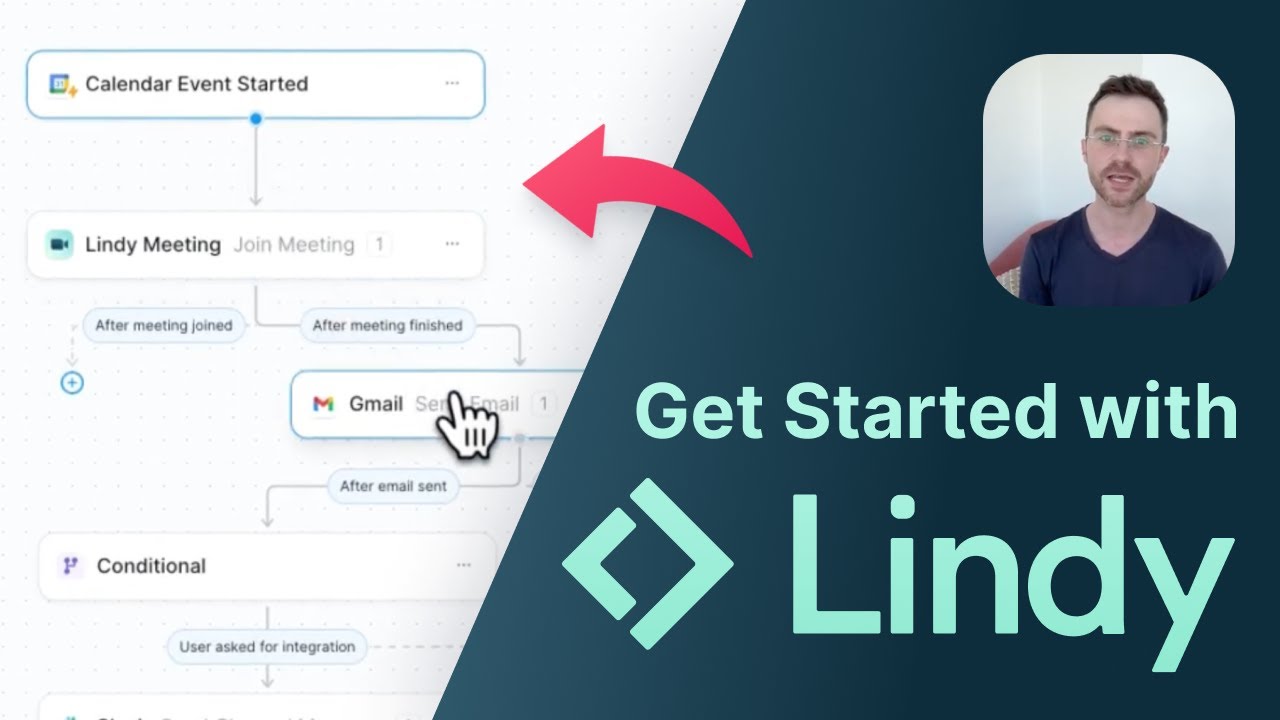
Video Overview 🎬

What are the key features? ✨

  • AI agent creation: Lindy enables users to build AI agents tailored to specific tasks without requiring programming skills.
  • Extensive integrations: The platform supports over 3,000 integrations with popular tools and applications, allowing users to connect Lindy with their existing software.
  • Event-based triggers: Lindy's AI agents can initiate actions based on specific events, such as receiving a new email or scheduling a meeting.
  • Cross-agent collaboration: Multiple AI agents within Lindy can collaborate to complete complex tasks.
  • User-friendly interface: Designed with simplicity in mind, Lindy offers an intuitive interface that allows users to set up and manage AI agents with ease.

Who is it for? 🤔

Lindy is made for professionals and businesses across different industries seeking to enhance efficiency through automation. Its feature set caters to sales teams, customer support departments, HR professionals, and individuals looking to streamline daily tasks. Ultimately, by providing a no-code solution with extensive integrations - Lindy empowers users to automate complex workflows without the need for technical expertise.

Examples of what you can use it for 💡

  • Automate the organization of emails and scheduling of meetings
  • Deploy AI agents to handle customer inquiries, providing prompt and accurate responses
  • Sales teams can use it to automate lead generation, outreach, and follow-ups
  • Automate candidate sourcing, screening, and communication
  • Automate data entry tasks and keep customer relationship management (CRM) systems up to date

Pros & Cons ⚖️

  • Build custom AI assistants without coding skills
  • Works with over 3,000 different tools
  • Adapts to business growth and changing needs
  • Some time needed to configure for optimal use

FAQs 💬

What is Lindy?
Lindy is a no-code platform that lets you build custom AI agents to automate everyday business tasks like email management, scheduling meetings, and handling customer support. It integrates with over 3,000 apps, so you can connect it to tools you already use without any coding.
How do you get started with Lindy?
Sign up for a free account on their site, then describe what you want your agent to do in plain English, like "handle my inbox and book calls." Lindy builds it in minutes, and you can tweak it using templates or your own prompts.
What kinds of tasks can Lindy agents handle?
Agents can manage emails, qualify leads, run marketing campaigns, transcribe calls, or even process documents. For example, a support agent might resolve tickets in real time across email, chat, or phone.
Does Lindy require any technical skills?
No, it's fully no-code, so anyone can build agents with natural language prompts. That said, more complex setups might need some trial and error if you're new to automation tools.
What integrations does Lindy support?
It connects to thousands of apps, including Gmail, Slack, HubSpot, Salesforce, Google Sheets, and Zendesk. This lets agents pull data or trigger actions across your workflow seamlessly.
Can Lindy handle voice or phone interactions?
Yes, it has a built-in AI voice agent for calls, which can book appointments, answer questions, or escalate issues. It's powered by advanced models for natural conversations in multiple languages.
How does Lindy ensure security for business use?
It's SOC 2 Type II compliant, with HIPAA and GDPR support, plus AES-256 encryption. You control access with granular permissions, making it safe for sensitive data like customer info.
What makes Lindy different from tools like Zapier or Make?
While Zapier focuses on simple app connections, Lindy uses AI for smarter, context-aware automations that handle unstructured data like messy emails. It's more like hiring an AI employee than just linking apps.
Can I build multiple AI agents that work together?
Absolutely, you can create teams of agents that collaborate, like one for research and another for creative output. This is great for end-to-end workflows, such as full marketing campaigns.
Is there a free version of Lindy to try?
Yes, the free plan gives you about 400 credits a month for basic testing and simple agents. It's enough to automate a few tasks and see if it fits your needs before upgrading.

Ready to try Lindy?

A fancy platform for automating business workflows and personal tasks with custom AI assistants

Visit Lindy ↗

Lindy alternatives 🔗

  1. Gemini Gemini Generates responses from text, images, audio, and video inputs using advanced multimodal AI
  2. Claude Claude Assists users in reasoning, coding, writing, and analyzing data with advanced AI models
  3. Windsurf Windsurf Empowers developers with AI-driven code generation and real-time collaboration.
  4. Poe Poe Aggregates top AI models for seamless chatting and bot creation
  5. Replit AI Replit AI Transforms natural language prompts into fully deployable apps using AI agents
  6. Google AI Studio Google AI Studio Prototypes AI solutions using Gemini models in a browser-based IDE
Share
Lindy screenshot enlarged
Promote Lindy
light badge
Copy Embed Code
dark badge
Copy Embed Code
neutral badge
Copy Embed Code
Best AI Tools

Discover the best AI tools for any use case

Explore
  • Tool Categories
  • AI Use Cases
  • AI Events
  • AI News
  • Saved Tools
Company
  • About Us
  • Contact Us
  • Media & Partnerships
  • Suggest a Tool
Legal
  • Privacy Policy
  • Terms of Service
Copyright © 2026 Best AI Tools 415 Mission Street, 37th Floor, San Francisco, CA 94105