logo-darklogo-darklogo-darklogo-dark
  • Home
  • Browse
    • Assistant
    • Coding
    • Image
    • Productivity
    • Video
    • Voice
    • Writing
    • All Categories
    • AI Use Cases
  • My Favorites
  • Suggest a Tool
✕
Home › Image Generation & Editing / Video Generation & Editing ›

Dzine

Published by Dusan Belic on May 23, 2024

Dzine

Dzine
Dzine Homepage
Categories Image Generation & EditingVideo Generation & Editing
An AI tool designed to enhance your graphic design and image editing capabilities

Dzine

Formerly called Stylar, Dzine is an AI tool designed to enhance your graphic design and image editing capabilities. In that sense, it provides users with great control over image composition and style.

There are predefined styles, but you can also customize designs for yourself. And the best part is that you don’t need to learn complex prompts, making the tool accessible for all skill levels. In addition, Dzine includes layering, positioning, and sketching functionalities.

For instance, the set of “Enhance” tools is made to address common issues found in AI-generated faces and hands, ensuring a polished final product.

Once you get the image you like, you can export it in high-res, up to 6144 x 6144 pixels. That’s kinda impressive when you think about it.

We’ll stop here and will suggest you to try out Dzine for yourself. It is easy to use yet quite powerful, so check it out. And do let us know how you like it.

Dzine Homepage
Categories Image Generation & EditingVideo Generation & Editing

Video Overview ▶️

What are the key features? ⭐

  • Easy to use: Dzine is simple and intuitive, allowing anyone to create professional-quality images.
  • Layer-based compositions: It allows for detailed editing and precise control over image elements.
  • Style customizations: The tool offers predefined styles and extensive customization options without complex prompts.
  • Enhancement tools: Dzine includes specifically designed tools to correct common AI-generated issues in faces and hands.
  • High-resolution exports: It supports high-quality image exports up to 6144px x 6144px in PNG or JPG formats.

Who is it for? 🤔

Dzine is designed for diverse audiences, including graphic designers, marketers, and social media managers who need to quickly create high-quality visuals. It also caters to artists and photographers looking for advanced editing tools to enhance their work. In addition, small business owners and entrepreneurs can use Dzine to create professional-looking marketing materials without needing extensive design skills. All in all, it is suitable for anyone seeking to simplify the graphic design process with the help of AI.

Examples of what you can use it for 💭

  • Design fancy posters, flyers, and social media graphics with ease
  • Improve the quality of photos by fixing common AI-generated issues and adding professional touches
  • Develop unique pieces of art by layering and customizing various elements
  • Generate high-resolution images for websites, including banners and buttons
  • Visualize and refine product concepts with detailed image editing and styling tools

Pros & Cons ⚖️

  • Makes it easy for anyone to generate fancy images
  • Predefined + custom styles
  • High-resolution exports!
  • While we love Dzine, we love Midjourney even more

FAQs 💬

What is Dzine, and who is it best for?
Dzine is an all-in-one AI-powered platform for generating and editing images and videos from text or existing visuals, with tools like text-to-image, image-to-video, and chat-based editing. It suits beginners, graphic designers, marketers, and content creators who want quick, professional results without complex software.
How does Dzine's text-to-image feature work?
Users enter a simple description, and the built-in Dzine Assistant refines it into an optimized prompt using GPT tech, then generates high-quality images in various styles. You can tweak outputs with drag-and-drop layers or predefined styles for precise control.
Can beginners use Dzine without prior design experience?
Yes, its intuitive interface and auto-prompt tools make it accessible; no coding or advanced skills needed. Tutorials on YouTube guide new users through basics like image generation in minutes.
What makes Dzine stand out from tools like Midjourney?
Unlike prompt-heavy tools, Dzine offers layer-based editing, object insertion, and video capabilities in one place, plus features like consistent character generation. Reviews note it's faster and more editable for workflows.
Does Dzine support video creation, and how?
It turns text, images, or storyboards into HD videos with lip-sync for avatars or ads; integrate models like Kling or Luma for cinematic effects. Users praise its natural multi-person sync for marketing clips.
How accurate is Dzine for consistent character design?
The consistent character tool trains on your uploads to generate poses, outfits, and sheets across images/videos with high fidelity. Pros say it cuts design time from hours to minutes, though some tweaking helps for perfection.
What editing tools does Dzine provide?
Features include chat editor for text-based changes (e.g., swap backgrounds), AI eraser, enhance for fixing artifacts, and generative fill to add/remove objects. It's like AI Photoshop, per user feedback.
Is Dzine suitable for commercial use?
Absolutely, paid plans allow watermark-free exports for ads, products, or branding; it includes tools for virtual try-ons and ad creatives. Many marketers use it for e-commerce visuals.
How does Dzine handle 3D or advanced outputs?
Convert 2D images to 3D models or export in high-res PNG/JPG up to 6144px; supports vector formats too. Tutorials show it excels for character concepts or prototypes.
What resources help learn Dzine quickly?
Free YouTube tutorials cover everything from basics to advanced like character sheets; the platform's Discord offers community tips. Start with the 7-day trial for hands-on practice.

Related tools ↙️

  1. SVG AI SVG AI Transforms text prompts into scalable vector icons and logos instantly
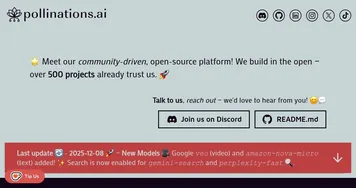
  2. Pollinations Pollinations An easy to use AI image generator which runs on Stable Diffusion
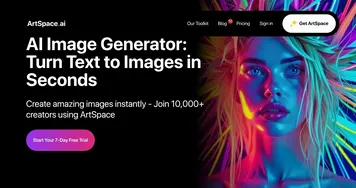
  3. ArtSpace.ai ArtSpace.ai A creative tool that can turn your words into pictures
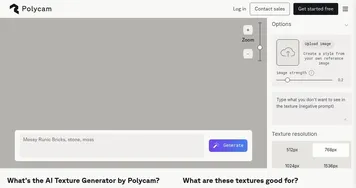
  4. Polycam AI Texture Generator Polycam AI Texture Generator Simplify the creation of high-quality 3D textures for various digital art projects
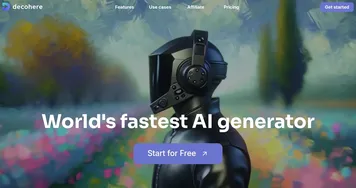
  5. Decohere Decohere An AI tool designed to quickly generate high-quality visual content
  6. LandingAI LandingAI Helping businesses develop and deploy visual inspection solutions
Last update: December 9, 2025
Share
Promote Dzine
light badge
Copy Embed Code
light badge
Copy Embed Code
light badge
Copy Embed Code
About Us | Contact Us | Suggest an AI Tool | Privacy Policy | Terms of Service

Copyright © 2026 Best AI Tools
415 Mission Street, 37th Floor, San Francisco, CA 94105