
logo-darklogo-darklogo-darklogo-dark
  • Home
  • Browse
    • Assistant
    • Coding
    • Image
    • Productivity
    • Video
    • Voice
    • Writing
    • All Categories
    • AI Use Cases
  • My Favorites
  • Suggest a Tool
✕
Home › Image Generation & Editing›
Published by Dusan Belic on July 10, 2023

FaceApp

FaceApp
FaceApp Homepage
Categories Image Generation & Editing

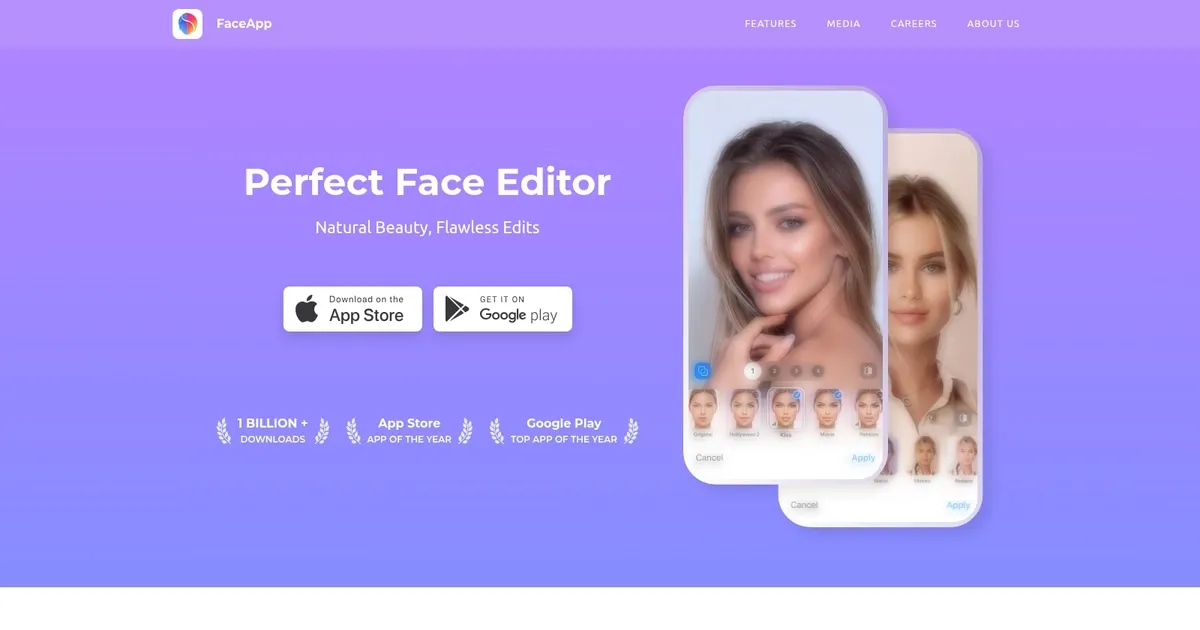
FaceApp - screenshot

Popular photo editing app with AI filters, backgrounds, effects, and more

FaceApp

FaceApp is an AI-powered photo editing application that has gained global popularity, particularly highlighted as the top app of 2019. It is celebrated for its ability to transform portrait photos with a remarkable set of more than 60 filters, backgrounds, and effects in a single tap — making the user’s photos look like they belong on a magazine cover.

Beyond basic photo editing – FaceApp offers unique AI filters for aging, attractiveness enhancement, and experimenting with facial hair looks. The best part is that all this works without the need for extensive Photoshop skills.

Said aging filter became a viral sensation across the internet in 2019, making aging a fashionable trend. This feature allows users to see a highly realistic version of their future selves, fostering widespread engagement and discussions about the app.

Moreover, FaceApp’s features also includes automatic retouching to eliminate spots and wrinkles, ability to simulate different facial hair styles and even generate smiles.

The app boasts over 500 million downloads and active users worldwide, becoming a leading choice for those looking to creatively alter their images using advanced AI technology.

FaceApp Homepage
Categories Image Generation & Editing

What are the key features? ⭐

  • Impression: Applies a realistic makeover that enhances natural beauty with one tap.
  • Retouch: Removes spots, blemishes, and imperfections for smoother skin effortlessly.
  • Makeup: Adds professional level makeup looks including lipstick, eyeshadow, and more instantly.
  • Hair Volume: Increases hair fullness and adjusts styles or colors naturally.
  • Old & Young: Transforms age appearance with highly realistic aging or youthening effects.

Who is it for? 🤔

FaceApp suits anyone who enjoys quick, fun photo edits on their phone. Casual users love the viral aging and gender swap filters for laughs with friends. Social media enthusiasts use it to polish selfies before posting. People curious about appearance changes find the realistic transformations intriguing. Beauty experimenters try virtual makeup and hairstyles without commitment. It's helpful for anyone wanting effortless enhancements rather than pro level editing suites.

Examples of what you can use it for 💭

  • Casual selfie taker: Quickly applies aging or youth filters to create humorous before and after shots for sharing with friends.
  • Social media user: Enhances profile pictures with Impression makeovers and retouching for a polished, natural look.
  • Beauty enthusiast: Experiments with virtual makeup looks and hairstyle changes to preview new styles without real world risk.
  • Content creator: Generates fun transformations like gender swaps or weight adjustments for memes and engaging posts.
  • Curious explorer: Tests realistic age progressions to visualize future appearance or compare family resemblances playfully.

Pros & Cons ⚖️

  • Realistic AI transformations
  • One tap ease of use
  • Fun viral filters
  • Watermarks on free version

FAQs 💬

Is FaceApp completely free to use?
FaceApp offers a free version with basic filters, but premium features, no watermarks, and faster processing require a subscription.
Does FaceApp work on both iPhone and Android?
Yes, FaceApp is available on both iOS via the App Store and Android via Google Play.
Do I need an internet connection to use FaceApp?
Yes, most advanced edits process in the cloud, so an internet connection is required for full functionality.
How realistic are the aging and youth filters?
The aging and youth filters are highly regarded for their realistic results, often surprising users with believable changes to skin, hair, and features.
Can FaceApp change hair color and style?
Yes, FaceApp includes tools to change hair color, style, and add volume with natural looking results.
What makes FaceApp different from other photo editors?
FaceApp stands out with its one tap AI transformations like gender swaps and age filters, focusing on fun, realistic face changes rather than manual editing.
Are my photos stored after editing?
FaceApp processes photos on servers and claims to delete them after a short time, but always review the latest privacy policy for details.
Can I use FaceApp for professional photo editing?
While great for quick enhancements, FaceApp is more suited for casual and fun edits than professional level precision work.
Visit FaceApp

Related tools ↙️

  1. Dawn AI Dawn AI Generates personalized avatars and images from selfies using advanced AI technology
  2. Cloudinary Cloudinary Manages, transforms, optimizes, and delivers images and videos with AI-powered features
  3. Imgix Imgix Optimizes images in real-time using AI for faster web delivery
  4. Imajinn Imajinn Transforms user photos into artistic images and custom visuals using AI
  5. SVG AI SVG AI Transforms text prompts into scalable vector icons and logos instantly
  6. Artisse Artisse Generates hyper-realistic photos using AI from user selfies and custom prompts
Last update: January 27, 2026
Share
Promote FaceApp
light badge
Copy Embed Code
dark badge
Copy Embed Code
neutral badge
Copy Embed Code
About Us | Contact Us | Suggest an AI Tool | Privacy Policy | Terms of Service

Copyright © 2026 Best AI Tools
415 Mission Street, 37th Floor, San Francisco, CA 94105





