logo-darklogo-darklogo-darklogo-dark
  • Home
  • Browse
    • Assistant
    • Coding
    • Image
    • Productivity
    • Video
    • Voice
    • Writing
    • All Categories
    • AI Use Cases
  • My Favorites
  • Suggest a Tool
✕
Home › Productivity ›

Glide

Published by Dusan Belic on August 30, 2023

Glide

Glide
Glide Homepage
Categories Productivity
Makes it easy to build and deploy custom apps your business needs, and the team will love

Glide

Glide is an AI-powered, no-code platform made to simplify app development by leveraging Google Sheets for data management, making it accessible for users without programming skills. It provides a wide array of templates, facilitating the creation of diverse apps, from business tools to social networks — with some limitations in terms of customization and real-time updates​​.

The platform offers a tiered pricing model, including a free option for basic use and paid plans for more advanced features and professional use. These plans cater to different needs, offering expanded data storage, custom branding, and additional integrations​​.

In terms of security, Glide complies with major regulations such as GDPR and HIPAA, ensuring user data is handled responsibly. Users are also encouraged to practice good security hygiene to bolster protection​​.

While Glide excels at creating MVPs and internal tools, its reliance on Google Sheets may pose challenges for apps requiring complex logic or real-time data synchronization. This makes it well-suited for specific use cases but less ideal for applications needing advanced features or extensive customization​​​​.

Compared to other no-code platforms like Bubble, Glide offers ease of use with its template-driven approach, although it may limit design freedom. Bubble, conversely, provides greater flexibility through a drag-and-drop interface, accommodating a broader range of app development needs but requiring more time to master​​.

Despite these limitations, Glide represents a significant step forward in democratizing software development.

Glide Homepage
Categories Productivity

Video Overview ▶️

What are the key features? ⭐

  • Templates: Glide offers a variety of templates that serve as a starting point for your app. You can pick a template that is similar to your idea and customize it to fit your needs, speeding up the development process significantly​​.
  • Google Sheets as a database: This integration allows you to manage your app's data directly from a Google Sheet, making it incredibly easy to update and maintain your app without any coding required​​​​.
  • No-code app building: Glide provides a truly no-code experience, enabling users to create fully functional apps through a visual interface. You can add features, design your app, and connect it to your data, all without writing a single line of code​​.
  • Real-time data sync: Any changes you make to your connected Google Sheet are reflected in your app in real time.
  • Customization and scalability: You can tailor the look and feel of your app, choose how data is displayed, and scale your app to support more users or more complex functionalities as needed​​​​.

Who is it for? 🤔

Glide's targeted market includes non-technical users, small to medium-sized businesses, and educational institutions looking to create custom apps without the need for coding skills. It's particularly appealing to entrepreneurs and project managers seeking to rapidly prototype and deploy apps to validate business ideas or improve internal processes. Additionally, educators can leverage Glide to enhance learning experiences with interactive apps, making it a versatile tool for a wide range of users looking to leverage technology without the steep learning curve of traditional app development.

Examples of what you can use it for 💭

  • Companies can use Glide to create custom apps that help streamline internal operations
  • Educators and trainers can use Glide to develop interactive learning platforms
  • Planning and managing events becomes easier with Glide
  • Artists, designers, and businesses can use Glide to create digital portfolios or product catalogs
  • Small businesses can build custom CRM apps to manage customer interactions, sales, and feedback

Pros & Cons ⚖️

  • Make your own app without coding
  • You get to manage the data with Google Sheets
  • Great for building fast prototypes for different use cases
  • As with any no-code tool, Glide has its limits

FAQs 💬

What is Glide, and who is it for?
Glide is a no-code platform that turns spreadsheets into custom, AI-powered mobile and web apps for businesses. It's ideal for operations teams in small to medium-sized companies handling tasks like inventory, HR, or client portals, especially if you're already using tools like Google Sheets.
Do I need coding skills to build an app with Glide?
No, Glide's drag-and-drop interface lets anyone create functional apps without writing code. You connect your data source, customize layouts with pre-built components, and add logic through simple computed columns, making it accessible even for beginners.
What data sources does Glide support?
Glide connects seamlessly to Google Sheets, Excel, Airtable, SQL databases, CRMs like HubSpot, and ERPs. It syncs data in real-time, so changes in your spreadsheet update the app instantly, which keeps everything current without manual effort.
Can Glide apps work on both mobile and desktop?
Yes, Glide builds responsive progressive web apps (PWAs) that run smoothly on phones, tablets, and browsers. They're mobile-optimized but not native apps, so you can't publish directly to app stores without third-party tools, though they feel app-like when added to your home screen.
How does AI fit into Glide apps?
Glide AI helps generate entire apps from prompts, create agents for tasks like data extraction or email drafting, and automate workflows with smart conditions. It's built-in and user-friendly, so you can add AI features without extra setup, boosting efficiency for things like customer feedback analysis.
Is Glide suitable for internal business tools or public-facing apps?
Glide shines for internal tools like dashboards or team directories with user-specific views and permissions. For public apps, it works for simple MVPs but might limit complex designs; many users start here for prototypes before scaling to alternatives like Bubble.
How easy is it to get started with Glide as a beginner?
Extremely straightforward, with templates that let you clone and customize an app in minutes. Official tutorials cover basics like data setup and publishing, and the community forum offers quick help, so you can build something useful on day one without frustration.
What are the main limitations of building with Glide?
It excels at data-driven apps but offers less design freedom for highly custom UIs and no native mobile publishing out-of-the-box. Scalability can hit snags with very large datasets or advanced logic, where tools like FlutterFlow might handle more complexity.
How secure are Glide apps for business use?
Glide includes role-based access, fine-grained permissions, and SOC 2 Type 2 compliance to protect sensitive data. You control who sees what through user profiles, making it reliable for internal ops, though always review integrations for your specific needs.
Can I integrate Glide with other tools?
Absolutely, Glide supports Zapier, Make, Slack, Stripe, and APIs for automations like notifications or payments. This lets you connect workflows across your stack, so your app isn't isolated but enhances tools you're already using.

Related tools ↙️

  1. Mixo Mixo An AI-powered web builder that helps entrepreneurs quickly launch, validate and grow their startup ideas
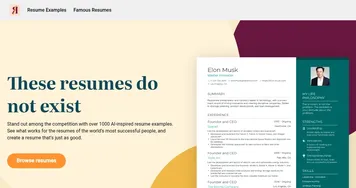
  2. This Resume Does Not Exist This Resume Does Not Exist See what works for the world's most successful people, and create a resume that's just as good
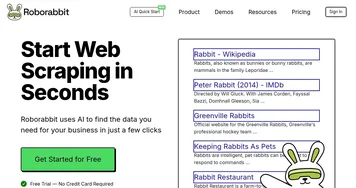
  3. Roborabbit Roborabbit Automates web scraping and browser tasks with AI-driven, no-code solutions
  4. BeeDone BeeDone A productivity app that combines gamification and AI to help users manage tasks efficiently
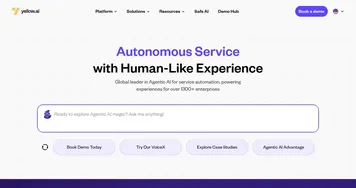
  5. Yellow.ai Yellow.ai An AI platform specializing in automating customer service and engagement across multiple channels
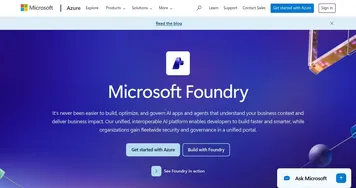
  6. Azure AI Foundry Azure AI Foundry Cloud-based platform designed to facilitate the development, training, and deployment of AI models
Last update: December 9, 2025
Share
Promote Glide
light badge
Copy Embed Code
light badge
Copy Embed Code
light badge
Copy Embed Code
About Us | Contact Us | Suggest an AI Tool | Privacy Policy | Terms of Service

Copyright © 2026 Best AI Tools
415 Mission Street, 37th Floor, San Francisco, CA 94105