logo-darklogo-darklogo-darklogo-dark
  • Home
  • Browse
    • Assistant
    • Coding
    • Image
    • Productivity
    • Video
    • Voice
    • Writing
    • All Categories
    • AI Use Cases
  • My Favorites
  • Suggest a Tool
✕
Home › Image Generation & Editing ›

Imgix

Published by Dusan Belic on October 23, 2025

Imgix

Imgix
Imgix Homepage
Categories Image Generation & Editing
Optimizes images in real-time using AI for faster web delivery

Imgix

Imgix is an API-based platform for end-to-end image and video processing. It optimizes and delivers visual media on-the-fly using URL parameters for transformations. The tool supports over 100 image operations, including resizing, cropping, and format conversion. It integrates with storage providers like AWS S3 and focuses on speed, scalability, and simplicity.

Key features include Auto-Tagging, which uses machine learning to label images with descriptors like Plant or Window. Focal-Point Crop maintains focus on selected areas during aspect ratio changes, such as from 1:3 to 1:1. Background Removal isolates subjects by eliminating backdrops. Auto-Compress reduces file sizes, for example from 187 KB to 16 KB, without quality loss. Generative Fill employs AI to enhance or add elements to images.

The platform offers a free tier with 1,000 origin images and a 30-day trial including 100 credits. Paid self-service plans start at $25 monthly for starter users, scaling to $300 for growth teams. Premium plans begin at $600 and include advanced AI features like Object Removal. Pricing uses a credits system covering storage, delivery, and transformations, with monthly refreshes.

Competitors include Cloudinary, which provides similar optimizations but emphasizes video and 3D models, often at higher costs for transformations. ImageKit matches real-time processing and offers a free 20 GB bandwidth plan, appealing for cost-sensitive users. Filestack focuses on file uploads and processing, with strong embeddable widgets for e-commerce.

Users appreciate the reliability and performance gains, such as 45% faster load times reported in case studies. Common drawbacks involve the credits model leading to unpredictable overages and a learning curve for URL parameters. Recent reviews on G2 and Capterra from 2025 highlight ease of integration but note occasional setup complexities for non-developers.

Imgix Homepage
Categories Image Generation & Editing

Video Overview ▶️

What are the key features? ⭐

  • Auto-Tagging: Applies machine learning to automatically label images with relevant descriptors like Cactus or Urban Street.
  • Focal-Point Crop: Crops images while preserving the selected focal point across different aspect ratios for consistent visuals.
  • Background Removal: Uses AI to isolate subjects by removing and replacing backgrounds seamlessly.
  • Auto-Compress: Reduces image file sizes dynamically without compromising visual quality to enhance load times.
  • Generative Fill: Employs AI to fill or enhance image areas, enabling creative edits without manual redesigns.

Who is it for? 🤔

Imgix suits marketers aiming to boost engagement through optimized visuals, developers seeking simple API integrations for scalable image delivery, and designers experimenting with AI-driven transformations. Its ideal for small teams in e-commerce or media publishing who need real-time optimizations without heavy infrastructure, as well as growing businesses handling high-volume traffic where speed directly impacts conversions and SEO.

Examples of what you can use it for 💭

  • E-commerce Marketer: Optimizes product images for faster page loads across devices to increase cart completions and reduce bounce rates.
  • Web Developer: Integrates URL-based transformations with existing storage to deliver responsive images without server-side processing.
  • Graphic Designer: Uses AI tools like Generative Fill to prototype variations quickly, avoiding time-consuming reshoots.
  • Content Publisher: Auto-tags and compresses media libraries to streamline organization and improve site performance for global audiences.
  • App Builder: Implements background removal for user-uploaded photos to create polished interfaces with minimal manual edits.

Pros & Cons ⚖️

  • Lightning-fast optimization
  • Easy API integration
  • AI-powered creativity
  • Scalable for high traffic
  • Credits can add up
  • Steep param learning

FAQs 💬

What is Imgix and how does it work?
Imgix is a cloud-based platform that processes images via API calls, allowing real-time optimizations through simple URL parameters appended to image links.
Does Imgix offer a free trial?
Yes, it provides a 30-day free trial with 100 credits and no credit card required, plus a permanent free tier for up to 1,000 origin images.
Can Imgix handle video processing?
Video processing is available in premium plans, including API access for basic optimizations, but core strengths lie in images.
How does Imgix integrate with storage services?
It connects directly to providers like AWS S3, Google Cloud, or custom origins, pulling and transforming images without data migration.
What makes Imgix different from Cloudinary?
Imgix focuses on lightweight, URL-driven image transformations with lower entry costs, while Cloudinary offers broader multimedia and advanced 3D features.
Is Imgix suitable for high-traffic sites?
Yes, it scales to deliver over 8 billion images daily, with global CDN support for low-latency performance.
How accurate is the Auto-Tagging feature?
It achieves high accuracy for common objects using ML, but complex scenes may require manual tweaks; users report 80-90% reliability.
Does Imgix support custom domains?
Yes, custom domains are supported across all plans for branded delivery and SEO benefits.
What support options are available?
Email support is standard; premium plans include dedicated managers and advanced reporting.
Can I use Imgix for e-commerce product images?
Absolutely, with features like responsive resizing and compression tailored for fast-loading catalogs that boost conversions.

Related tools ↙️

  1. Picker AI Picker AI An iOS app that assists users in selecting their most engaging photos for various platforms
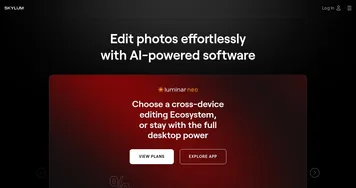
  2. Luminar Neo Luminar Neo AI photo editor and enhancer
  3. Aitubo Aitubo Free AI art generator for game assets, anime materials, art styles, character design, and more
  4. Peacasso Peacasso Generates digital art using AI diffusion models from text or image prompts
  5. Colorcinch Colorcinch An AI-powered tool that turns images into cartoon-like images with just one click
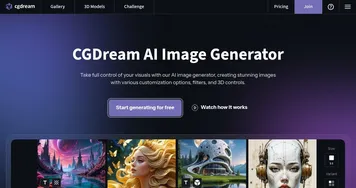
  6. CGDream CGDream An AI-powered platform offering various tools for image and 3D model generation
Last update: October 24, 2025
Share
Promote Imgix
light badge
Copy Embed Code
light badge
Copy Embed Code
light badge
Copy Embed Code
About Us | Contact Us | Suggest an AI Tool | Privacy Policy | Terms of Service

Copyright © 2026 Best AI Tools
415 Mission Street, 37th Floor, San Francisco, CA 94105