logo-darklogo-darklogo-darklogo-dark
  • Home
  • Browse
    • Assistant
    • Coding
    • Image
    • Productivity
    • Video
    • Voice
    • Writing
    • All Categories
    • AI Use Cases
  • My Favorites
  • Suggest a Tool
✕
Home › Image Generation & Editing / Video Generation & Editing ›

immersity AI

Published by Dusan Belic on July 10, 2023

immersity AI

immersity
immersity AI Homepage
Categories Image Generation & EditingVideo Generation & Editing
Enables the instant conversion of 2D images into 3D animations

immersity AI

Formerly known as LeiaPix, immersity AI is an AI-powered tool that can transform 2D images into 3D depth animations. It allows users to edit depth maps, giving them control over the depth perception in their 3D animations. This feature is particularly useful for those who want to add a more realistic or creative touch to their images.

The service offers free downloads of these animations in 720p MP4 or SBS format. If you want higher-quality videos – you’ll have to opt for the Premium Export option, which allows downloads in 4K resolution. Needless to say, this part isn’t free.

In addition, immersity AI offers commercial rights with its premium service. This aspect is particularly beneficial for professionals or businesses that want to use these 3D animations for commercial purposes, such as for advertising, presentations, and other projects.

Moreover, immersity AI has a Pro API — which allows developers to integrate the platform’s capabilities into other workflows or systems.

The bottom line is – immersity AI offers a unique and accessible way to create 3D animations from standard 2D images. It is easy to use and equally useful to casual users and professionals. Check it out.

immersity AI Homepage
Categories Image Generation & EditingVideo Generation & Editing

Video Overview ▶️

What are the key features? ⭐

  • 2D to 3D conversion: immersity AI uses AI to transform standard 2D images into 3D depth animations, creating a unique visual experience.
  • Depth map editing: Users can edit depth maps of their images, giving them control over the depth and realism in the 3D effect.
  • Free and premium downloads: The platform provides free 720p downloads, with a premium option for 4K resolution.
  • Commercial rights: Beyond higher resolution outputs, the premium service also includes commercial rights, allowing the use of 3D animations for business purposes.
  • Pro API: immersity AI includes a Pro API for integration into various workflows, making it versatile for developers and businesses.

Who is it for? 🤔

immersity AI is made for different kinds of users, including professional photographers and videographers who want to add a unique 3D touch to their work, businesses seeking innovative visual content for advertising and marketing, and tech enthusiasts or casual users interested in exploring the possibilities of 3D photography and animation. It is also ideal for anyone looking to bring a new dimension to standard 2D images.

Examples of what you can use it for 💭

  • Transform your regular photos into 3D animations for a unique, eye-catching effect
  • Offer clients a special service by converting traditional photos into 3D for weddings, portraits, or events
  • Create standout 3D promotional material for products, services, or events
  • Enhance your social media posts with 3D animations to attract more engagement
  • Use the Pro API to integrate 3D animations into websites or applications for a more dynamic user experience

Pros & Cons ⚖️

  • Any easy way to make your 2D photos look awesome
  • It even lets you edit the depth of your new 3D photos
  • The API could help developers enhance their apps with immersity AI
  • It may not function perfectly with all images

FAQs 💬

What exactly does immersity AI do?
It converts regular 2D photos and videos into immersive 3D content with added depth and motion, making them suitable for social media, XR headsets, or professional displays.
Do I need special hardware to use immersity AI?
No, you can upload and convert files directly through a web browser or mobile app. The resulting 3D content can be viewed on many devices, including standard phones and XR headsets for the full spatial effect.
What kinds of content work best with immersity AI?
Scenes that have clear depth layers, like landscapes, portraits with foreground elements, or travel footage usually give the strongest results. Complex abstract art or very flat images might have more variable outcomes.
Can immersity AI convert videos as well as images?
Yes, it supports both image and video conversions, turning flat clips into immersive 3D experiences with motion effects or stereo output for XR viewing.
Is immersity AI suitable for commercial projects?
The web platform offers plans that allow commercial use, watermark-free exports, and higher resolutions, which makes it viable for marketing, advertising, or content creation businesses.
How long does a typical conversion take?
Most conversions finish in seconds to a couple of minutes depending on file size and complexity, thanks to the efficient Neural Depth Engine.
Can I control the motion or camera movement in the output?
The tool provides options for immersive motion effects, including different paths and styles, so you can adjust how the 3D scene animates.
Does immersity AI work with content for specific devices like Apple Vision Pro?
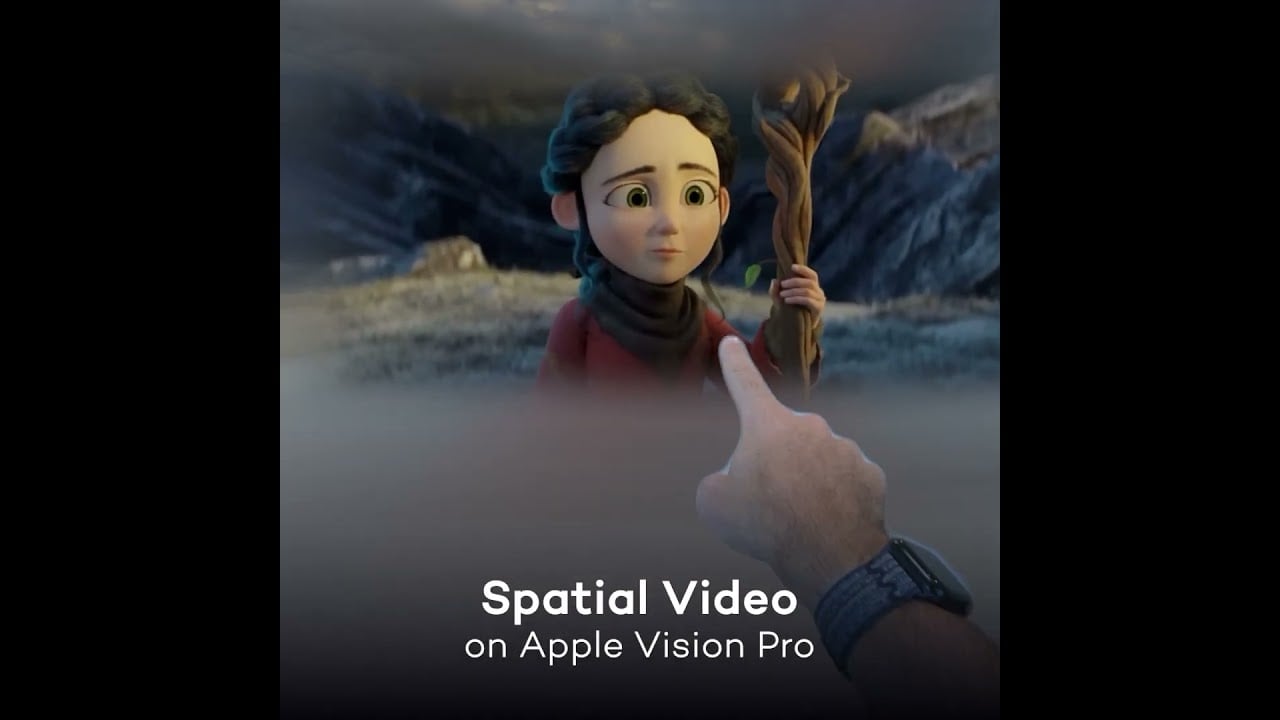
Yes, it generates spatial video formats and stereo outputs compatible with devices like Apple Vision Pro, Meta Quest, and other XR hardware.
Is there a free way to try immersity AI?
A free tier exists that lets you test conversions, usually with watermarks or resolution limits, so you can see the quality before deciding on a paid plan.
Who typically uses immersity AI?
Photographers, social media creators, digital artists, marketers, educators, and filmmakers use it to add depth and engagement to their visuals quickly.

Related tools ↙️

  1. InstaHeadshots InstaHeadshots An AI-driven platform that transforms user-uploaded photos into professional-quality headshots
  2. CleanUp.pictures CleanUp.pictures Photo editor for removing objects or backgrounds and upscaling and relighting
  3. Copymatic Copymatic Text, article, and image generation platform and chatbot
  4. PicSo PicSo A text-to-image AI art generator app
  5. Kolorize Kolorize An AI-powered tool that can transform black-and-white photos into vibrant color images
  6. Stockimg AI Stockimg AI AI image generation for logos, posters, book covers, and more
Last update: February 1, 2026
Share
Promote immersity AI
light badge
Copy Embed Code
light badge
Copy Embed Code
light badge
Copy Embed Code
About Us | Contact Us | Suggest an AI Tool | Privacy Policy | Terms of Service

Copyright © 2026 Best AI Tools
415 Mission Street, 37th Floor, San Francisco, CA 94105