logo-darklogo-darklogo-darklogo-dark
  • Tool Categories
    • 🎨Art & Creative Design505
    • 🏢Business Management644
    • 💻Coding & Development515
    • 👮Detection83
    • 🧠General Use727
    • 🏥Health & Wellness55
    • 📷Image & Photo Analysis100
    • 🖼️Image Generation & Editing618
    • 📐Interior & Architectural Design37
    • 🎓Learning & Education483
    • ⚖️Legal & Finance90
    • 🎭Lifestyle & Entertainment236
    • 📢Marketing & Advertising627
    • 🎧Music & Audio138
    • 👔Office & Workplace1,014
    • 🔬Research & Data Analysis372
    • 👥Social Media245
    • 🎥Video Generation & Editing426
    • 👧🏻Virtual Companion135
    • 🎤Voice Generation & Editing381
    • ✍️Writing & Editing808
    • All Categories
    • AI Use Cases
  • News
  • Events
    • Academic Conferences
    • Developer Conferences
    • Expos / Trade Shows
    • Industry Summits
    • Workshops / Training
    • All Events
    • Past Events
  • Saved Tools
  • Suggest a Tool
✕
Home › Image Generation & Editing › Image Upscaling› Nero AI Image Upscaler
Nero AI Image Upscaler

Nero AI Image Upscaler

Upscales low-res images up to 400% with AI for sharp details

Nero AI Image Upscaler is an AI-powered tool that can enlarge image size and resolution while maintaining high quality.

Free to use, it will make your photos sharper, clearer, and of course – bigger.

As such, it is described as ideal for enhancing product photos, real estate marketing images, and adding details to luxurious art digital paintings. But you can just as easily use it for anything else.

Ultimately, Nero AI Image Upscaler is meant to save you time and money when taking pictures and turning images into high-resolution masterpieces. Or when you need to sharpen blurry or old photos quickly and easily.

Whether you are a designer, a student, a meme lover, a painter, or just someone who wants to play with AI – you may want to check out Nero AI Image Upscaler.

Visit Nero AI Image Upscaler ↗
Categories
🖼️ Image
⬆️ Image Upscaling 💎 Image Enhancing 🌟 Photo Enhancing 🛠️ Photo Restoration ✏️ Photo Editing

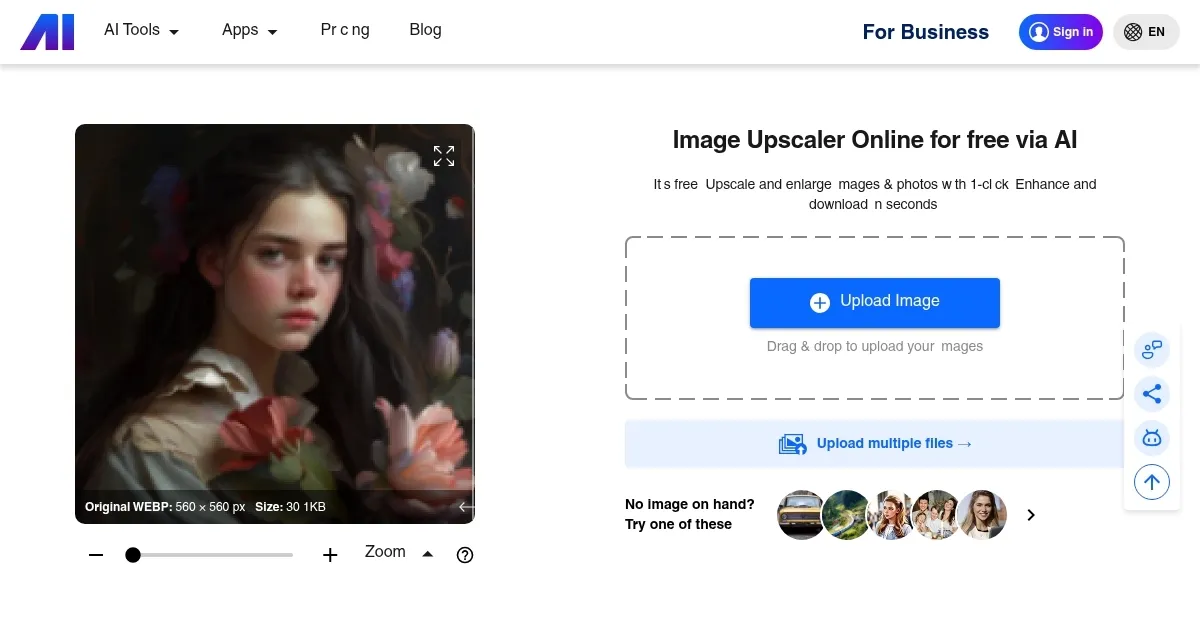
Homepage Screenshot 📸

Nero AI Image Upscaler screenshot

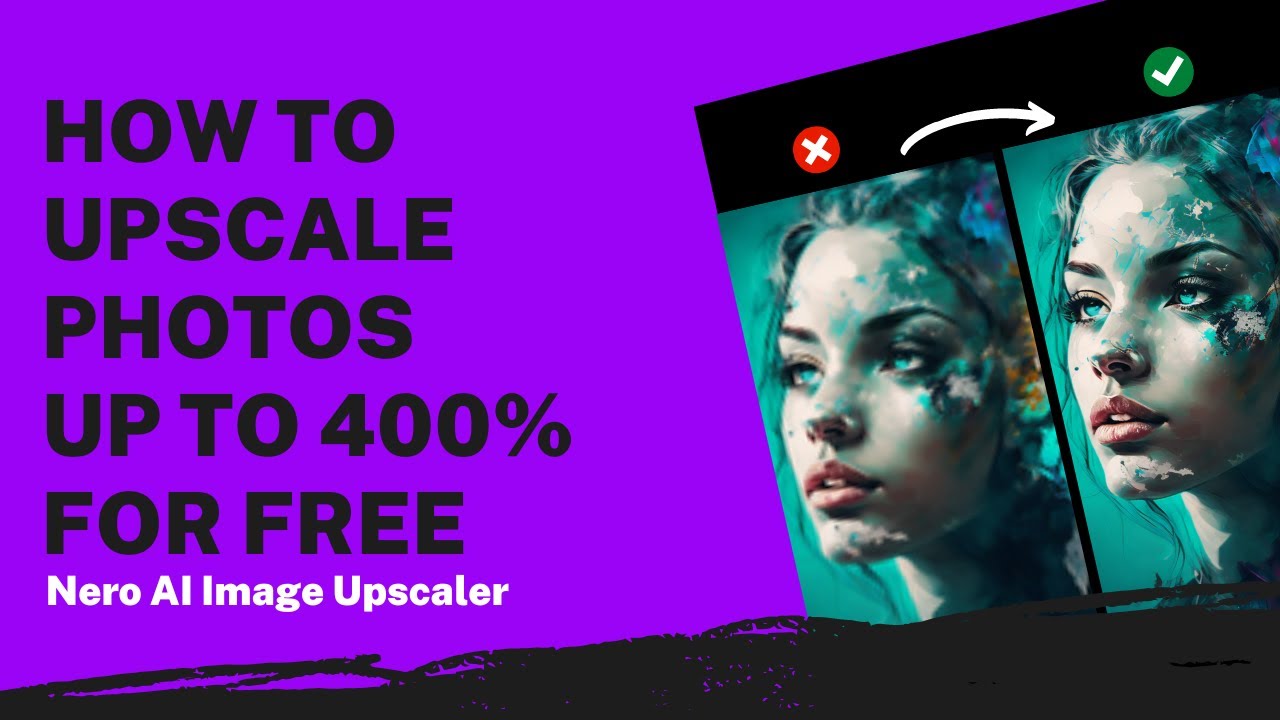
Video Overview 🎬

Nero AI Image Upscaler - Video Overview

What are the key features? ✨

  • One-Click Upscaling: Enlarges images up to 400% while adding sharp, natural details using AI prediction.
  • AI Face Enhancement: Refines facial features in portraits for clearer expressions and skin tones without artificial smoothing.
  • Batch Processing: Handles multiple images simultaneously, up to 20 on pro plans, to streamline editing workflows.
  • Hyper-Large Image Upscaling: Supports massive files with billions of pixels for high-DPI prints like billboards.
  • Noise Reduction: Automatically cleans up compression artifacts and grain for smoother, professional-quality results.

Who is it for? 🤔

Nero AI Image Upscaler suits photographers restoring old prints, e-commerce sellers sharpening product shots for better sales, graphic designers upscaling art for large formats, and hobbyists enhancing personal albums, all benefiting from its quick, accessible AI enhancements that deliver pro-level results without steep learning curves or heavy hardware needs.

Examples of what you can use it for 💡

  • E-commerce seller: Upscales low-res product photos to high-resolution images that boost online conversions and print catalogs.
  • Photographer: Restores faded family portraits with AI Face Enhancement for clear, emotional heirloom prints.
  • Graphic designer: Processes batches of illustrations up to 400% larger for billboard-ready designs without quality loss.
  • Real estate agent: Enhances property images to sharp, detailed visuals that attract more buyer interest online.
  • Artist: Refines AI-generated anime art with noise reduction for crisp textures suitable for merchandise.

Pros & Cons ⚖️

  • Allows anyone to upscale their images
  • Extremely useful for e-commerce websites & marketing materials
  • Also great for enhancing old photos
  • Where's the mobile app?

FAQs 💬

What formats does Nero AI Image Upscaler support?
It handles common formats like JPEG, PNG, WEBP, and BMP for versatile input and output options.
How long does processing take?
Uploads process in about 8.2 seconds on average, with priority faster on paid plans.
Is there a free version?
Yes, the free plan includes 10 credits for initial trials and basic batch processing.
Can it upscale AI-generated images?
Absolutely, it enhances AI art like anime or game assets with specialized modes for better textures.
Does it work offline?
The online tool requires internet, but a desktop app version processes locally on compatible devices.
How does pricing work?
Plans use credits per image, with free starters, monthly pro at 300 credits, and yearly at 3000 for savings.
What if the input is very blurry?
It improves most cases but may over-smooth extremes; test with free credits first.
Can I batch process images?
Yes, up to 5 on free and 20 on pro, ideal for workflows like e-commerce prep.
Is output print-ready?
Yes, Hyper-Large mode supports 300+ DPI for large prints like posters or billboards.
How accurate is face enhancement?
AI Face Enhancement refines details naturally, praised in reviews for portrait restoration.

Ready to try Nero AI Image Upscaler?

Upscales low-res images up to 400% with AI for sharp details

Visit Nero AI Image Upscaler ↗

Nero AI Image Upscaler alternatives 🔗
  1. Freepik AI Freepik AI Creates AI images and videos with fluid motion, detailed textures, and synced audio up to 1080p
  2. Pixelcut Pixelcut A suite of AI-powered image editing and upscaling tools
  3. Fotor Fotor Enhances and edits photos with AI-powered tools and creative features
  4. Cutout.Pro Cutout.Pro An AI-powered automatic visual design platform that saves time & money
  5. Pixlr Pixlr An AI-powered online photo editing and design platform, enabling everyone to create stunning designs
  6. Reimagine Reimagine A photo enhancement tool that digitizes, restores, colorizes, and animates old photographs using AI.
Share
Nero AI Image Upscaler screenshot enlarged
Promote Nero AI Image Upscaler
light badge
Copy Embed Code
dark badge
Copy Embed Code
neutral badge
Copy Embed Code
Best AI Tools

Discover the best AI tools for any use case

Explore
  • Tool Categories
  • AI Use Cases
  • AI Events
  • AI News
  • Saved Tools
Company
  • About Us
  • Contact Us
  • Media & Partnerships
  • Suggest a Tool
Legal
  • Privacy Policy
  • Terms of Service
Copyright © 2026 Best AI Tools 415 Mission Street, 37th Floor, San Francisco, CA 94105