logo-darklogo-darklogo-darklogo-dark
  • Tool Categories
    • ๐ŸŽจArt & Creative Design505
    • ๐ŸขBusiness Management644
    • ๐Ÿ’ปCoding & Development515
    • ๐Ÿ‘ฎDetection83
    • ๐Ÿง General Use727
    • ๐ŸฅHealth & Wellness55
    • ๐Ÿ“ทImage & Photo Analysis100
    • ๐Ÿ–ผ๏ธImage Generation & Editing618
    • ๐Ÿ“Interior & Architectural Design37
    • ๐ŸŽ“Learning & Education483
    • โš–๏ธLegal & Finance90
    • ๐ŸŽญLifestyle & Entertainment236
    • ๐Ÿ“ขMarketing & Advertising627
    • ๐ŸŽงMusic & Audio138
    • ๐Ÿ‘”Office & Workplace1,014
    • ๐Ÿ”ฌResearch & Data Analysis372
    • ๐Ÿ‘ฅSocial Media245
    • ๐ŸŽฅVideo Generation & Editing426
    • ๐Ÿ‘ง๐ŸปVirtual Companion135
    • ๐ŸŽคVoice Generation & Editing381
    • โœ๏ธWriting & Editing808
    • All Categories
    • AI Use Cases
  • News
  • Events
    • Academic Conferences
    • Developer Conferences
    • Expos / Trade Shows
    • Industry Summits
    • Workshops / Training
    • All Events
    • Past Events
  • Saved Tools
  • Suggest a Tool
โœ•
Home › Image Generation & Editing › Image Upscaling› Image Upscaler
Image Upscaler

Image Upscaler

Enhances images using AI to increase resolution up to 16K without quality loss

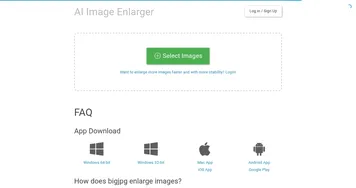
Image Upscaler is an AI-powered online tool designed to enhance image and video resolution up to 16K without sacrificing quality. It supports JPG, PNG, WEBP, JPEG, MP4, and AVI formats, offering upscaling factors of 200% or 400%. The tool uses deep learning convolutional neural networks to analyze images, reconstruct details, reduce noise, and smooth edges, making it suitable for photos, cartoons, and videos. It’s free for single-image processing, with paid plans starting at $3.9 for batch processing and higher resolutions.

The tool’s primary feature is its AI-driven upscaling, which enhances low-resolution images by intelligently adding pixels to improve clarity and sharpness. Users upload an image, select an upscaling factor, and download the enhanced result in seconds. It also includes a cartoonizer for converting photos into anime-style visuals and a face-specific upscaling mode for portraits. The platform ensures privacy by deleting images after 30 minutes. Free users are limited to 4096×4096 resolution and single-image processing, while paid plans unlock 16000×16000 resolution and batch capabilities.

Compared to competitors like Upscayl and Media.io, Image Upscaler offers similar functionality but stands out with its video cartoonization feature. However, Upscayl is open-source and free, with no resolution limits, while Media.io supports larger file sizes (up to 25MB). Image Upscaler’s free tier is sufficient for casual users, but processing speed can lag, with complex images taking up to 10 minutes. Some users report ad interruptions, which can disrupt the experience.

The tool excels in e-commerce, where high-quality product images drive sales, and for photographers restoring old or low-res photos. Its face upscaling is particularly effective for portraits, enhancing facial details naturally. However, blurry source images yield mixed results, and the free version’s single-image limit may frustrate users with bulk needs.

For best results, use high-quality source images in PNG or TIFF formats to minimize artifacts. Test the free version before committing to a paid plan, and consider batch processing if you handle multiple images regularly. The tool’s simplicity and privacy features make it a reliable choice for quick upscaling tasks.

Visit Image Upscaler ↗
Categories
๐Ÿ–ผ๏ธ Image
โฌ†๏ธ Image Upscaling ๐Ÿ’Ž Image Enhancing ๐ŸŒŸ Photo Enhancing โœ๏ธ Photo Editing ๐Ÿ› ๏ธ Photo Restoration โœ‚๏ธ Background Removal

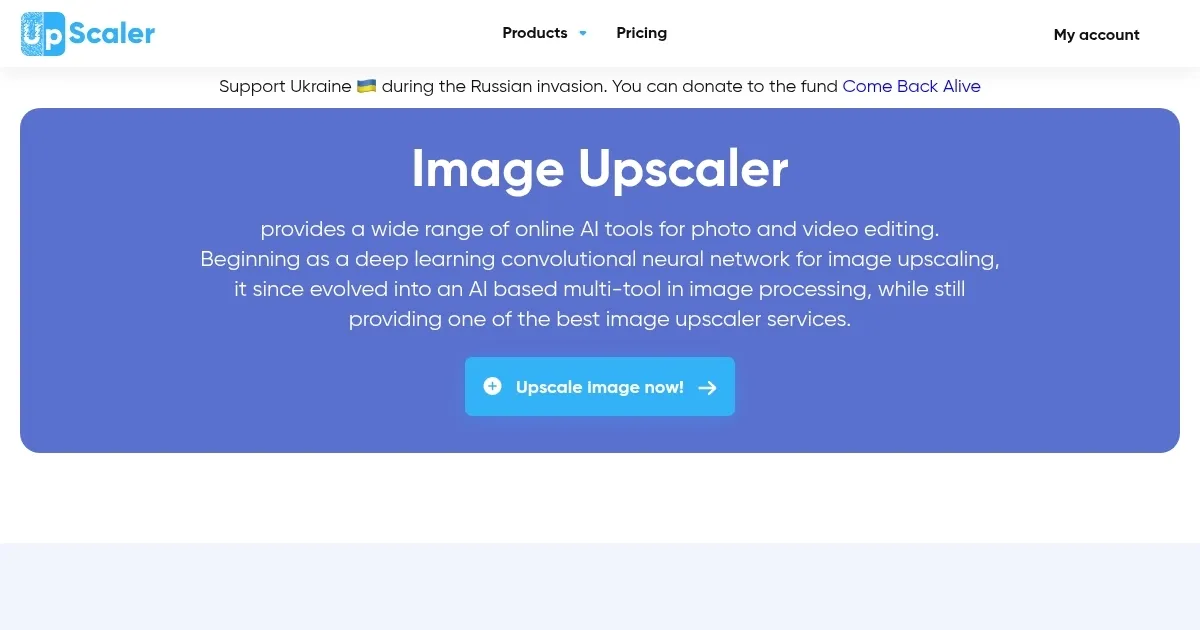
Homepage Screenshot 📸

Image Upscaler screenshot

What are the key features? ✨

  • AI Upscaling: Enhances images up to 16K resolution using deep learning to add pixels and improve clarity.
  • Cartoonizer: Converts photos or videos into anime-style visuals with a single click.
  • Face Upscaling: Optimizes portraits by enhancing facial details for natural, high-quality results.
  • Batch Processing: Allows premium users to upscale multiple images simultaneously, saving time.
  • Privacy Protection: Deletes uploaded images after 30 minutes to ensure user data security.

Who is it for? 🤔

Image Upscaler is ideal for e-commerce sellers, photographers, graphic designers, and social media content creators who need high-resolution images without quality loss. It benefits professionals enhancing product photos for online stores, restoring old or low-res images, or creating visually appealing graphics for websites and social platforms. Casual users experimenting with cartoonized photos or videos also find it valuable due to its free tier and ease of use.

Examples of what you can use it for 💡

  • E-commerce Seller: Upscales product photos to 4K for clearer, more professional listings on platforms like Amazon or Etsy.
  • Photographer: Restores old, low-resolution photos to high-definition quality for printing or archiving.
  • Graphic Designer: Enhances digital artwork resolution for large-format prints like posters or banners.
  • Social Media Influencer: Converts photos into anime-style visuals for unique, eye-catching posts on Instagram.
  • Real Estate Agent: Improves property photo resolution to showcase details in high-quality listings.

Pros & Cons ⚖️

  • Free tier for single-image upscaling.
  • High-resolution output up to 16K.
  • Privacy-focused with image deletion.
  • Slow processing for complex images.

FAQs 💬

Is Image Upscaler free to use?
Yes, it offers a free tier for single-image upscaling with no sign-up required, but premium plans unlock batch processing and higher resolutions.
What file formats are supported?
It supports JPG, PNG, WEBP, JPEG for images and MP4, AVI for videos up to 20MB.
How long does upscaling take?
Simple images process in seconds, but complex ones can take up to 10 minutes.
Is my data secure with Image Upscaler?
Yes, images are deleted from servers after 30 minutes to ensure privacy.
Can I upscale multiple images at once?
Batch processing is available with paid plans starting at $3.9, not in the free tier.
Does it work well with blurry images?
It improves clarity but performs best with clear source images; very blurry images may have mixed results.
Can I use upscaled images commercially?
Yes, all upscaled images are free for commercial use with no hidden costs.
Whatโ€™s the maximum resolution for free users?
Free users can upscale to 4096x4096; premium plans allow up to 16000x16000.
Does it support video upscaling?
Yes, it supports MP4 and AVI videos for cartoonization, with a 20MB file size limit.
How does it compare to competitors?
It offers similar upscaling to Upscale.media but includes unique video cartoonization, though processing can be slower.

Ready to try Image Upscaler?

Enhances images using AI to increase resolution up to 16K without quality loss

Visit Image Upscaler ↗

Image Upscaler alternatives 🔗

  1. Freepik AI Freepik AI Creates AI images and videos with fluid motion, detailed textures, and synced audio up to 1080p
  2. Pixelcut Pixelcut A suite of AI-powered image editing and upscaling tools
  3. Fotor Fotor Enhances and edits photos with AI-powered tools and creative features
  4. Cutout.Pro Cutout.Pro An AI-powered automatic visual design platform that saves time & money
  5. Pixlr Pixlr An AI-powered online photo editing and design platform, enabling everyone to create stunning designs
  6. Reimagine Reimagine A photo enhancement tool that digitizes, restores, colorizes, and animates old photographs using AI.
Share
Image Upscaler screenshot enlarged
Promote Image Upscaler
light badge
Copy Embed Code
dark badge
Copy Embed Code
neutral badge
Copy Embed Code
Best AI Tools

Discover the best AI tools for any use case

Explore
  • Tool Categories
  • AI Use Cases
  • AI Events
  • AI News
  • Saved Tools
Company
  • About Us
  • Contact Us
  • Media & Partnerships
  • Suggest a Tool
Legal
  • Privacy Policy
  • Terms of Service
Copyright © 2026 Best AI Tools 415 Mission Street, 37th Floor, San Francisco, CA 94105