logo-darklogo-darklogo-darklogo-dark
  • Tool Categories
    • 🎨Art & Creative Design505
    • 🏢Business Management644
    • 💻Coding & Development515
    • 👮Detection83
    • 🧠General Use727
    • 🏥Health & Wellness55
    • 📷Image & Photo Analysis100
    • 🖼️Image Generation & Editing618
    • 📐Interior & Architectural Design37
    • 🎓Learning & Education483
    • ⚖️Legal & Finance90
    • 🎭Lifestyle & Entertainment236
    • 📢Marketing & Advertising627
    • 🎧Music & Audio138
    • 👔Office & Workplace1,014
    • 🔬Research & Data Analysis372
    • 👥Social Media245
    • 🎥Video Generation & Editing426
    • 👧🏻Virtual Companion135
    • 🎤Voice Generation & Editing381
    • ✍️Writing & Editing808
    • All Categories
    • AI Use Cases
  • News
  • Events
    • Academic Conferences
    • Developer Conferences
    • Expos / Trade Shows
    • Industry Summits
    • Workshops / Training
    • All Events
    • Past Events
  • Saved Tools
  • Suggest a Tool
✕
Home › Image Generation & Editing › Image Upscaling› bigjpg
bigjpg

bigjpg

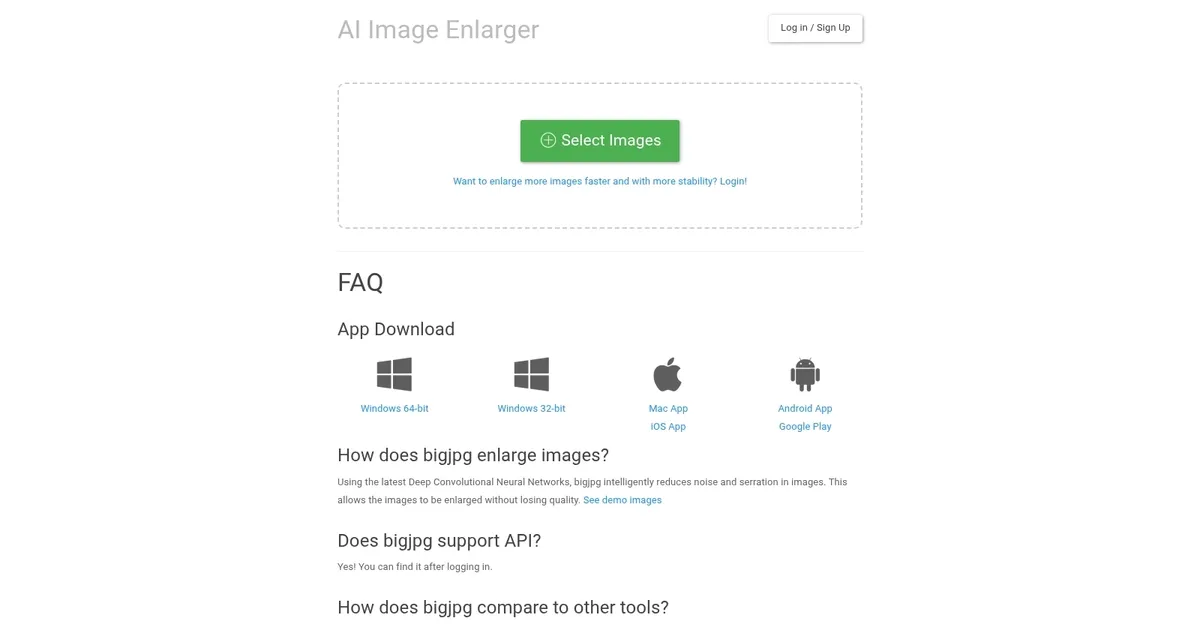
A super resolution lossless image enlarger that also has API support

Bigjpg is an advanced AI-powered tool designed to upscale or enlarge images without sacrificing quality. Utilizing deep convolutional neural networks, the application reduces noise and smoothens edges — ensuring the final image retains clarity and detail even after significant magnification.

Primarily beneficial for anime images and illustrations, the tool also supports upscaling of regular photos. Its AI algorithms are specifically tuned to enhance colors, maintain edge details, and eliminate common upscaling artifacts, making it stand out compared to traditional image enlargement methods, like those found in Photoshop — which often result in fuzzy or noisy outcomes.

Bigjpg does all this through a user-friendly interface where users can upload images with a maximum size limit that varies depending on the user’s subscription status — free or paid. Processing times and enlargement limits are also scalable based on the subscription, with premium users enjoying faster processing, larger image size capabilities, and additional features such as batch processing and offline enlarging.

The tool ensures user privacy by encrypting image links and automatically deleting uploaded and enlarged images after 5 days. Moreover, it provides an API for developers looking to integrate Bigjpg’s upscaling capabilities into their own applications, highlighting its utility for a wide range of users and use cases.

Visit bigjpg ↗
Categories
🖼️ Image
⬆️ Image Upscaling 💎 Image Enhancing 🌟 Photo Enhancing ✏️ Photo Editing
🎨 Art
🌸 Anime Generation

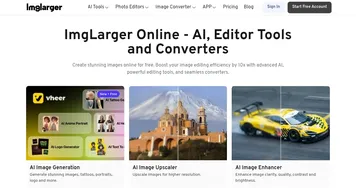
Homepage Screenshot 📸

bigjpg screenshot

What are the key features? ✨

  • AI-powered upscaling: Utilizes Deep Convolutional Neural Networks to enlarge images without losing quality while maintaining sharpness and reducing noise.
  • High-resolution outputs: Capable of enlarging images up to 16 times their original size while preserving detail and color accuracy.
  • Batch processing: Allows multiple images to be upscaled simultaneously, making it handy for users with large volumes of images.
  • Customizable settings: Offers various noise reduction levels and upscaling options (2x, 4x, 8x, 16x) to fit different image enhancement needs.
  • Privacy & security: Ensures user images are deleted automatically after three days, with encrypted links for secure access.

Who is it for? 🤔

Bigjpg primarily targets artists, photographers, graphic designers, and e-commerce businesses who need to enlarge images without sacrificing quality. It is also useful for anyone looking to enhance and preserve their photos or illustrations with high precision. The service appeals to both individuals and professionals, requiring detailed and high-quality image enlargements.

Examples of what you can use it for 💡

  • Perfect for enlarging anime-style images and illustrations while maintaining crisp lines and vibrant colors
  • Enhance personal or professional photographs by enlarging them without compromising on quality
  • Online sellers can upscale product images to provide detailed and high-quality visuals for better customer experience
  • Designers can upscale images for use in high-resolution projects
  • Preserve old photos and documents by enhancing and enlarging them for better clarity and detail

Pros & Cons ⚖️

  • An easy way to enlarge images
  • Batch processing is extremely helpful
  • Works great with anima
  • Won't work with every image (and that's ok)

FAQs 💬

What is Bigjpg, and what does it do?
Bigjpg is an AI-powered image upscaling tool that uses Deep Convolutional Neural Networks to enlarge images up to 16x their original size while preserving quality, ideal for photos, anime-style artwork, and graphics. It reduces noise and serrations for sharp, clear results. Perfect for designers and photographers needing high-resolution outputs.
What image formats does Bigjpg support?
Bigjpg supports common formats like JPEG, PNG, GIF, and BMP, making it versatile for various image types, from photos to illustrations.
Can Bigjpg handle both anime-style images and regular photos?
Yes, Bigjpg excels at upscaling anime-style artwork with well-preserved colors and edges, and it also supports regular photos, ensuring clarity across both types.
Is Bigjpg easy to use for beginners?
Absolutely, its user-friendly interface lets you upload an image, select enlargement settings, and process with a single click, no technical expertise needed.
How large can I upscale images with Bigjpg?
Free users can upscale up to 4x their original size (3000x3000px, 5MB max), while premium users can go up to 16x with larger file sizes, depending on the plan.
Does Bigjpg offer batch processing for multiple images?
Yes, Bigjpg includes a batch processing feature, allowing you to upscale multiple images at once, which saves time for bulk projects.
Is my data secure when using Bigjpg?
Bigjpg uses encryption for image links and deletes uploaded and enlarged images after three days, but you should avoid uploading sensitive content for extra caution.
Can I use Bigjpg on my phone or computer?
Bigjpg is accessible via its website, iOS app, Android app, or desktop versions for Windows and Mac, offering flexibility across devices.
Does Bigjpg have an API for developers?
Yes, Bigjpg provides an API for developers to integrate its upscaling capabilities into custom applications, with details available via their support email.
How fast is Bigjpg’s processing time?
Most images process in under a minute, though larger or complex images may take a few minutes, with estimated times shown during processing.

Ready to try bigjpg?

A super resolution lossless image enlarger that also has API support

Visit bigjpg ↗

bigjpg alternatives 🔗

  1. Freepik AI Freepik AI Creates AI images and videos with fluid motion, detailed textures, and synced audio up to 1080p
  2. Pixelcut Pixelcut A suite of AI-powered image editing and upscaling tools
  3. Fotor Fotor Enhances and edits photos with AI-powered tools and creative features
  4. Cutout.Pro Cutout.Pro An AI-powered automatic visual design platform that saves time & money
  5. Pixlr Pixlr An AI-powered online photo editing and design platform, enabling everyone to create stunning designs
  6. Reimagine Reimagine A photo enhancement tool that digitizes, restores, colorizes, and animates old photographs using AI.
Share
bigjpg screenshot enlarged
Promote bigjpg
light badge
Copy Embed Code
dark badge
Copy Embed Code
neutral badge
Copy Embed Code
Best AI Tools

Discover the best AI tools for any use case

Explore
  • Tool Categories
  • AI Use Cases
  • AI Events
  • AI News
  • Saved Tools
Company
  • About Us
  • Contact Us
  • Media & Partnerships
  • Suggest a Tool
Legal
  • Privacy Policy
  • Terms of Service
Copyright © 2026 Best AI Tools 415 Mission Street, 37th Floor, San Francisco, CA 94105