logo-darklogo-darklogo-darklogo-dark
  • Home
  • Browse
    • Assistant
    • Coding
    • Image
    • Productivity
    • Video
    • Voice
    • Writing
    • All Categories
    • AI Use Cases
  • My Favorites
  • Suggest a Tool
✕
Home › Image Generation & Editing›
Published by Dusan Belic on June 26, 2024

InPixio by Avanquest


InPixio
InPixio Homepage
Categories Image Generation & Editing
An AI-powered photo editing tool that makes it easy to transform images

InPixio

InPixio is an AI-powered photo editing tool that makes it easy to transform images. With features like background removal, object erasure, and photo enhancement – it lets users achieve professional-quality edits with minimal effort.

Furthermore, the tool’s intuitive interface makes it accessible for both beginners and seasoned editors — offering functionalities that rival more complex software like Adobe Photoshop.

One of InPixio’s coolest features is its one-click auto-correction, which enhances photos by adjusting colors, brightness, and contrast. This is useful for anyone looking to improve their images quickly without manual adjustments. In addition, InPixio provides options for creating photomontages and replacing skies — adding a “creative edge” to your photography projects.

InPixio is available across platforms — including desktop, mobile, and online — so that users can edit photos even while on the go. The mobile apps allow for quick adjustments and enhancements from your smartphone, with online tools offering similar capabilities — and can even work straight from the web browser.

For those involved in e-commerce or digital marketing, InPixio has tools to create studio-quality product photos with transparent backgrounds. This feature saves time and makes products look more appealing to potential customers.

Ultimately, with its ease of use and powerful editing capabilities, InPixio is a valuable tool for anyone looking to enhance their photos effortlessly.

InPixio Homepage
Categories Image Generation & Editing

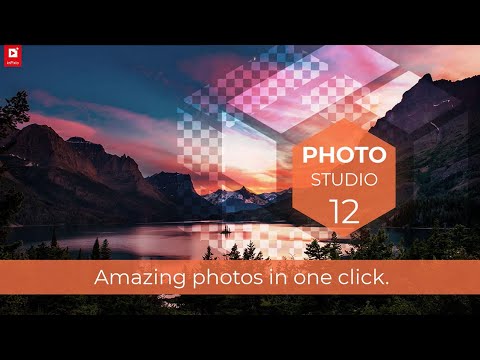
Video Overview ▶️

InPixio - Video Overview

What are the key features? ⭐

  • AI-powered editing: Transform photos effortlessly with AI features like background removal, object erasing, and sky replacement.
  • Easy to use: Designed for users of all skill levels, inPixio offers a one-click photo editor that simplifies the editing process.
  • Multi-platform support: The tool is available on mobile, desktop, and online.
  • Creative tools: Includes features like photomontages, text addition, and hundreds of templates to enhance your creative projects.
  • Marketplace-ready photos: Create studio-quality product photos with transparent backgrounds, which are ideal for online stores.

Who is it for? 🤔

InPixio is primarily made for amateur photographers, social media enthusiasts, small business owners, and e-commerce entrepreneurs needing easy-to-use and powerful photo editing tools. In other words, it appeals to anyone seeking professional-quality results without the complexity of traditional software.

Examples of what you can use it for 💭

  • Easily enhance and share photos on social media platforms
  • Create clean, professional product images for online stores
  • Edit and improve family photos, vacation snapshots, and personal projects
  • Develop high-quality visuals for marketing materials, advertisements, and promotional content
  • Convert images into various formats like PDF and PNG

Pros & Cons ⚖️

  • A set of different image-editing tools
  • Makes product photos look better
  • Also great for social media graphics
  • Photoshop experts will stick to Adobe

FAQs 💬

What is InPixio mainly used for?
InPixio specializes in quick AI-powered photo edits, especially removing or changing backgrounds, erasing unwanted objects, and enhancing overall image quality with minimal effort.
Do I need to install anything to use InPixio?
No, the online photo editor works directly in your browser with no installation required, though a Windows desktop version and mobile app are also available for offline or on-the-go editing.
How accurate is the AI background removal?
The AI handles intricate details like hair or complex edges quite well in most cases, often producing clean cutouts with one click, though very low-resolution or highly detailed images might need minor tweaks.
Can InPixio generate new backgrounds?
Yes, the AI can create entirely new backgrounds or let you swap in landscapes, skies, or custom scenes to transform the mood of your photo quickly.
Is InPixio suitable for beginners?
Absolutely, the platform is designed for people with zero editing experience, using simple one-click AI tools and an intuitive interface.
Does InPixio work on mobile devices?
Yes, there is a dedicated mobile app for iOS and Android that brings core AI editing features like background removal and enhancements to your phone.
What kinds of photos work best with InPixio's AI tools?
Portraits, product shots, landscapes, and everyday photos generally give the strongest results, especially when the subject stands out clearly from the background.
Can I remove objects or people from photos?
Yes, the AI-powered magic eraser lets you brush over unwanted items and it intelligently fills in the space while keeping the image natural.
Does InPixio support batch editing?
The online tools focus more on single-image quick edits, while the desktop software offers more options for working on multiple photos at once.
How does InPixio compare to free tools like Photopea or Canva?
InPixio often outperforms on specialized AI tasks like precise background removal and object erasure, especially for users who want fast, high-quality automated results rather than manual layering.
Visit InPixio

Related tools ↙️

  1. Dawn AI Dawn AI Generates personalized avatars and images from selfies using advanced AI technology
  2. Cloudinary Cloudinary Manages, transforms, optimizes, and delivers images and videos with AI-powered features
  3. Imgix Imgix Optimizes images in real-time using AI for faster web delivery
  4. Imajinn Imajinn Transforms user photos into artistic images and custom visuals using AI
  5. SVG AI SVG AI Transforms text prompts into scalable vector icons and logos instantly
  6. Artisse Artisse Generates hyper-realistic photos using AI from user selfies and custom prompts
Last update: February 8, 2026
Share
Promote InPixio
light badge
Copy Embed Code
dark badge
Copy Embed Code
neutral badge
Copy Embed Code
About Us | Contact Us | Suggest an AI Tool | Privacy Policy | Terms of Service

Copyright © 2026 Best AI Tools
415 Mission Street, 37th Floor, San Francisco, CA 94105