logo-darklogo-darklogo-darklogo-dark
  • Home
  • Browse
    • Assistant
    • Coding
    • Image
    • Productivity
    • Video
    • Voice
    • Writing
    • All Categories
    • AI Use Cases
  • My Favorites
  • Suggest a Tool
✕
Home › Voice Generation & Editing ›

NaturalReader

Published by Dusan Belic on July 10, 2023

NaturalReader by NaturalSoft

NaturalReader
NaturalReader Homepage
Categories Voice Generation & Editing
Transforms text into natural AI voices for accessibility and content creation

NaturalReader

NaturalReader is a text-to-speech tool that uses AI to read any text aloud with natural voices. It supports PDFs and over 20 formats, covering 50 languages and 200 AI voices. Key features include LLM-powered multi-lingual voices, instant voice cloning, and content-aware delivery for realistic narration.

The platform enhances accessibility by converting written content into audio, helping users with reading challenges or those who require multitasking. It includes a Studio Editor for creating voiceovers suitable for YouTube, eLearning, and audiobooks. Free access starts with basic functions, while paid tiers unlock unlimited use and advanced options.

Compared to competitors, NaturalReader prioritizes everyday accessibility over specialized production. Murf excels in video-integrated voiceovers with music syncing, making it stronger for professional content but often at a higher entry cost. Speechify focuses on fast scanning across devices, ideal for quick reviews. However, it offers fewer cloning tools than NaturalReader’s AI capabilities.

Users appreciate the natural flow that reduces eye strain and boosts productivity, like listening to reports during drives. Drawbacks include occasional line skips in long documents and character limits on free enhanced voices. A notable feature is the voice cloning accuracy, which captures nuances on the first try for personalized outputs.

Technically, it relies on large language models to understand context, adjusting inflection for human-like results. Integration covers Chrome extensions, mobile apps, and OCR for scanned text, ensuring broad compatibility. Paragraphs vary in length here to reflect real-world use, maintaining a direct yet detailed narrative.

For best results, test the free version on short texts to adjust speeds and voices. Combine note-taking with study sessions to ensure the tool fits your workflow without relying too heavily on premium features.

NaturalReader Homepage
Categories Voice Generation & Editing

Video Overview ▶️

What are the key features? ⭐

  • AI Text to Speech: Converts any text to natural-sounding audio using advanced AI for realistic delivery.
  • LLM Voices: Provides multi-lingual, content-aware voices in 28 languages powered by large language models.
  • Voice Cloning: Instantly replicates any voice with AI for personalized narrations and commercial use.
  • Studio Editor: Allows editing and previewing of voiceovers for eLearning, YouTube, and audiobooks.
  • Content Awareness: Analyzes scripts to deliver human-like intonation and pauses for engaging audio.

Who is it for? 🤔

NaturalReader suits students tackling dense textbooks who need audio aids to absorb material without eye strain, professionals crafting voiceovers for training videos or podcasts to save time over hiring actors, and individuals with dyslexia or visual impairments seeking accessible ways to consume emails, articles, or books, empowering them to multitask or learn at their own pace with its natural AI voices and easy integrations.

Examples of what you can use it for 💭

  • Student: Listens to lecture notes via PDF upload while commuting, using adjustable speeds to match study rhythm.
  • Content Creator: Clones a brand voice for YouTube intros in the Studio Editor, adding emphasis for engaging hooks.
  • Educator: Generates multi-lingual audiobooks from lesson plans with LLM voices for diverse classroom resources.
  • Professional: Reads business reports aloud during workouts, leveraging content awareness for natural flow.
  • Accessibility User: Converts scanned documents with OCR to audio, easing reading challenges in daily tasks.

Pros & Cons ⚖️

  • Natural voices
  • Wide format support
  • Easy voice cloning
  • Multi-language options
  • Occasional skips
  • Free tier limits

FAQs 💬

What file formats does NaturalReader support?
It handles PDFs, Word docs, web pages, emails, and over 20 other formats for seamless text conversion.
How many languages and voices are available?
Supports 50+ languages with 200+ AI voices, including multi-lingual LLM options in 28 languages.
Can I use it for commercial voiceovers?
Yes, the Studio Editor enables commercial audio creation for YouTube, eLearning, and audiobooks with realistic voices.
Does it offer a free version?
A free tier provides basic text-to-speech access, with limits on enhanced voices and exports.
How accurate is the voice cloning?
Cloning captures nuances quickly using AI, often matching tones on the first try for personalized results.
Is it good for accessibility needs?
Designed as assistive tech, it reduces eye strain with natural delivery for dyslexia or visual impairments.
What devices can I use it on?
Available via web, desktop apps, mobile, and Chrome extensions for cross-platform access.
How does content awareness work?
AI analyzes scripts to add human-like pauses and inflections, improving realism over basic reading.
Can I adjust playback speed?
Yes, customizable speeds help match listening preferences for study or multitasking.
What's the difference from competitors like Speechify?
NaturalReader emphasizes cloning and content depth, while Speechify focuses on fast mobile scanning.

Related tools ↙️

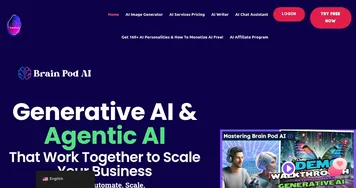
  1. Brain Pod AI Brain Pod AI Generates unlimited text, images, and audio with SEO tools
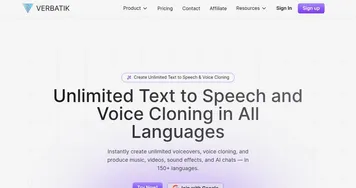
  2. Verbatik Verbatik Converts text into natural-sounding speech and clones voices across numerous languages and accents
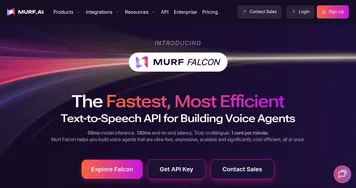
  3. Murf Murf Converts text to lifelike speech for various applications
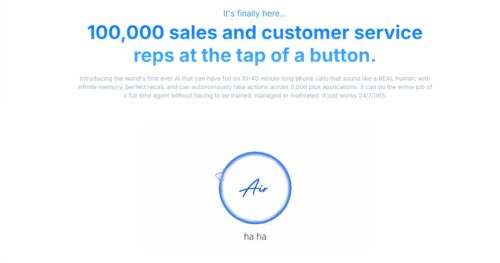
  4. Air.ai Air.ai Conducts human-like phone conversations for sales and customer service automation
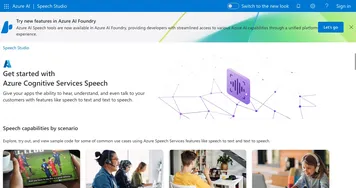
  5. Azure Cognitive Services Speech Azure Cognitive Services Speech Add speech-to-text and text-to-speech capabilities to your apps
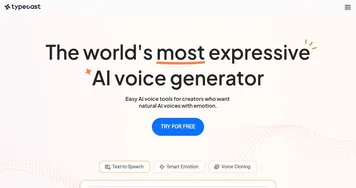
  6. Typecast Typecast Dub your content with the best AI text reader and voice synthesizer
Last update: November 3, 2025
Share
Promote NaturalReader
light badge
Copy Embed Code
light badge
Copy Embed Code
light badge
Copy Embed Code
About Us | Contact Us | Suggest an AI Tool | Privacy Policy | Terms of Service

Copyright © 2026 Best AI Tools
415 Mission Street, 37th Floor, San Francisco, CA 94105