Skip to content
logo-darklogo-darklogo-darklogo-dark
  • Tool Categories
    • 🎨Art & Creative Design505
    • 🏢Business Management644
    • 💻Coding & Development514
    • 👮Detection83
    • 🧠General Use728
    • 🏥Health & Wellness55
    • 📷Image & Photo Analysis100
    • 🖼️Image Generation & Editing618
    • 📐Interior & Architectural Design37
    • 🎓Learning & Education483
    • ⚖️Legal & Finance90
    • 🎭Lifestyle & Entertainment236
    • 📢Marketing & Advertising627
    • 🎧Music & Audio138
    • 👔Office & Workplace1,014
    • 🔬Research & Data Analysis373
    • 👥Social Media245
    • 🎥Video Generation & Editing426
    • 👧🏻Virtual Companion135
    • 🎤Voice Generation & Editing381
    • ✍️Writing & Editing808
    • All Categories
    • AI Use Cases
  • News
  • Events
    • Academic Conferences
    • Developer Conferences
    • Expos / Trade Shows
    • Industry Summits
    • Workshops / Training
    • All Events
    • Past Events
  • Saved Tools
  • Suggest a Tool
    ✕
    Home › Voice Generation & Editing › Text-to-Speech› Murf
    Murf

    Murf

    Converts text to lifelike speech for various applications

    Murf AI is a text-to-speech platform that generates human-like voiceovers in over 20 languages, making it ideal for podcasts, e-learning, and ads. Its second-generation TTS model delivers 99.38% pronunciation accuracy and latency under 200 ms, making it reliable for professional use. With over 200 voices and 10+ speaking styles, it caters to diverse needs, ranging from conversational podcasts to promotional videos. Enterprises like Vertiv and ThinkProject use it to cut production time and costs, often by up to 80%.

    The Pronunciation Library ensures consistent brand terms and authentic accents, which are critical for corporate training or marketing. You can customize pitch, speed, and pauses, or use the ‘Say It My Way’ feature to mimic your own voice. The dubbing studio translates audio into over 30 languages while preserving the original message’s intent, a major advantage for global campaigns. The interface is user-friendly, allowing quick script uploads and voice selection.

    Compared to WellSaid Labs, Murf excels in multilingual support. Still, its voices can lack the emotional depth of ElevenLabs for highly expressive scripts. The free plan offers 10 minutes of voice generation, which is limited for larger projects. Paid plans provide more access and commercial rights, making them competitive for businesses.

    The voice cloning and customization suite is a highlight, allowing users to fine-tune voices for specific tones, such as meditative or angry. Shared workspaces streamline team collaboration, a feature that sets it apart from some competitors. However, the sheer number of voice options can feel overwhelming, requiring time to find the perfect fit.

    Murf’s low-latency model is designed for AI voice agents, supporting applications such as customer service bots and personal assistants. Its API allows developers to integrate TTS into products, from audiobooks to conversational agents. The platform’s scalability makes it a favorite among enterprises, although small creators may find the free tier restrictive.

    For new users, test the free plan with a short script to explore voice styles. Utilize the Pronunciation Library for brand consistency, and consider paid plans if you require extensive use or commercial rights. Murf’s balance of speed, quality, and versatility makes it a strong choice. And you may want to ensure your project fits within the free tier’s limits before committing.

    Visit Murf ↗
    Categories
    🎤 Voice
    📢 Text-to-Speech 🗨️ Voice Generation 📣 Voice Over 🔊 Speech Synthesis 👯 Voice Cloning 🎛️ Voice Changer 🎚️ Voice Dubbing 🎙️ Podcast
    🎧 Music
    🎚️ Audio Editing

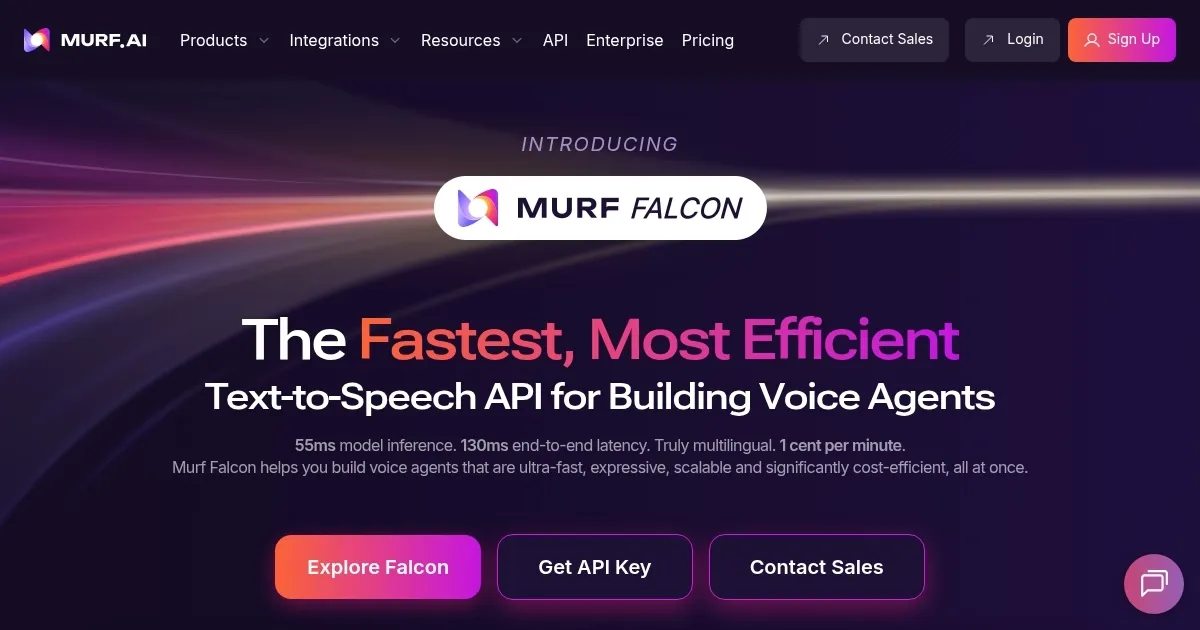
    Homepage Screenshot 📸

    Murf screenshot

    Video Overview 🎬

    Murf - Video Overview

    What are the key features? ✨

    • Pronunciation Library: Ensures consistent brand terms and authentic accents.
    • MultiNative Voices: Offers 200+ voices in 20+ languages for global content.
    • Advanced Customization: Allows precise tweaks to pitch, speed, and tone.
    • Dubbing Studio: Translates audio into 30+ languages with preserved intent.
    • Say It My Way: Mimics your voice for personalized voiceovers.

    Who is it for? 🤔

    Murf AI is designed for content creators, marketers, e-learning developers, and enterprises needing scalable, high-quality voiceovers, especially those producing multilingual content or AI voice agents for podcasts, ads, training, or customer service.

    Examples of what you can use it for 💡

    • Podcaster: Creates studio-quality podcast intros using conversational AI voices.
    • Marketer: Produces multilingual ad voiceovers to reach global audiences.
    • E-learning Developer: Generates training narrations with consistent pronunciation.
    • Developer: Integrates TTS API into apps for conversational AI agents.
    • Video Creator: Dubs YouTube videos into 30+ languages for wider reach.

    Pros & Cons ⚖️

    • 200+ voices in 20+ languages.
    • Fast, user-friendly interface.
    • High pronunciation accuracy.
    • Scalable for enterprise use.
    • Free plan limited to 10 minutes.
    • Voices may lack emotional depth.

    FAQs 💬

    What is Murf AI?
    Murf AI is a text-to-speech platform that generates realistic voiceovers in 20+ languages for podcasts, ads, and e-learning.
    Is Murf AI free to use?
    Murf offers a free plan with 10 minutes of voice generation, but paid plans unlock advanced features and commercial rights.
    What languages does Murf support?
    Murf supports 20+ languages, including English, Spanish, French, Hindi, Arabic, and Japanese, with various accents.
    Can I use Murf for commercial projects?
    Yes, Murf’s paid plans include commercial rights for voiceovers used in videos, ads, or other monetized content.
    How realistic are Murf’s AI voices?
    Murf’s voices are highly realistic, with 99.38% pronunciation accuracy, though they may lack some human emotional nuance.
    Can I clone my own voice with Murf?
    Yes, the ‘Say It My Way’ feature lets you record a line to mimic your tone and style in the AI voice.
    How does Murf compare to competitors?
    Murf excels in multilingual support compared to WellSaid Labs, but ElevenLabs may offer more emotive voices for specific use cases.
    Is Murf suitable for team collaboration?
    Yes, Murf’s shared workspaces and voice presets make it easy for teams to collaborate on projects.
    What is the dubbing studio?
    Murf’s dubbing studio translates audio and video into 30+ languages while preserving the original message’s intent.
    How fast is Murf’s voice generation?
    Murf generates voiceovers in minutes, significantly reducing production time compared to traditional voice recording.

    Ready to try Murf?

    Converts text to lifelike speech for various applications

    Visit Murf ↗

    Murf alternatives 🔗

    1. ElevenLabs ElevenLabs Generates lifelike, expressive AI voices for diverse applications
    2. TTSMaker TTSMaker Transforms text into natural-sounding audio in multiple languages
    3. Voicemaker Voicemaker A text-to-speech conversion tool that uses human-like natural sounding voices
    4. FineVoice FineVoice Generates realistic AI voices from text for videos and podcasts
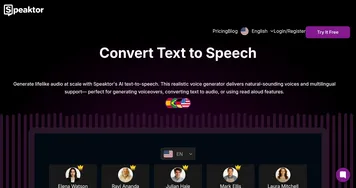
    5. Speaktor Speaktor Converts text to natural-sounding audio in multiple languages for diverse applications
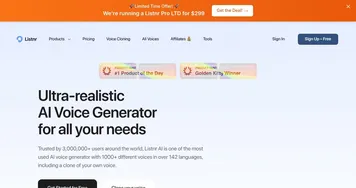
    6. Listnr Listnr Create realistic Text to Speech (TTS) audio with some of the best AI voices
    Share
    Murf screenshot enlarged
    Best AI Tools

    Discover the best AI tools for any use case

    Explore
    • Tool Categories
    • AI Use Cases
    • AI Events
    • AI News
    • Saved Tools
    Company
    • About Us
    • Contact Us
    • Media & Partnerships
    • Suggest a Tool
    Legal
    • Privacy Policy
    • Terms of Service
    Copyright © 2026 Best AI Tools 415 Mission Street, 37th Floor, San Francisco, CA 94105