Frequently Asked Questions
What is the best AI voice over tool?
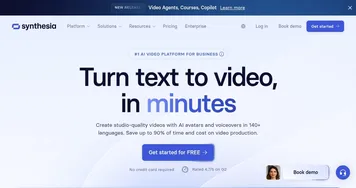
ElevenLabs is a top pick for the most natural-sounding voiceovers, while Synthesia pairs narration with AI presenters for training and explainer videos. Clipchamp and Speechify make adding a voiceover to a video quick and simple. The best fit depends on whether you need pure narration or voice plus on-screen video.
How do you add an AI voice over to a video?
You add an AI voiceover by writing or pasting your script, choosing a voice, and generating the audio, then placing it on your video timeline. Many editors like Clipchamp build this in so you can sync narration to footage directly. Standalone tools let you export the audio file and drop it into any editor.
Are AI voice overs good enough for YouTube and ads?
AI voiceovers are now good enough for many YouTube videos, ads, explainers, and courses, and plenty of channels use them daily. The best voices sound polished and consistent across long scripts. For high-emotion or brand-defining work, a human voice actor still has an edge, so creators often mix both depending on the piece.
Can I use AI voice overs commercially?
You can use AI voiceovers commercially when your plan includes a commercial license, which most paid tiers provide. Free tiers often restrict output to personal or non-monetized use. Before publishing client work, ads, or monetized videos, check the tool's licensing terms so you have clear rights to the narration.
How much does an AI voice over cost?
AI voiceover pricing usually runs from free for light use to roughly twenty to thirty dollars a month for creator plans. Cost typically scales with how much audio you generate, the quality of voices, and whether commercial rights are included. That is far cheaper than hiring voice talent for every video in a series.