

logo-darklogo-darklogo-darklogo-dark
  • Home
  • Browse
    • Assistant
    • Coding
    • Image
    • Productivity
    • Video
    • Voice
    • Writing
    • All Categories
    • AI Use Cases
  • My Favorites
  • Suggest a Tool
✕
Home › Image Generation & Editing›
Published by Dusan Belic on November 7, 2024

Picker AI

Picker AI
Picker AI Homepage
Categories Image Generation & Editing

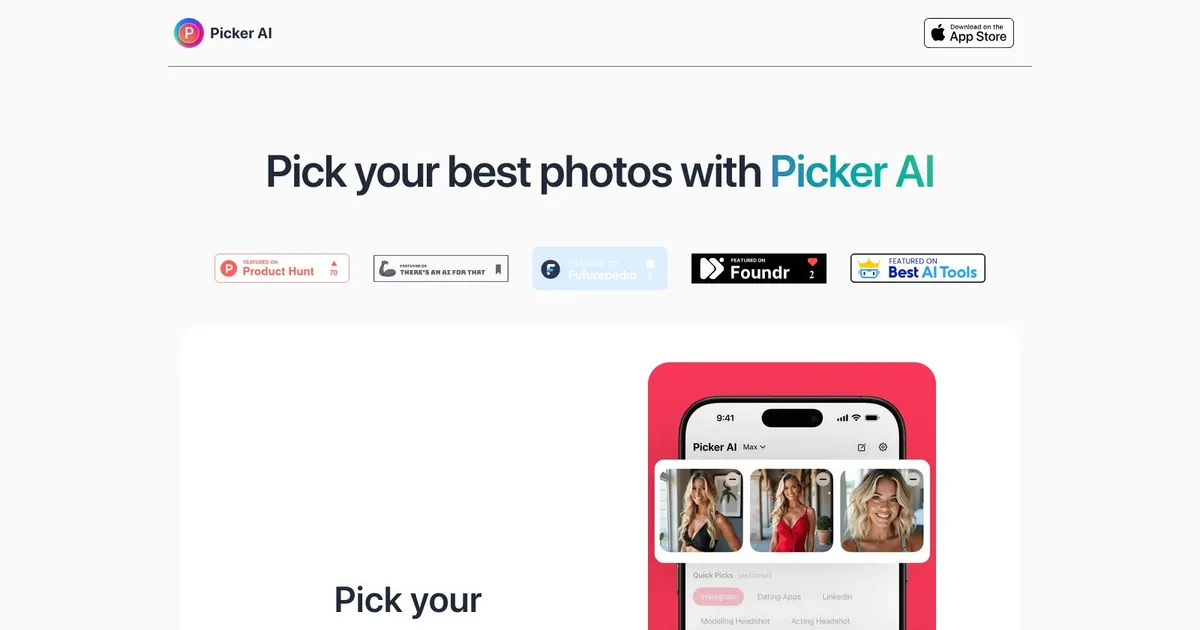
Picker AI - screenshot

Ranks your photos using on-device AI for social media, dating, or professional profiles

Picker AI

Picker AI is an innovative iOS application designed to assist users in selecting their most engaging photos for various platforms, including Instagram, LinkedIn, and dating apps. By leveraging advanced AI algorithms, the app analyzes multiple images to determine which ones will perform best, enhancing user engagement and optimizing online presence.

The app operates entirely on the user’s device, ensuring that personal photos remain private and are not uploaded to external servers. Users can select up to 12 photos at a time, and Picker AI evaluates them based on different factors that are relevant to the chosen platform. This process simplifies decision-making, saving users time and effort in curating their online profiles.

Beyond social media optimization, Picker AI includes features tailored for professional and personal use. For instance, it assists in selecting the most suitable LinkedIn profile picture to create a strong first impression. In addition, the app provides insights for enhancing dating profile photos, aiming to increase the likelihood of matches.

Picker AI is available for free download on the App Store, with optional in-app purchases for advanced features. The app is regularly updated to introduce new functionalities, reflecting the developers’ commitment to user satisfaction.

Ultimately, the combination of AI and convenience makes Picker AI a valuable solution for individuals seeking to enhance their digital image across different platforms.

Picker AI Homepage
Categories Image Generation & Editing

What are the key features? ⭐

  • Context-Aware Ranking: Analyzes and sorts photos according to the specific platform or purpose you select, such as Instagram carousels or dating profile optimization.
  • Batch Processing: Handles uploads of up to 200 photos simultaneously for quick evaluation and ranking in seconds.
  • On-Device Privacy: Performs all AI processing locally on your device so photos never leave your iPhone or iPad.
  • Engagement Prediction: Estimates which images have the highest potential for likes, matches, or professional impressions based on visual and contextual factors.
  • Hidden Gems Discovery: Surfaces overlooked high-quality or high-impact shots that users might miss during manual review.

Who is it for? 🤔

Picker AI suits anyone who captures lots of photos but gets stuck choosing which ones to share—regular Instagram posters looking to improve feed performance, singles fine-tuning dating profiles for better match rates, professionals updating LinkedIn or portfolio shots to project the right image, models sorting through large shoot sets, and even casual users who want the best family or travel moments without spending hours deciding.

Examples of what you can use it for 💭

  • Instagram content creator: Uploads a batch of outfit or travel shots and gets ranked picks optimized for carousel covers or feed aesthetics to maximize likes and saves.
  • Dating app user: Selects from recent selfies and candids, then lets the AI highlight the one most likely to increase matches based on proven visual appeal factors.
  • LinkedIn professional: Analyzes headshot variations from a session and recommends the strongest option for profile updates that draw compliments and connections.
  • Model or influencer: Processes raw shoot files to quickly shortlist top poses and expressions for client submissions or social promotion.
  • Family photo organizer: Sorts through vacation duplicates to pull out the clearest, happiest group shots for albums or prints without endless scrolling.

Pros & Cons ⚖️

  • Fast ranking saves hours of indecision
  • Privacy-focused on-device processing
  • Boosts engagement on social and dating apps
  • Surfaces overlooked strong photos
  • Occasional ranking surprises or misses
  • Limited to iOS devices only

FAQs 💬

What does Picker AI actually do?
Picker AI uses on-device AI to analyze batches of your photos and rank them based on the context you choose, like for Instagram, dating apps, or LinkedIn, so you get the best picks fast without manual effort.
Is my data private when using Picker AI?
Yes, all processing happens locally on your device, so your photos never get uploaded to any server or leave your iPhone or iPad.
How many photos can I upload at once?
You can upload and analyze up to 200 photos in a single batch for ranking.
Does Picker AI work for dating profile pictures?
Absolutely, one of its main strengths is optimizing selections for dating apps by predicting which photos tend to get more matches.
Can it help with Instagram posts specifically?
Yes, it ranks photos for Instagram readiness, including suggestions for carousel covers or feed aesthetics to improve engagement.
Is Picker AI free to use?
It offers core functionality for free, though some advanced features or higher usage might involve in-app options—check the App Store for current details.
What platforms does Picker AI support?
It's built as an iOS app, so it works on iPhone, iPad, and iPod touch devices.
How does it compare to manual photo selection?
It dramatically cuts down decision fatigue by providing instant, data-informed rankings instead of endless scrolling and comparing.
Visit Picker AI

Related tools ↙️

  1. Dawn AI Dawn AI Generates personalized avatars and images from selfies using advanced AI technology
  2. Cloudinary Cloudinary Manages, transforms, optimizes, and delivers images and videos with AI-powered features
  3. Imgix Imgix Optimizes images in real-time using AI for faster web delivery
  4. Imajinn Imajinn Transforms user photos into artistic images and custom visuals using AI
  5. SVG AI SVG AI Transforms text prompts into scalable vector icons and logos instantly
  6. Artisse Artisse Generates hyper-realistic photos using AI from user selfies and custom prompts
Last update: February 22, 2026
Share
Promote Picker AI
light badge
Copy Embed Code
dark badge
Copy Embed Code
neutral badge
Copy Embed Code
About Us | Contact Us | Suggest an AI Tool | Privacy Policy | Terms of Service

Copyright © 2026 Best AI Tools
415 Mission Street, 37th Floor, San Francisco, CA 94105





