logo-darklogo-darklogo-darklogo-dark
  • Home
  • Browse
    • Assistant
    • Coding
    • Image
    • Productivity
    • Video
    • Voice
    • Writing
    • All Categories
    • AI Use Cases
  • My Favorites
  • Suggest a Tool
✕
Home › Image Generation & Editing ›

Removal.AI

Published by Dusan Belic on July 10, 2023

Removal.AI

Removal.AI
Removal.AI Homepage
Categories Image Generation & Editing
Quickly remove the background from the image for free using artificial intelligence

Removal.AI

Imagine a world where every snapshot you take can be transformed into a masterpiece, where the unwanted backdrops dissolve away like mist under the morning sun, revealing only what’s essential.

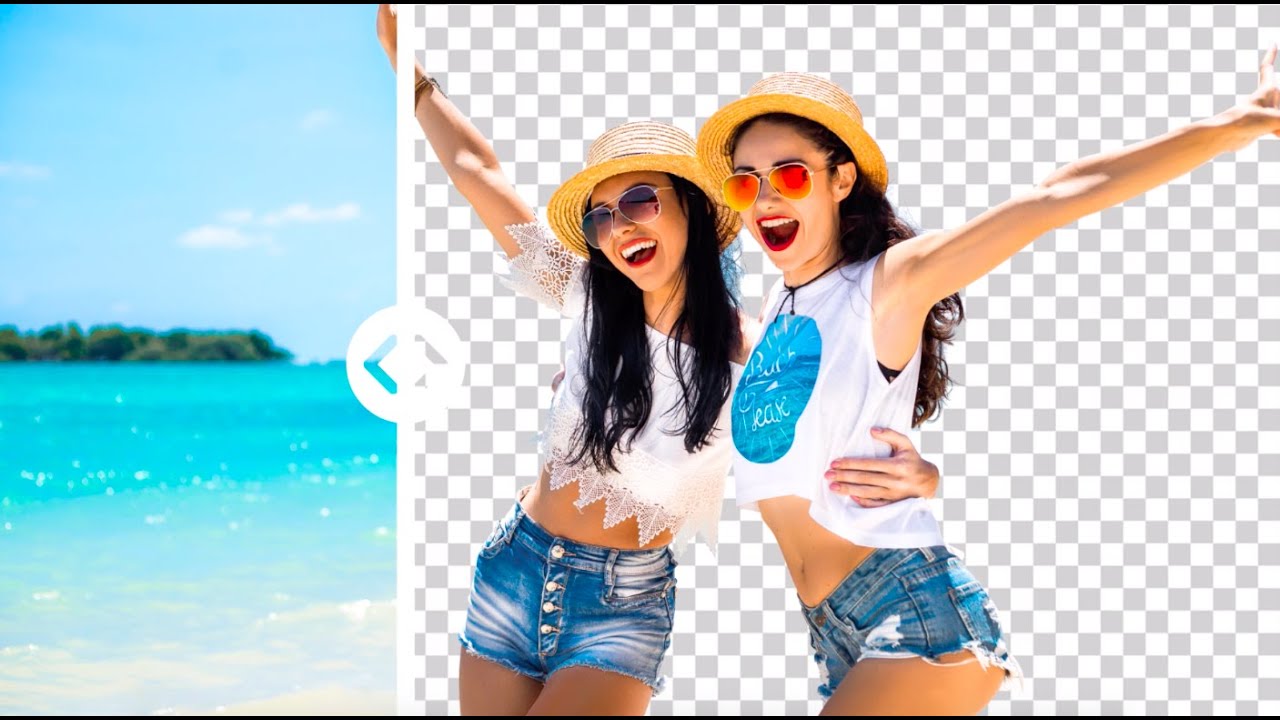
That’s what Removal.ai is all about — it is an AI-powered tool for removing distracting backgrounds in photos, leaving behind only the subjects in their purest form.

Whether you’re a photographer looking to highlight your subject, an e-commerce seller aiming to showcase your products, or just someone playing with the aesthetics of your personal photos – Removal.ai can help you out.

The process of removing the background is almost instantaneous, and with just a few clicks – your image is transformed. All you have to do is upload your photo(s) and click on the button, and you’re good to go.

Finally, it also includes a simple photo editor and an API, which lets developers integrate Removal.ai’s features into their apps and services. Pretty cool.

Removal.AI Homepage
Categories Image Generation & Editing

Video Overview ▶️

What are the key features? ⭐

  • Instant background removal: The tool can automatically detect subjects in photos and create neat, clear, and smooth cutout edges.
  • Bulk image processing: This is ideal for businesses or individuals who regularly work with large sets of images and need a quick and efficient way to remove backgrounds.
  • Photo editor included: Beyond removing backgrounds, Removal.ai comes with a photo editor tool that you can use to add text, apply effects, and edit the foreground.
  • API integration: The API allows developers to incorporate Removal.ai into their own apps and services.
  • Support available: Users can get assistance with their requirements, ensuring that the final results meet their specific standards and expectations.

Who is it for? 🤔

Removal.ai is made for e-commerce businesses, professional photographers, graphic designers, and marketers who frequently need to edit and enhance images for commercial or promotional purposes. The tool is also appealing to individual users and hobbyists who work on personal projects requiring background removal, such as creating custom graphics, updating social media profiles, or designing personal photo albums. Additionally, its API integration makes it a suitable choice for developers and tech companies looking for an efficient way to automate image processing in their applications or websites.

Examples of what you can use it for 💭

  • If you're selling products online, Removal.ai can help you remove messy backgrounds from your product photos
  • Remove cluttered or unattractive backgrounds from your headshots or portraits
  • Designers and marketers can use Removal.ai to quickly prepare images for brochures, flyers, banners, and other marketing materials
  • If you're working on a personal project like a photo collage, a scrapbook, or a custom greeting card, Removal.ai can help you isolate the subjects of your photos
  • Developers and web designers can use Removal.ai to prepare images for websites and mobile apps

Pros & Cons ⚖️

  • Makes removing backgrounds a snap
  • Basic image editor comes included, as well
  • It's nice that it offers an API for further integrations
  • You'll need a different app to edit your image further

FAQs 💬

What is Removal.ai?
Removal.ai is an AI-powered online tool that automatically removes image backgrounds to create transparent PNG files. It uses machine learning to detect subjects and edges precisely, making it ideal for quick edits without software downloads.
How does Removal.ai work for beginners?
Just upload a JPG or JPEG image via drag-and-drop or paste, and the AI processes it in under 3 seconds. You get a preview to edit if needed, then download the result, it's that simple for anyone new to photo editing.
What file formats does Removal.ai support?
It handles JPG and JPEG uploads, outputting transparent PNGs. Batch uploads work for over 1,000 images at once, though complex files might need manual tweaks.
Is Removal.ai accurate for tricky details like hair or fur?
Yes, it excels at fine edges with smooth cutouts, but for very complex scenes it might leave minor artifacts. Users often refine these in the built-in editor for pro results.
Can I process multiple images at once with Removal.ai?
Absolutely, batch processing lets you handle large volumes efficiently. It's great for eCommerce or marketing teams needing quick bulk edits.
Does Removal.ai offer an API for developers?
It does, with easy integration via POST requests and API keys. Supports up to 500 images per minute depending on resolution, perfect for embedding in apps.
What editing tools come with Removal.ai?
Beyond removal, you can replace backgrounds with colors or images, use an erase/restore brush, add text or effects, and apply presets. It's a full online photo editor.
Is Removal.ai suitable for eCommerce product photos?
Definitely, it creates clean, professional shots that highlight products. Handles shadows and details well, boosting listings on platforms like Shopify.
How fast is background removal on Removal.ai?
Single images take 3 seconds or less. Batch jobs scale with file size, but overall it's one of the quickest tools out there for high-volume work.
Can I get manual help if the AI isn't perfect?
For tough images, hire their pro editors for 24-hour turnaround. It's a solid backup when AI edges need human precision.

Related tools ↙️

  1. The Clueless The Clueless Creates hyper-realistic AI avatars for business campaigns
  2. ROAST AI Dating Photos ROAST AI Dating Photos Generate great pictures that boost your matches on dating services
  3. AI Avatar Generator AI Avatar Generator You need only one image of yourself or your pet to create infinite variations
  4. Media.io Media.io An online platform offering AI-powered video, audio, and image editing tools
  5. Phygital+ Phygital+ An AI workspace for visual creators featuring an array of models and tools
  6. BGEraser BGEraser Removes image backgrounds instantly using AI for clean, professional results
Last update: December 7, 2025
Share
Promote Removal.AI
light badge
Copy Embed Code
light badge
Copy Embed Code
light badge
Copy Embed Code
About Us | Contact Us | Suggest an AI Tool | Privacy Policy | Terms of Service

Copyright © 2026 Best AI Tools
415 Mission Street, 37th Floor, San Francisco, CA 94105