logo-darklogo-darklogo-darklogo-dark
  • Home
  • Browse
    • Assistant
    • Coding
    • Image
    • Productivity
    • Video
    • Voice
    • Writing
    • All Categories
    • AI Use Cases
  • My Favorites
  • Suggest a Tool
✕
Home › Productivity›
Published by Dusan Belic on August 30, 2023

Sharly

Sharly
Sharly Homepage
Categories Productivity

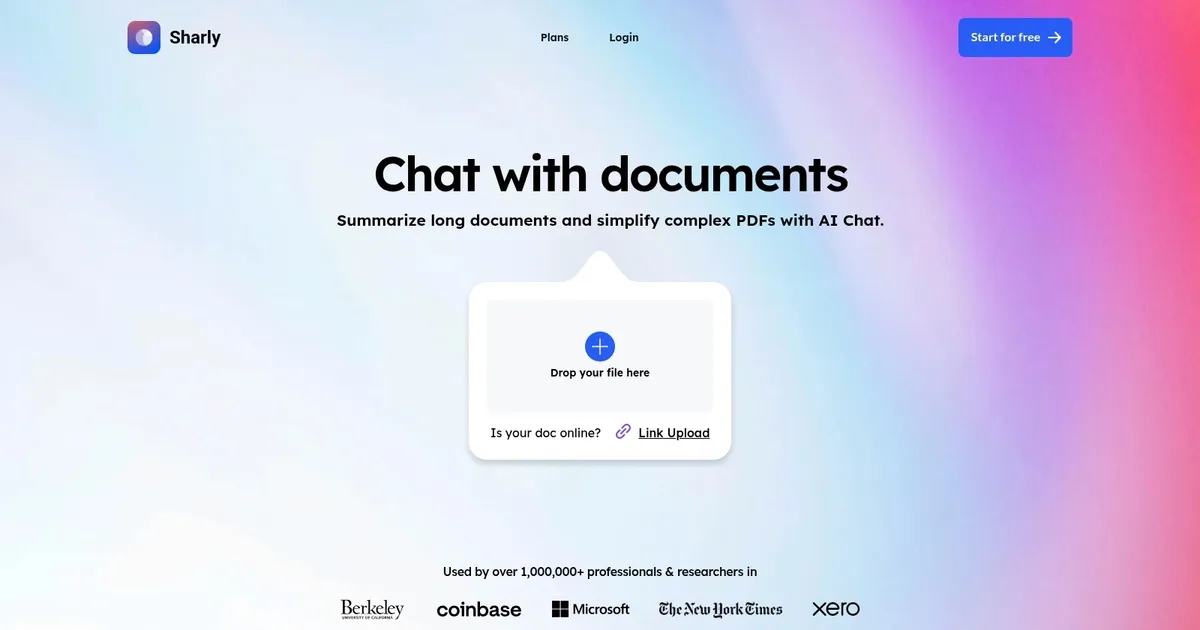
Sharly - screenshot

Chat with your content, create a collaborative knowledge base

Sharly

Sharly AI is an advanced tool designed to revolutionize how professionals interact with documents and PDFs. Utilizing the power of GPT-4, it offers functionalities such as summarizing lengthy documents, simplifying complex PDFs, and enabling users to chat with any document or PDF they upload.

This technology goes beyond basic text analysis by supporting more than 50 types of documents, performing cross-document analysis, and incorporating automatic OCR for PDFs.

Sharly AI integrates with Google Drive and leverages enhanced AI Chat for the highest accuracy in information retrieval and citation extraction.

Specifically designed for use by professionals and teams across various fields, the tool aids in improving research and reading efficiency — facilitating quicker access to crucial information and insights without the need to go through entire documents.

Beyond research, Sharly AI is also tailored for other applications, such as legal document management, project management, and content summarization. For all of them, it streamlines the analysis of information, offers rapid insights, and provides quick access to critical details and quick summarization capabilities.

The platform promises a secure infrastructure with data encryption, data control, and without the need for retraining the models with user input data — thus ensuring privacy and data security.

Sharly Homepage
Categories Productivity

What are the key features? ⭐

  • Summarization: delivers fast, accurate key insights and structured summaries from single or multiple documents with source links
  • Citation-aware Chat: answers questions across uploaded files with every response backed by verifiable citations in APA, MLA, or Chicago styles
  • Document Comparison: compares metrics, patterns, and conflicts side-by-side across reports with synthesis insights like Match or Conflict labels
  • Collaboration Workspace: enables team sharing, annotations, peer reviews, and inline feedback in a secure shared environment
  • Format Support: processes PDFs, DOCX, TXT, CSV, audio files, and more with strong handling of research and professional content

Who is it for? 🤔

Sharly AI suits researchers who need to digest large volumes of papers, analysts tracking market or competitive intelligence, compliance and legal teams verifying regulations or audit materials, product managers synthesizing specs and feedback, graduate students building literature reviews, and enterprise groups that require secure, traceable, collaborative document workflows.

Examples of what you can use it for 💭

  • Academic Researcher: uploads multiple journal articles or theses to get quick summaries, ask detailed questions with citations, and compare findings across studies for literature reviews
  • Market Analyst: loads industry reports and forecasts to identify key metrics, spot trends or contradictions, and generate cited overviews for presentations or strategy docs
  • Compliance Team Member: analyzes policy documents, regulations, and audit reports to verify claims, flag inconsistencies, and collaborate securely on interpretations
  • Product Manager: summarizes technical specs, user feedback reports, and competitor analyses to pull actionable insights and share annotated highlights with the team
  • Graduate Student: chats with course readings, research papers, or transcribed lectures to clarify concepts, extract references, and build cited notes efficiently

Pros & Cons ⚖️

  • Fast and accurate summaries with source links
  • Strong citation and style switching support
  • Excellent cross-document comparison
  • Secure team collaboration features
  • Limited free tier for heavy use
  • Weaker on poor-quality scanned docs

FAQs 💬

What types of files does Sharly AI support?
It handles PDFs, DOCX, DOC, TXT, CSV, RTF, ODT, ODS, ODP, PPTX, HTML, plus audio formats like MP3, MP4, WAV, and more, including PDFs with OCR.
Does Sharly AI provide citations with answers?
Yes, every insight and chat response includes verifiable sources from your documents, with instant switching between APA, MLA, and Chicago formats.
Can multiple people collaborate in Sharly AI?
Yes, shared workspaces allow team annotations, inline feedback, peer reviews, and role-based permissions, especially in Team and Business plans.
Is there a free version of Sharly AI?
Yes, a free tier exists for basic use, with upgrades to Pro, Team, or Business for unlimited documents, advanced features, and enterprise controls.
How does Sharly AI compare documents?
It runs side-by-side metric comparisons, highlights patterns, flags conflicts or missing data, and provides synthesis insights for quick clarity.
Does Sharly AI work with audio files?
Yes, it processes audio formats, transcribes content, summarizes key points, and supports questions with references to the material.
Is Sharly AI secure for sensitive documents?
It offers enterprise-grade features like doc-only reasoning, activity logs, permissions, and no external training on your uploads.
What makes Sharly AI different from ChatPDF?
Sharly adds robust cross-document comparison, team collaboration, advanced citation tools, and stronger focus on research workflows.
Can I use Sharly AI on mobile?
It works through a web browser on phones and tablets, though no dedicated mobile app exists yet.
Who is Sharly AI best suited for?
Researchers, analysts, teams, and institutions that handle complex documents and value speed, traceability, and collaborative verification.
Visit Sharly

Related tools ↙️

  1. Pineify Pineify Generates error-free Pine Script indicators and strategies without coding
  2. ResuFit ResuFit Generates AI-tailored resumes, cover letters, and interview prep for job applications
  3. Fina Money Fina Money Builds customizable AI-driven systems to track and optimize personal finances effortlessly
  4. Upwork Uma Upwork Uma Streamlines freelance hiring with AI-powered skill assessments and job creation
  5. Oliv Oliv Automates sales workflows with AI agents for deal tracking and coaching
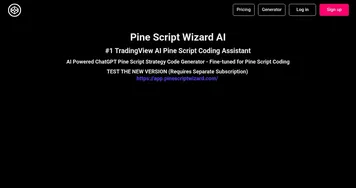
  6. Pine Script Wizard Pine Script Wizard Generates custom Pine Script code for TradingView indicators and strategies from text descriptions
Last update: March 3, 2026
Share
Promote Sharly
light badge
Copy Embed Code
dark badge
Copy Embed Code
neutral badge
Copy Embed Code
About Us | Contact Us | Suggest an AI Tool | Privacy Policy | Terms of Service

Copyright © 2026 Best AI Tools
415 Mission Street, 37th Floor, San Francisco, CA 94105