Skip to content
logo-darklogo-darklogo-darklogo-dark
  • Tool Categories
    • 🎨Art & Creative Design505
    • 🏢Business Management644
    • 💻Coding & Development514
    • 👮Detection83
    • 🧠General Use728
    • 🏥Health & Wellness55
    • 📷Image & Photo Analysis100
    • 🖼️Image Generation & Editing618
    • 📐Interior & Architectural Design37
    • 🎓Learning & Education483
    • ⚖️Legal & Finance90
    • 🎭Lifestyle & Entertainment236
    • 📢Marketing & Advertising627
    • 🎧Music & Audio138
    • 👔Office & Workplace1,014
    • 🔬Research & Data Analysis373
    • 👥Social Media245
    • 🎥Video Generation & Editing426
    • 👧🏻Virtual Companion135
    • 🎤Voice Generation & Editing381
    • ✍️Writing & Editing808
    • All Categories
    • AI Use Cases
  • News
  • Events
    • Academic Conferences
    • Developer Conferences
    • Expos / Trade Shows
    • Industry Summits
    • Workshops / Training
    • All Events
    • Past Events
  • Saved Tools
  • Suggest a Tool
    ✕
    Home › Office & Workplace › Meeting Assistant› Avoma
    Avoma

    Avoma

    AI meeting assistant that will help you before, during, and after every meeting

    Avoma is an AI Meeting Assistant that can streamline the management, collaboration, and intelligence gathering of meetings across an organization. It offers a range of features to enhance productivity before, during, and after meetings — including automatic recording and transcription, AI-generated notes, live bookmarking for capturing key moments, collaborative note-taking, and preparation with agenda templates.

    Avoma also includes conversation and revenue intelligence by analyzing meeting content to offer insights on interaction trends, competitor intelligence, and deal risks — which can be invaluable for sales leaders, customer success managers, and remote teams. Furthermore, it allows for effective meeting scheduling, lead routing, and sharing and collaborating on meeting outcomes with team members — ensuring all discussions are leveraged for maximum impact.

    Beyond meeting documentation and scheduling, Avoma offers a suite of tools for conversation intelligence and revenue enhancement. For instance, it supports organizations in improving meeting outcomes, shortening sales cycles, and coaching teams with objective scorecards and curated playlists of key conversation moments.

    The platform integrates with popular conferencing, CRM, and dialer tools — making it adaptable to various workflows and ensuring that customer conversations can drive actionable insights.

    As of April 2024, more than 900 high-growth organizations trusted Avoma — which use it in sales, customer success, marketing, and other teams.

    Visit Avoma ↗
    Categories
    👔 Work
    🤝 Meeting Assistant 🗒️ Note Taking 📝 Note Generation 🕒 Scheduling
    🎤 Voice
    📝 Transcriber 💬 Speech-to-Text 🎤 Recording
    📢 Advertising
    🛍️ Sales Assistant 💼 Sales
    🔬 Research
    📊 Data Analytics

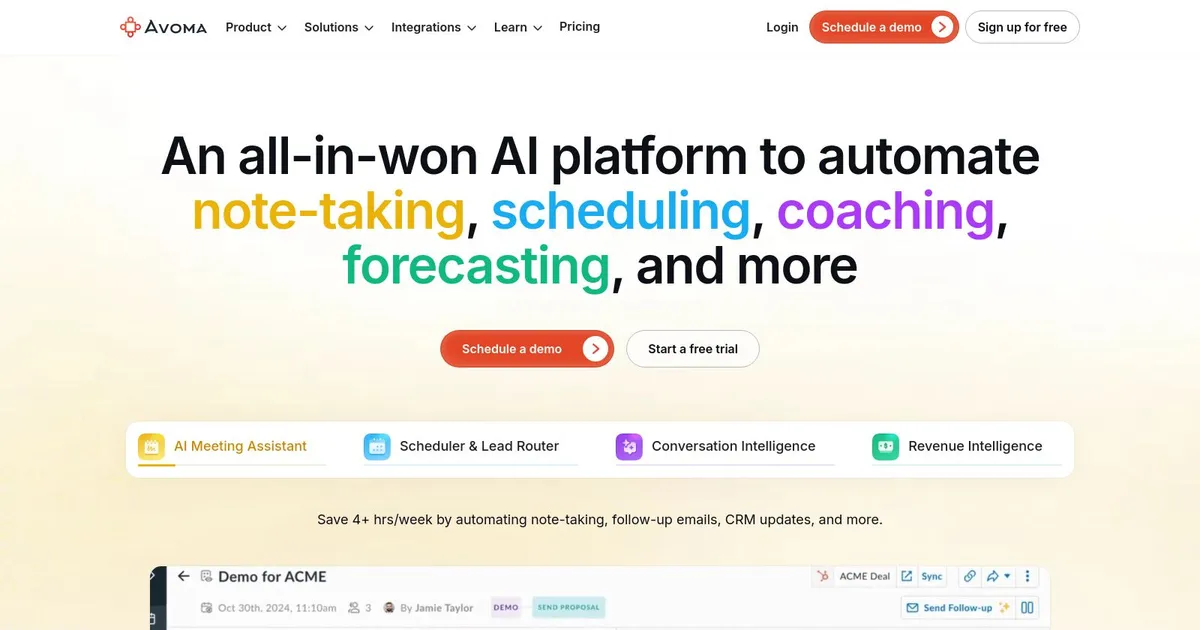
    Homepage Screenshot 📸

    Avoma screenshot

    What are the key features? ✨

    • AI Meeting Assistant: automates transcription, generates smart notes with custom templates, drafts follow-ups, and syncs data to CRM automatically.
    • Scheduler & Lead Router: enables effortless 1:1, group, and round-robin scheduling with advanced lead routing rules.
    • Conversation Intelligence: scores calls, analyzes talk patterns, provides coaching insights, and offers real-time objection handling.
    • Revenue Intelligence: flags deal risks, tracks sales methodologies, automates pipeline updates, and supports forecasting.
    • Ask Avoma AI Copilot: answers questions objectively from meeting data and provides instant insights.

    Who is it for? 🤔

    Avoma suits sales reps, account executives, customer success managers, and revenue leaders who run frequent customer calls and want to cut manual work while gaining actionable insights from conversations. Its especially useful for growing teams that need coaching, better forecasting, and CRM hygiene without juggling multiple tools.

    Examples of what you can use it for 💡

    • Sales Development Rep: uses the scheduler to book more qualified meetings and the AI assistant to auto-update CRM after discovery calls.
    • Account Executive: relies on conversation intelligence to review call scores and coaching tips to improve objection handling and close rates.
    • Sales Manager: monitors team performance through talk-pattern insights and deal risk alerts to coach reps and forecast more accurately.
    • Customer Success Manager: generates follow-up emails and tracks key topics from renewal discussions to reduce churn.
    • Revenue Operations Lead: leverages revenue intelligence for pipeline reviews and automated methodology scoring across the team.

    Pros & Cons ⚖️

    • Saves hours on notes & CRM
    • Strong sales coaching insights
    • Affordable modular pricing
    • Free viewer collaboration seats
    • Occasional transcription issues
    • Bot join reliability varies

    FAQs 💬

    What does Avoma mainly do?
    Avoma automates meeting transcription, note-taking, follow-ups, call coaching, and revenue insights for sales teams.
    Which platforms does Avoma integrate with?
    It works with Zoom, Google Meet, Microsoft Teams, major CRMs like Salesforce and HubSpot, calendars, and dialers.
    Is there a free trial available?
    Yes, Avoma offers a 14-day free trial with all features, no credit card required.
    Can I start with only basic features?
    Yes, you can begin with just the AI Meeting Assistant and add conversation or revenue intelligence later.
    Does Avoma support multiple languages?
    It transcribes and processes meetings in over 60 languages with real-time capabilities.
    Are viewer seats really free?
    Yes, view-only and collaborator seats are always free for sharing notes and insights.
    How accurate is the transcription?
    It generally performs well but some users note occasional issues with accents, noise, or speaker overlap.
    What makes Avoma different from Gong?
    Avoma offers similar intelligence at a lower cost with modular add-ons and a built-in scheduler.
    Can it update my CRM automatically?
    Yes, it auto-enters data like MEDDIC fields or action items into supported CRMs after meetings.
    Is Avoma suitable for non-sales teams?
    While built for revenue teams, the core meeting assistant works well for any professional who needs automated notes.

    Ready to try Avoma?

    AI meeting assistant that will help you before, during, and after every meeting

    Visit Avoma ↗
    Avoma alternatives 🔗

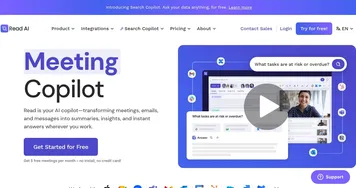
    1. Read AI Read AI AI-generated summaries, transcripts, playback, and highlights to improve your meetings
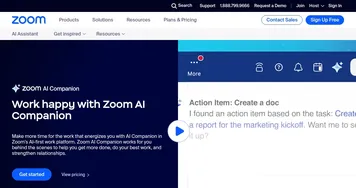
    2. Zoom AI Companion Zoom AI Companion Get high-quality results when drafting emails and chat messages, summarizing meetings and chat threads
    3. Noota Noota An AI meeting assistant with automatic note-taking, meeting reports, real-time coaching, and more
    4. Grain AI Grain AI Unlock the value and insights of your customer meetings using AI
    5. Fathom Fathom An AI assistant for recording, transcribing, highlighting, and summarizing your meetings
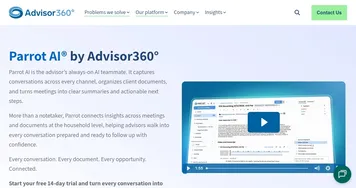
    6. Parrot AI Parrot AI Transforms advisor meetings into actionable insights with secure AI transcription and household organization
    Share
    Avoma screenshot enlarged
    Best AI Tools

    Discover the best AI tools for any use case

    Explore
    • Tool Categories
    • AI Use Cases
    • AI Events
    • AI News
    • Saved Tools
    Company
    • About Us
    • Contact Us
    • Media & Partnerships
    • Suggest a Tool
    Legal
    • Privacy Policy
    • Terms of Service
    Copyright © 2026 Best AI Tools 415 Mission Street, 37th Floor, San Francisco, CA 94105