Sharly
Chat with your content, create a collaborative knowledge base
Sharly AI is an advanced tool designed to revolutionize how professionals interact with documents and PDFs. Utilizing the power of GPT-4, it offers functionalities such as summarizing lengthy documents, simplifying complex PDFs, and enabling users to chat with any document or PDF they upload.
This technology goes beyond basic text analysis by supporting more than 50 types of documents, performing cross-document analysis, and incorporating automatic OCR for PDFs.
Sharly AI integrates with Google Drive and leverages enhanced AI Chat for the highest accuracy in information retrieval and citation extraction.
Specifically designed for use by professionals and teams across various fields, the tool aids in improving research and reading efficiency — facilitating quicker access to crucial information and insights without the need to go through entire documents.
Beyond research, Sharly AI is also tailored for other applications, such as legal document management, project management, and content summarization. For all of them, it streamlines the analysis of information, offers rapid insights, and provides quick access to critical details and quick summarization capabilities.
The platform promises a secure infrastructure with data encryption, data control, and without the need for retraining the models with user input data — thus ensuring privacy and data security.
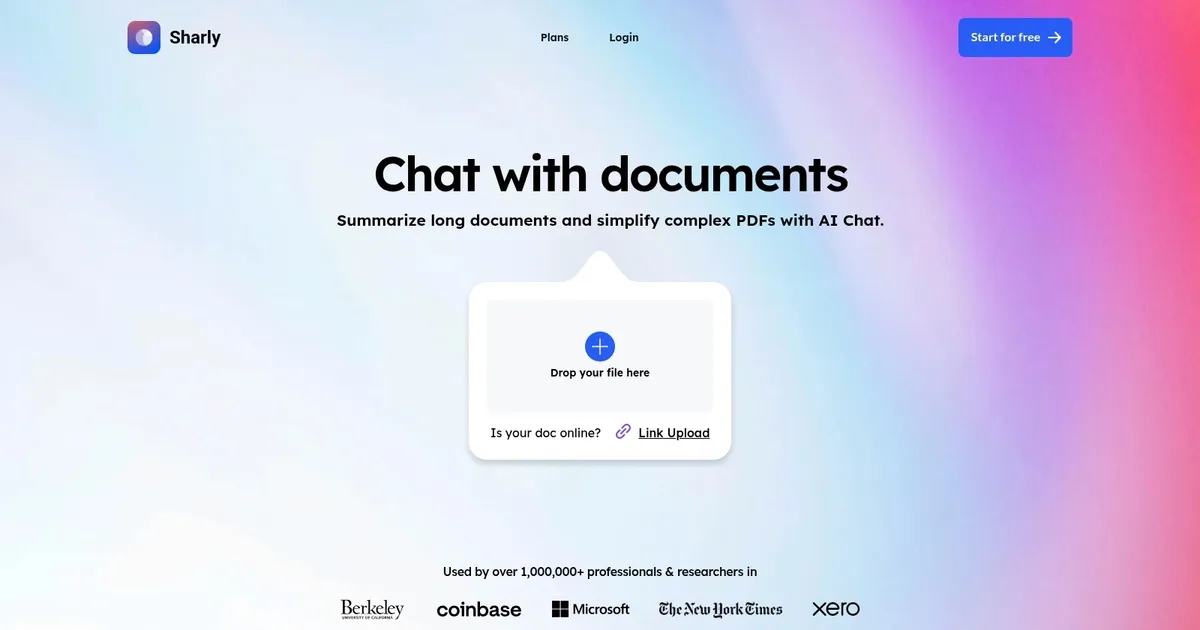
Homepage Screenshot 📸
What are the key features? ✨
- Summarization: delivers fast, accurate key insights and structured summaries from single or multiple documents with source links
- Citation-aware Chat: answers questions across uploaded files with every response backed by verifiable citations in APA, MLA, or Chicago styles
- Document Comparison: compares metrics, patterns, and conflicts side-by-side across reports with synthesis insights like Match or Conflict labels
- Collaboration Workspace: enables team sharing, annotations, peer reviews, and inline feedback in a secure shared environment
- Format Support: processes PDFs, DOCX, TXT, CSV, audio files, and more with strong handling of research and professional content
Who is it for? 🤔
Examples of what you can use it for 💡
- Academic Researcher: uploads multiple journal articles or theses to get quick summaries, ask detailed questions with citations, and compare findings across studies for literature reviews
- Market Analyst: loads industry reports and forecasts to identify key metrics, spot trends or contradictions, and generate cited overviews for presentations or strategy docs
- Compliance Team Member: analyzes policy documents, regulations, and audit reports to verify claims, flag inconsistencies, and collaborate securely on interpretations
- Product Manager: summarizes technical specs, user feedback reports, and competitor analyses to pull actionable insights and share annotated highlights with the team
- Graduate Student: chats with course readings, research papers, or transcribed lectures to clarify concepts, extract references, and build cited notes efficiently
Pros & Cons ⚖️
- Fast and accurate summaries with source links
- Strong citation and style switching support
- Excellent cross-document comparison
- Secure team collaboration features
- Limited free tier for heavy use
- Weaker on poor-quality scanned docs
FAQs 💬