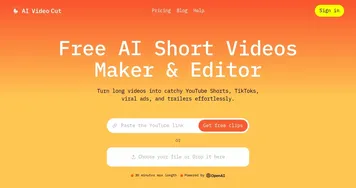
Snapy AI


Snapy AI is an AI driven platform that automates video and audio editing for short form content. It processes uploads to generate clips optimized for YouTube Shorts, Instagram Reels, and TikTok. Core tools include the AI Auto Editor for extracting key moments with added captions and transitions. The AI Silence Remover detects and eliminates pauses while maintaining speech flow. Users access these via a web interface that supports common formats like MP4 and MP3.
The AI Shorts Generator creates videos from text prompts, allowing customization of style and length. Export options cover multiple resolutions up to 1080p on paid plans. The AI Video Dubber supports over 20 languages with voice synthesis and lip sync technology. This enables content localization without manual dubbing. The PPT to Video Converter turns slides into videos by incorporating animations and voiceovers.
The AI Video Background Remover applies one click removal for clean composites. It works without green screens and outputs transparent backgrounds. The AI Background Noise Remover filters audio distractions in recordings. Plans range from free with watermarks and limits to pro tiers with higher credits and features like voice cloning. Compared to Descript, Snapy AI prioritizes short form automation over full transcription suites.
Users report fast processing times, often under 15 minutes for short inputs. Strengths include ease for beginners and time savings on repetitive tasks. Limitations involve occasional over editing in silence removal and credit based usage that requires monitoring. Against InVideo, it offers stronger audio tools but fewer pre built templates. The platform integrates bulk processing on higher plans.
For best results, users specify detailed prompts and review outputs before export. Start with the free plan to assess fit, then upgrade based on volume needs. This approach maximizes value across creator levels.
Video Overview ▶️
What are the key features? ⭐
- AI Auto Editor: Analyzes videos to identify highlights and assemble shorts with captions and transitions.
- AI Silence Remover: Detects silent gaps in audio and removes them while preserving natural timing.
- AI Shorts Generator: Converts text prompts into customizable short videos for social platforms.
- AI Video Dubber: Dubs content into 20+ languages using realistic voices and lip sync.
- AI Background Noise Remover: Filters out unwanted sounds from recordings to enhance clarity.
Who is it for? 🤔
Examples of what you can use it for 💭
- Instructor: Converts lecture recordings into short tutorial clips with auto captions for online courses.
- Podcaster: Removes silences from episodes to create tight reels that hook listeners fast.
- Marketer: Dubs promo videos into multiple languages to reach global audiences seamlessly.
- YouTuber: Transforms long vlogs into viral shorts using text prompts for trending styles.
- Business owner: Edits product demos by removing backgrounds for clean social showcases.
Pros & Cons ⚖️
- Fast processing
- Easy for beginners
- Multi language support
- Time saving automation
- Credit limits apply
- Occasional over edits